
Zobrazení pro čtení

Garden Horizons Seeds Guide

Garden Horizons is here, and if you’re playing today you’re probably concerned about seeds. Garden Horizons seeds are the crux of the game, and they are what makes the money. So, we’d better enlighten you on all the numbers.

Garden Horizons Seeds Guide

Okay, now the important stuff.

How To Get Seeds

You can get hold of seeds at Steve’s Seed Shop, which you’ll find in the central area of the server map, near the fountain.

Like the shops from… other gardening games we will not talk about right now, the stock of Steve’s Seed Shop varies depending on what returned in the most recent restock. Some seeds may not be in stock, which means you won’t be able to buy them, even if you can afford them. If you’re after something rare, you may have to wait around patiently, and check frequently, so see if the seed you want is in stock.

A notification should pop up on screen every time the Seed Shop gets a restock.


Seed Shop Inventory

The current seeds in the Seed Shop are listed below, with their prices, and info on if they’re confirmed as a renewable crop. (That is, the plant stays after the harvest and begins growing new fruit, which you can harvest again.)

RaritySeed PriceBase Sell PriceRenewable?
Carrot SeedCommon$20$30No
Corn SeedCommon$100$15Yes
Onion SeedUncommon$200$220No
Strawberry SeedUncommon$800Yes
Mushroom SeedUncommon$1,500
Beetroot SeedRare$2,500
Tomato SeedRare$4,000Yes
Apple SeedRare$7,000Yes
Rose SeedRare$10,000
Wheat SeedEpic$12,000
Banana SeedEpic$30,000
Plum SeedEpic$60,000
Potato SeedEpic$100,000
Cabbage SeedLegendary$150,000
Cherry SeedLegendary$1,000,000Yes
DawnfruitSpecialCode Only$600Yes

We’ll try and update the table as we get hold of more info, and as new seeds are added to the game.

FAQ

Wondering about anything else? We’ll try to tackle it here.

What’s the best seed right now?

The highest value seed currently is the Cherry Seed, though arguably the best right now might be the Dawnfruit seed, as it’s both high base price, and free if you are in the Dawn Digital Roblox group and redeem one of the Garden Horizons codes released at launch. (But check out our linked guide there for full details.)

What’s the difference between a renewable crop, and a non-renewable one?

Non-renewable crops are a one-time thing. You plant them, they grow, you harvest, and the plant is gone, you get a one-time payout when you sell the harvest. Renewable crops are different. Once you harvest the crop, the plant stays, and grows more fruit you can harvest. Renewable crops often sell for less money, but you can keep profiting off them forever, so it’s a pretty fair trade off.

What is ‘base sell price’?

Base sell price is the price a full grown, but unripe version of the crop sells for as soon as you can harvest it. Because of the ripening mechanic, a Ripe version will sell for 2x the base price, while a crop left long enough to become Lush will sell for 3x that amount.

The post Garden Horizons Seeds Guide appeared first on Droid Gamers.

  •  

Garden Horizons Codes

Garden Horizons just hit full release. The race is on to get those brand new gardens blooming, and we’re on the guiding grind to help all you new growers get started. First off, our Garden Horizons codes guide to fill your boots with freebies ASAP.

Garden Horizons Codes

Let’s get into the important bits.

Working Codes

As of our last check, the active codes for Garden Horizons are:

  • RELEASE
    • $2500
    • 15 Carrot Seeds
    • 2 Corn Seeds
  • DAWN (This one only works if you were in the Dawn Digital Roblox group at the time of launch.)
    • Dawnfruit Seed

How To Redeem Garden Horizons Codes

Now we’ve got the codes themselves, it’s time to explain how to turn them into rewards. You’ll need to follow the steps below.

  • Start up Garden Horizons.
  • Once you’ve loaded into your plot, hit the gear icon in the top left, near the chat bar. This should open your Settings.
  • In the Settings, scroll down to the bottom, there should be section marked ‘Codes’ with a text box that says ‘Enter code’.
  • You hear the text box, enter the code in here.
  • Hit the little arrow button next to the text box.
  • Your rewards should got straight in.

FAQ

Still confused? In this section we’ll tackle common questions players have.

What are codes for?

Codes, also known as gift codes or promo codes, are shared by a game’s developers to drum up hype, thank the community, mark an update, or apologize for some tech issues. They’re made to be entered in-game, and redeemed for in-game prizes. It’s basically really easy free stuff, so it’s no surprise everyone wants them.

A code isn’t working, what’s wrong?

If a code doesn’t work (and you’ve made sure you entered it right), then it might have expired. Codes tend to go out of circulation after a

Where did these codes come from?

We check for codes on the official Garden Horizons Discord server. This is crewed by the developers so the codes are nearly always legit. (Unless they’re messing with the players.)

Any more Garden Horizons wisdom to share?

Maybe take a look at our guide to Garden Horizons ripening if you need help with the new mechanic.

The post Garden Horizons Codes appeared first on Droid Gamers.

  •  

Garden Horizons Gear Guide

With the arrival of Garden Horizons on Roblox, we’ve set out to explain as much as we can about the new gardening game to help you get settled in this new landscape, especially if you’re a Grow A Garden player seeking somewhere fresh to settle and grow your crops. This time, we’re covering Garden Horizons gear, what’s the same, and what’s a bit different.

Garden Horizons Gear Guide

Let’s get into it.

What Are Gears?

Gears is the term used for items used to make gardening easier. This means things that might boost your crops growth and mutation chances, tools that make harvesting less labour intensive, that kind of thing. You can purchase these from Molly’s Gear Shop, which you’ll find in the central square, by the fountain.

Like the seeds in Garden Horizons, and shops in other gardening games, gears often have limited stocks, and you might not be able to buy certain gears until they are stocked. Restocks happen periodically, but the rare the gear, the less likely you’ll find any in stock at any one time.

Gear List

This list is divided into the different rarities, and explains each gear, and what they do.


Common Gears

Watering Can – $5,000

Speeds up crop growth.


Uncommon Gears

Basic Sprinkler – $15,000
Waters all plants in a radius around it for a period of time, increasing their size.

Rare Gears

Harvest Bell – $35,000
Ring it to harvest everything in your vicinity.


Epic Gears

Turbo Sprinkler – $60,000
A more powerful version of the sprinkler.

Favorite Tool – $80,000
Allows you to favorite certain crops so you don’t accidentally harvest them.


Legendary Gears

Super Sprinkler – $100,000

The best sprinkler available right now.


Gear FAQ

Anything else we think might be useful to know.

How do I make money to buy gear?

Keep selling your crops. If some of the costs are looking steep, consider waiting for crops to fully ripen to Lush before selling them, if you haven’t already. We explain this in more detail in our Garden Horizons ripening guide.

The gear I want is never in stock, what should I do?

Sometimes you do need to be patient when you’re talking about rare seeds or gears. One way to avoid waiting around online for an excessive amount of time is, if you are a Discord user, joining a stock notifier server, like the Dawnbot server. In these servers, you can request a Discord notification when a certain gear or seed is stocked, so you can go do something else in the meantime.

Does the favorite tool prevent crop stealing?

No, but it doesn’t need to! Unlike Grow A Garden, Garden Horizons has no crop stealing mechanic in the game right now, everything you own is yours.

Where should I put a sprinkler?

Sprinklers are best used on the most valuable crops that you have, as that’s the most efficient way to make profit on the purchase, the more expensive the kind of sprinkler is, the more important it is that you use it on expensive crops.

The post Garden Horizons Gear Guide appeared first on Droid Gamers.

  •  

Garden Horizons Ripening Mechanic – How Does It Work?

Garden Horizons is here and if you just started you might have a few questions about the features that set it apart from the uh… other gardening game. We thought we’d explain the Garden Horizons ripening mechanic to help you adjust to the brave new world.

Garden Horizons Ripening Mechanic

We’ll tackle the big questions first, then the smaller ones.

What Is Ripening?

Ripening is a mechanic specific to Garden Horizons that lets crops gain value over time, even after they become ready to harvet. Let’s run over how it works as simply as possible.

  • When you plant a crop, it begins growing.
  • Once it is fully grown, you can harvest it and sell it for base price. (It will be marked as Unripe)
  • But, if you leave it in the ground, it will continue to ripen and its multiplier will begin to rise.
  • If left, the crop will reach 2.0x multiplier, and get the Ripened mutation.
  • From Ripened, the multiplier will continue to gradually rise further.
  • Eventually the multiplier will top out at 3.0x, and the crop will gain the Lush mutation.

Should You Wait For A Crop To Become Lush?

Generally, yes!

You don’t need to invest any resources other than time to get Lush crops, and they are worth three times the value of the Unripe variant. Leaving them out for longer is doubly beneficial, as there’s a chance to pick up extra mutations, so for optimal money-making, there’s really no reason to harvest your crop until it’s Lush.

The only good reasons we could think of would be in time-limited situations, or if you were eager to get some unwanted crops out of the way.

Saying this, we would like to warn you that ripening isn’t a set time across all crops. The rarer the crop, the slower it grows, and so the longer it takes to ripen. So, for the most valuable crops you should be ready for the long haul. Don’t worry, your patience will be rewarded.

FAQ

How do I know a crop has become Lush?

Whenever a crop in your garden reaches the Lush stage, you should get a notification pop up on your screen to let you know.

Do crops ripen while I’m offline?

No. Crops should grow while you’re offline, but ripening requires time spent in-game to work. More motivation to stick around rather than harvest, dump everything at the seller, and leave, we guess.

My crop hasn’t ripened, what’s going on?

If you’ve noticed that your crops aren’t ripening as fast, that’s not necessarily a bad thing. Rarer, more valuable crops take longer to ripen than cheap ones. So, you might have to wait longer for the payout, but it will be worth it. (Also, as mentioned above, you do need to stay online throughout.)

Can Ripened or Lush fruits get other mutations?

Yes. In fact, the Ripened and Lush multipliers also count any increases additional mutations give into the figure they multiply, so they can make mutated crops even more valuable than before.

Do you have any other guide for Garden Horizons?

Thanks for asking, totally-not-me typing this! We’ve also got a guide on what to expect in Garden Horizons.

The post Garden Horizons Ripening Mechanic – How Does It Work? appeared first on Droid Gamers.

  •  

Ultimate Sailor Piece Tier List Guide – The Best Races And Fruits In Sailor Piece

There’s a new kind on the block in the world of Roblox One Piece games. We’ve played a few of these in our time, so we know what you’re probably wondering. What races should you reroll for? What Fruit should you track down ASAP? That’s what this ultimate Sailor Piece tier list guide is made for, to cut down the hunting around.

Rather than make you hunt around for the right one, we’re putting all the important tier lists in one master guide to make it easier to find what you’re after.

Sailor Piece Tier List Guide

First we’ve got the race tier list, then the fruit tier list. After that, we’ll answer a few of your frequently asked questions on both.

Race Tier List

Unlike our Sailor Piece races guide, this section is all about subjectively ranking the player races rather than telling you their stats. We will endeavour to explain why we came to the conclusions we did, though.

S Tier

The absolute peak. Don’t reroll these unless you have an extremely good reason.

  • Slime – The highest HP buff in the game, a damage buff, sword buff, damage reduction AND lifesteal? Insane.
  • Leviathan – The HP and damage you might expect at this level, as well as an impressive sword buff, and lifesteal, what’s not to like?
  • Oni – Big health buff, big damage buff, damage reduction. Generally a great melee race.
  • Kitsune – HP, damage, all that good stuff. Gives a boost to both melee and sword stats which makes for a versatile buff. It also improves your luck significantly.

A Tier

Excellent. These have great buffs, and they’re still strong contenders.

  • Shinigami – Huge HP pool and damage boosts. Even without Aizen it’s still buffed a ton.
  • Vessel – Sukuna is already strong. Combine with hefty max HP and damage boosts you’re in a great spot.
  • Player – Getting Sung Jin-woo gets the most out of this, but the health and damage buffs are hefty enough to carry this.
  • Limitless – Similar to the others, this is best with Gojo, but still very good on its own.

B Tier

Good. These aren’t as powerful as the top tiers, but still well worth getting. Reroll if you’ve got plenty of rerolls.

  • Demon – Solid HP and damage buffs, plus spirit speed. An overall very strong race.
  • Vampire -Lower HP and damage buffs than Demon, but vampire has Lifesteal.
  • Orc – Higher HP, higher damage. Not as big as higher tiers, but big enough you’ll notice.
  • Fishman – Levels up quicker, and earns more money, which makes it quite useful in the early game.

C Tier

Not great. These aren’t super great. They’re better than no buffs at all, but you may want to reroll fairly soon.

  • Skypean – Jumps can be useful, but it’s a bit specific.
  • Mink – Running fast is convenient, but other than that you don’t have a lot going on.

D Tier

Very basic, doesn’t really give you anything special. Reroll as soon as you get a chance.

  • Human – Absolutely nothing.

Body image for our Sailor Piece tier list. It shows a screenshot in Sailor Piece of a boss arena, resembling a huge chess board, surrounded by trees. There is a blue sky in the background.

Fruit Tier List

Next in our Sailor Piece tier list master guide, we’re onto the fruits. There are a small number in the game right now. We’ll probably add more as they appear.

S Tier

The best fruits bar none.

  • Light – Really powerful across PVE and PVP, if quite hard to get hold of.

A Tier

Really good.

  • Quake – Second only to Light in terms of straight power.
  • Flame – Extremely good, a little under Quake.
  • Bomb Fruit – Despite being really common, this is way better than it has any business being.

B Tier

Okay. These are alright, though nothing special. You can get by using them, though.

  • No B Tier right now.

C Tier

Meh. These don’t offer a lot.

  • Invisible – Kind of limited in what you can do with it. Might help mildly in PVP, but pretty useless for PVE.

D Tier

Useless. Don’t use these.

  • No D Tier fruits right now.

FAQ

Below we’ve got whatever info we couldn’t easily cover in the tier list format. Feel free to ask in the comments if you want to know anything else… or argue with our takes.

What are tier lists?

Tier lists are a way to rank different things like characters or powers in a game. They can help you make choices about your build.

What are races in Sailor Piece?

Races are the different species that your player character can be. Different races give different buffs, and some are rarer than others.

How do you change your race in Sailor Piece?

To change your race you need Race Reroll items. You can potentially get these from codes, and bosses may also drop them.

What are fruits in Sailor Piece?

Fruits, based on the Devil Fruits from One Piece, are magical fruit that give supernatural powers when eaten.

How do you get fruits in Sailor Piece?

Fruit rarely drop from trees around the map. The ones on the group refresh frequently. You can also buy them from the Fruit Seller on Sailor Island.

Any other Roblox One Piece games updated recently?

Universal Piece also got a Hunter X Hunter update not long ago. We’ve even got a Universal Piece codes guide too, if you want to give it a try.

The post Ultimate Sailor Piece Tier List Guide – The Best Races And Fruits In Sailor Piece appeared first on Droid Gamers.

  •  

Scary Shawarma Kiosk The Anomaly Update Guide

New content, new customers showing up at your kiosk… and new skinwalkers pretending to be people. You can keep track of it all with our Scary Shawarma Kiosk The Anomaly update, as we let you know what’s coming up, and the most recent new stuff.

You can start your shift again now on Roblox. If you’d like some basic info, we do have a guide on how to play Scary Shawarma Kiosk The Anomaly.

Scary Shawarma Kiosk The Anomaly Update Guide

We’ll explain upcoming updates first, then run over what was added in ones that have already been released.

Upcoming Changes

Here are the future updates announced by the devs. Coming soon!

Global Update – January

A big content update that promises more new stuff than any that came before, so this is one to watch. The promo image shows the Erased From Reality ending (the one you get from turning round during The Inspection at 2am) so we’re eager to see if we get a bit more from that event. We have questions.

Past Updates

Here are the details of updates that are already live.

27th Of December – Minor Update

A few small additions while we wait on the Global update.

Character Customization

Characters are now a little more you, and a little less mannequin.

Bug Fixes
  • Drunk guy fixes.
  • Controller fixes.
  • Narrator fixes. (And fixes to the fire.)
  • Client countdown bug fixed.

20th Of December – The Narrator Update

Once upon a time, an update arrived, and someone began narrating your shift.

The Narrator

A new special anomaly that can appear at any point in the day. You’ll know it when you hear it.

NPC Model Improvements

Some of the NPCs have gotten a bit of a makeover. Still a bit liminal, though.

Badge Icons

New badge icons in all their handdrawn glory.

Bug Fixes
  • Income bug fixes.
  • Smiling Man fixes.
  • Muliple customers arriving at once bug fixed.
  • Twins camera bug fixed.
  • Booger Man fixed.

11th December – Christmas Update

The holidays are here, and someone is at least claiming they’re Santa.

New Content
  • 5 New Anomalous Customers
  • New Anomalous Event
  • 2 New Screamers
Faster Customers

Customers now hurry up a bit so there’s less standing awkwardly and waiting for them to get to the window.

Tutorial Skip

You can now skip the Shawarma 24 tutorial.

Update FAQ

Now to tackle player questions.

When is the next update?

There’s a confirmed major content update on the way, but the actual date hasn’t been revealed yet. The devs did drop an event for it dated January 1st, but the date isn’t accurate… as you might have noticed unless you’re a time traveller.

We expect it pretty soon though, and we’ll update here when we’ve got a more definite date.

Does Scary Shawarma Kiosk The Anomaly update every week?

Scary Shawarma Kiosk The Anomaly does not update every week.

The post Scary Shawarma Kiosk The Anomaly Update Guide appeared first on Droid Gamers.

  •  

How To Survive The Scary Shawarma Kiosk The Anomaly Michael Myers Event

There’s a creepy guy heavy breathing outside the kiosk, and from the mask he’s wearing we’re guessing it’s not because he just had an intense trip to the gym. If you don’t want to end up another victim of the Halloween killer, this guide should help you with how to survive the Scary Shawarma Kiosk The Anomaly Michael Myers event.

You can play Scary Shawarma Kiosk The Anomaly now on Roblox. If you’d like a quick reference for who to serve, we’ve also got a great big Scary Shawarma Kiosk The Anomaly all anomalies guide.

How To Survive The Scary Shawarma Kiosk The Anomaly Michael Myers Event

Let’s deal with the burning questions you might have on the topic.

What Is The Michael Myers Event?

Simple enough. Michael Myers shows up at your kiosk and stands there menacingly, breathing heavily through his mask. Understandably when we were playing, we were pretty concerned when we saw this.

Who Is Michael Myers?

If you’re not a slasher movie fan then you might be a bit confused. Michael Myers is the killer from the Halloween franchise. The whole thing has a ton of different canonical offshoots, retcons, and stuff we don’t need to go into but the gist is: He’s a scary masked guy who murders people.

Should You Serve Michael Myers?

While you’d think this was an automatic shutter scenario, you can, and should, give Michael a shawarma. (He won’t tell you any order verbally, but we guess that’s what he wants.) Make him a wrap, no drink, and hand it over. He should take in and be on his way, and won’t give you any more trouble.

What Happens If You Don’t Serve Michael Myers?

Surprisingly enough, you get a penalty for closing the shutter and refusing to serve him. It summoned The Inspector another level when we tried it, so our advice is to avoid doing that.

What Should You Be Careful Of During The Michael Myers Event?

The most important thing to keep in mind is that you shouldn’t open the door while he’s around. He’s one of the big reasons for the warning about keeping the door shut, so we’d suggest you avoid trying to explore until you’ve given him a shawarma and watched him leave.

Are There Any Achievements Or Badges You Can Get From The Event?

You can get the ‘Don’t Open The Door’ badge from the event if you…. open the door. Then you die. But at least you get a badge.

The post How To Survive The Scary Shawarma Kiosk The Anomaly Michael Myers Event appeared first on Droid Gamers.

  •  

How To Play Deadly Delivery – A Beginner’s Guide

Are you ready to pick up a rather dangerous career? It’s dark, dangerous, and full of monsters. But the alternative is people not getting their burgers. You have to find food, earn money, and get out of there alive. Fortunately, we’re here to help you to learn how to play Deadly Delivery. You’ll be employee of the month in no time.

You can play Deadly Delivery now on Roblox. For another bit of info for the game, maybe check out our Deadly Delivery classes guide.

How To Play Deadly Delivery – A Beginner’s Guide

We’ve divided this guide up into different sections. An intro, the basics, and the controls. Then, we’re going to talk a bit about the items that can help you and the monsters that can hunt you. Finally, we’ll talk a little about progression.

What’s It About?

In Deadly Delivery, you are a loyal employee of Morty’s Fast Food, the top food truck in the post-apocalyptic desert… well, maybe the only food truck, but that’s past the point. Morty’s Fast Food needs supplies to stay running.

There’s no food on the surface, so the only option is to descend into the levels below ground and seek our supplies left down there. Unfortunately for you, there’s more than food in the levels below.


The Basics

The objectives in Deadly Delivery are pretty simple.

  • Ride the elevator down to a floor in the underground.
  • Explore the floor and find food items.
  • Bring the food back to the elevator. The value of the food is added to a total. You need to meet a required total to move on to the next floor.
  • Avoid traps and monsters.
  • Return to the elevator before time runs out, whether you have made enough money or not.
  • If you meet your total, you get to advance to the next floor, for more valuable loot.
  • If you don’t meet your total, you will return to the surface.

Controls

  • WASD – Move
  • LMB – Use item in hand.
  • E – Interact
  • Shift – Sprint (This will use stamina.)
  • Number Buttons (1,2,3,4) – Select hotbar item.

Collecting Food

Image in our guide on how to play Deadly Delivery. It shows an in-game screen of a crate, with a piece of corn and a tin of soup inside.

The main objective in the game is collecting food. You’ll find it scattered around on the floor, in containers… and sometimes the result of some monsters. Different types of food have different money values. There are also some special types:

  • Big Food – If you pick one of these up you need to hold it with both hands, and can’t pick up anything else. You’ll also move more slowly while carrying it.
  • Mutated Food – These add a visual change and a bonus to the value.

Items

  • Flashlight – Helps you see better.
  • Bandage – Fixes injuries.
  • Box – Hide under a box. It makes you harder for monsters to detect for 30 seconds, though if you take any damage, it disappears.
  • Bloxy Cola – Increases your speed for a short time.
  • Hourglass – Gives you 35 more seconds on your timer.
  • Revive Syringe – Allows you to bring back one downed ally.
  • Baseball Bat – Swing it at monsters to take them down.
  • Teleporter – Takes you straight to the elevator.
  • Z Ray – Causes you to grow or shrink.

A picture of a Refrigerator Mimic open, showing eyes and sharp teeth.

Dangers

There are things other than you wandering the subterranean hallways.

Turkeys – Somehow, these birds caught fire, and they want to share the warmth with you. Avoid them for long enough, and you should be rewarded. They’ll expire and drop a Roast Turkey.

Mimics – Ever take a long, hard look at yourself? In the mirror, that’s self-reflection… but when you see yourself walking down the corridor towards you with menacing intent, that’s a Mimic.

Floor Worms – These resemble big sets of teeth sticking out of the ground. If you tread on one, those teeth are going to bit down.

Refrigerator Mimics – Refrigerators are a great source of valuable food… but there’s a hidden danger lurking. These things hide inside refrigerators

Puppets – Nope. NOPE.

Crocodiles – A risk-reward monster that stays in the water until you take her egg. Then she’ll pursue you relentlessly.

Bloomaw – This small cat wanders the hallways and looks very cute. Unfortunately, if you get to close you’ll see its real face… them probably get eaten.

You can use items like the Baseball Bat to deal with them directly, but you’re usually better off avoiding them altogether. You can hide in lockers if you need to avoid them. They also can’t enter the elevator, so use that to your advantage.


Leaving

A screen from Deadly Delivery, showing the elevator terminal with your earnings, and the button to descend to the next level.

So either you’re done with the floor, or done with the underground levels in general. Either way, it comes down to the elevator. In the console there, you have two options.

  • Evacuate – Return to the surface with all the food you recovered, so you can sell it for profit.
  • Descend – Go down to the next level, with bigger rewards, but also more dangerous creatures.

If you’re doing this single player, just hit whichever button you want. If you’re in a multiplayer, it comes to a vote.

If you can’t reach your quota, you’ll get evacuated by default. (It’s not as harsh as Lethal Company, where you get launched into the void of space.)


Advancing

If you make it back up to the surface, you get the food you’ve earned below. Take it to the big sign marked ‘SELL’ and speak to the NPC to sell either one item or everything. This nets you money that you can use for things to improve your later runs:

  • Items that will give you an edge.
  • New classes that come with skills and starting items that make you more powerful for the run.

The post How To Play Deadly Delivery – A Beginner’s Guide appeared first on Droid Gamers.

  •  

Blox Fruits Tiger Rework Guide

A new rework is coming fast. Ready to see what the Tiger (formerly Leopard) has to offer? We’ve seen the preview, and we’re eager to tell you all about it in our Blox Fruits Tiger rework guide.

Blox Fruits is just about to kick off its Halloween event over on Roblox. If you’re interested in more info on Blox Fruits, we have some guides on the Blox Fruits Bomb rework, too.

Blox Fruits Tiger Rework Guide

The Blox Fruits Tiger Rework is a major rehaul of the Tiger fruit, previously known as the Leopard fruit, with major changes to its moveset and mechanics.

Tiger Rework Mechanics

The Tiger is a versatile moveset with a big emphasis on projectiles. It has its own M1 however, and comes with a grab move as its C move. One of its biggest selling points is the Tiger transformation, which gives the user a feast of different buffs when activated, giving a big edge in combat.

Image showing the Blox Fruits Tiger fruit, a fruit with orange skin and covered in flames.

Tiger Rework Moveset (Untransformed)

Here we’ll rundown the most important part, the moveset, and go over what each does.

Z Tapped

Fire off a projectile with knockback toward the cursor.

Z Held

Fire a barrage of smaller projectiles, tougher to avoid.

X Ground

Hit X while standing on the ground to throw a glowing saw blade forwards across the floor.

X Aerial

Fire a horizontal saw blade like a frisbee towards the cursor.

C

Launch forwards in a pouncing move forwards, which drags the target with you before exploding into a burst of spikes.

F

Teleport around the field. If an enemy gets in the way of this movement, you land a kick on them and do damage.


Tiger Rework Moveset (Transformed I)

Once you’ve unlocked the transformation, you can take on the form of a humanoid with a tiger-like head, color scheme, and claws. This form gives you a new M1, damage reductions, cooldown reductions, and boosts to your jumps and speed. It also switches up your moveset.

Z

More or less the same as the Untransformed version, with a more fiery appearance.

X Aerial and Ground

The same with a flaming appearance.

C Tapped

A larger and more powerful version of the Untransformed C move, with a bigger radius. It also gives you a speed boost after using.

C Held

Consumes the Tiger’s Fire Meter in order to power up a charge attack, unleash this and connect with an enemy trigger a cutscene move and deal massive damage.


Tiger Rework Moveset (Transformed II)

On filling your Fire Meter you are able to enter a second, even more powerful transformed state for a short period of time. This also gives you an altered moveset.

Z

Fires out a barrage of projectiles forwards, ending with a shockwave that can push enemies back, perfect if you want some space.

X

Hold to charge a projectile before flinging it forwards, creating a large fireball in the shape of a tiger head that damages and throws opponents back.

C

Similar to the Transformed I move, though kicking off with some melee slashes to start. This also gives you a speed boost afterward.

F

Similar to the previous versions of the move, except that colliding with a target will now cause a grab and a devastating throw move. Ouch.


Other Questions

Anything else you’re confused about? We’ll try to cover anything else we can think of in this section.

Is The Tiger Rework Out?

The Tiger Rework arrives with the Halloween content on 31st of October, so it may be out by the time you’re reading this!

How Do You Get The Tiger Rework?

As far as we can tell, the Tiger Rework is set to replace Tiger. So, if you have Tiger now, you should have the Tiger Rework after the update.

Where Does Your Info Come From?

The information in the guide that was added prior to the release of the Tiger Rework comes from the official Blox Fruits developer showcase of the fruit, on their YouTube channel. So we’d trust it’s pretty accurate.

The post Blox Fruits Tiger Rework Guide appeared first on Droid Gamers.

  •  

Does The Forge Have Admin Abuse?

It’s a Roblox staple these days, and with The Forge thundering onto the platform with a massive opening week, plenty of people are asking the question, does The Forge have Admin Abuse? That’s exactly what we’re here to talk about.

The Forge is out now on Roblox. If you’re interested in getting some free rerolls, we’d also suggest getting the latest The Forge codes from our guide before you go.

Does The Forge Have Admin Abuse?

Let’s tackle these questions.

Does The Forge Have Admin Abuse?

We’ve checked the official Forge Discord, and we can’t find evidence of any planned Admin Abuse at this time. We will keep an eye on this and change the guide accordingly if there are any major changes.

What Does The Forge Have Instead Of Admin Abuse?

Instead of Admin Abuse at the weekend, instead, we’ve got The Forge Weekend. This event gives a substantial Luck boost for the duration of the weekend. It also comes with a special gift code, which will only be valid from Saturday. We’ve included it below so you can hold onto it.

  • PEAK!
    • 10 Rerolls

What Is Admin Abuse?

Admin Abuse is a mechanic in a lot of Roblox games, where one of the game’s admins interacts with the players and manually gives out bonuses for a short period of time. It was first made popular by Grow A Garden and has since spread to a ton of different games across the platform.

While it’s pretty popular for new games to hold Admin Abuse events, it’s not guaranteed. Some games don’t run these events or prefer other bonuses.

One of the problems with Admin Abuse events is that they usually leave out players who are outside the devs’ time zone. It’s also time out of a dev’s development work, so some developers will opt to skip it completely and award different bonuses instead.

The post Does The Forge Have Admin Abuse? appeared first on Droid Gamers.

  •  

The Best Android Games Sales And Deals This Week

Looking for the best Android games sales and deals for this week? Look no further! We’ve searched Google Play for the best deals right now. There are plenty of amazing games up for grabs at the moment – perfect to play while getting cozy in bed!

Our Favourite Android Games Sales and Deals This Week

The following games are currently on sale, and we thoroughly recommend picking them up if you’re looking for something new to play.

Set A Watch – £4.49

Screen from the game Set A Watch, showing a camp, dice, and options such as 'Scout Ahead', 'Heal', and 'Check Map'.

A digital edition of the board game, where you control a party of adventurers trying to survive the terrible monsters of the land. Use your resources carefully, make use of your skills, and try to make the right calls.

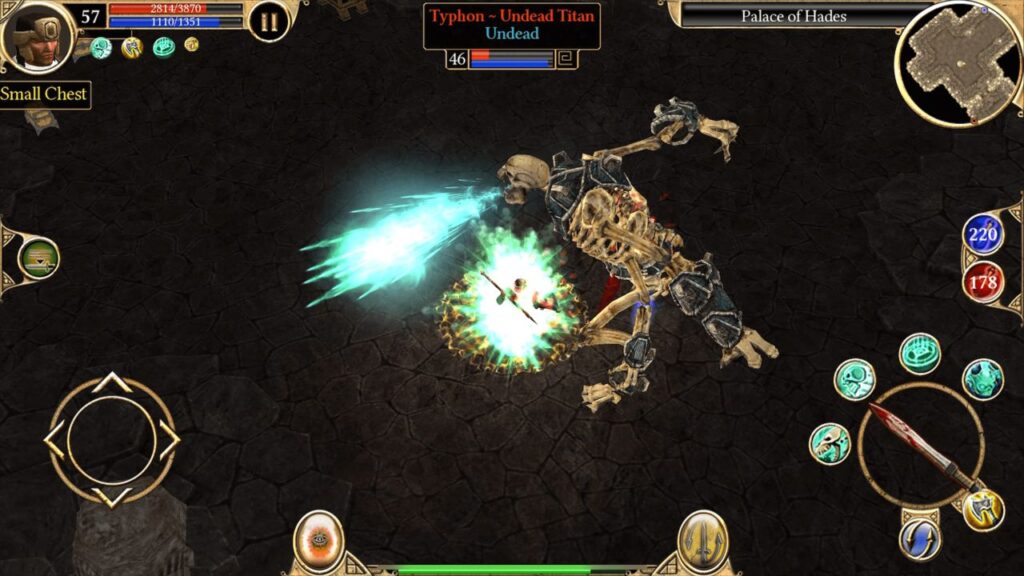
Titan Quest Ultimate Edition – £8.49

Feature image for our best Android sales and deals this week. It shows a screen from Titan Quest, with the player fighting a giant skeleton.

An iconic RPG that lets you face off against some of the greatest monsters of mythology. The Android version has all the DLCs packed in, too.

Conquistadorio – £0.39

Feature image for our best Android sales and deals this week. It shows an in-game screen from Conquistadorio with the player character speaking to a skeleton in a cage.

A creepy little adventure game as you play a dead conquistador whose coffin has gone missing. Now you’ll have to emerge from your solitude to go find it.

The Best Android Games Sales and Deals This Week – Round-Up

Now, we’ll round up the rest of the Android gaming deals of the week!

  • Shadow Hunter – Free!
  • Evertale – Free!
  • Word Game – Free!
  • Tokaido – £1.79
  • Castle Defender Premium – Free!
  • Zen Koi Pro – £6.49
  • Tokyo Debunker Urban Legends – Free!
  • Kingdomino – £2.99
  • The Last Game – £1.09
  • Istanbul Digital Edition – £2.99
  • Eight Minute Empire – £2.19
  • Alien Food Invasion Premium – £0.39
  • Concordia Digital Edition – £4.49
  • RPG Fairy Elements – £0.89
  • RPG Infinite Links – £0.89
  • RPG Monster Viator – £0.89
  • Rogue Hearts – Free!
  • Little Berry Forest 2: Stars – £1.29
  • This Is The Police – £0.89
  • RPG Alphadia Genesis – £0.89
  • Charterstone Digital Edition – £4.49
  • Conquistadorio – £0.39
  • Stone Age Digital Edition – £3.79
  • Steam: Rails To Riches – £2.19
  • Hope Island: Dice City Builder – £3.69
  • Set A Watch: Digital Edition – £4.49
  • RPG Onigo Hunter – £0.89
  • RPG Reventant Saga – £0.89
  • Ailment: Dead Standoff Premium – £0.19
  • Magenta Arcade II – £1.69
  • Learn English Sentence Master – £4.49
  • Avalar: Raid Of Shadow Premium – Free!
  • Missile Dude RPG – Free!
  • Backyard Baseball 01 – £0.89
  • Planet Craft – £0.89
  • Zombie Age 2 Premium – Free!
  • Thermonucelar Submarine – £0.49
  • Cube Cube – £0.19
  • Rocks In Space – £0.39

And that’s it! If you find any other great deals over the past week, let us know in the comments below, and we’ll add them to this list.

If you want to see some fresh content, check out our best new Android games this week.

The post The Best Android Games Sales And Deals This Week appeared first on Droid Gamers.

  •  

What Is The Best Race In The Forge?

The Forge lets you be all sorts of weird and wonderful creatures, but we’re not here for whimsy. In this guide, we answer the big question, what is the best race in The Forge? We’ll give our verdict and explain why.

You can play The Forge now on Roblox.

What Is The Best Race In The Forge?

Rather than just give you one, we’ve set out to name three, with an overall best, and a few that are slightly more specific.


Best Overall – Angel

So here’s our first verdict. The best overall race in The Forge is The Angel.

Angel, a Mythical race, comes in top overall for its good balance of buffs that make a lot of things easier. You are faster, luckier, you can dash longer and more often, you jump higher, you have more stamina, and if you’re low on health, your stamina is infinite.

You also get a combat move to smite enemies, which triggers a lot more often than most special fighting moves. You’re not quite as much of a combat powerhouse as the Demon, but as an Angel you overall have better buffs.


Best In Combat – Demon

In terms of fighting, the Demon race is the undisputed champ, with a host of stat boosts, the Bakcfire move, which can harm attackers when they damage you, and a chip damage aura. You can also teleport dash away, with a chance to create an AOE attack when you do.

Lacking the Angel’s Luck and Stamina boosts, the Demon isn’t quite as handy in terms of utility, but you will be a damage powerhouse.


Best Early Game – Dwarf

Okay, so it probably makes sense that the Mythical races are highest up the hierarchy… but we’re not all made of rerolls. Are there any that are a little more achievable?

The Dwarf is an Epic-rarity race. So, while it’s not something you’ll be tripping over every reroll, you’re 14 times more likely to get it than Demon or Angel, so it’s a lot more achievable.

As you might expect for a fantasy species that loves mining, Dwarves have bonuses to Mining and Forging… you know, one of the two most important mechanics in the whole game. The small movement speed and height penalty are a completely fair price to pay for a race that gets you started a lot faster and gives you the edge on The Forge’s key mechanics.


FAQ

  • How Do You Reroll Races?
    • If you’ve got some race rerolls, you can use them by speaking to the Wizard NPC. You’ll find him in Stonewake’s Cross, up the path past Tomo, or in the Forgotten Kingdom Wizard Tower.
  • How Do You Get Rerolls?
    • Aside from spending Robux, the easiest way to get Rerolls it from codes. As it happens, we’ve got a The Forge Codes guide with some if you want to check it out. We check and update codes every day.

The post What Is The Best Race In The Forge? appeared first on Droid Gamers.

  •  

Deadly Delivery Update Guide – Major Update

The underground is filling up with new things… and we’re eager to keep track of them. We put together this Deadly Delivery update guide to cover every time the game gets additional stuff, so you don’t get too surprised each time a new monster strolls around the corner.

You can play Deadly Delivery over on Roblox. If you’re interested in some of the content, we always have a Deadly Delivery classes guide, and a Deadly Delivery monsters guide.

Deadly Delivery Update Guide

Below we’ve detailed each update by date. We’ve also got a quick contents table so you can navigate to a particular one.

10th January
9th January
26th Of December
19th Of December
12th Of December
6th Of December
28th Of November
24th Of November
21st Of November

10th January – Major Update Part 2

Vecna Rises.

New Boss

Vecna lurks on Sublevel -35. You’ll need to destroy his shields by using the Frequency Generator. Once you’ve taken out all the shields, go in for the kill!

New Item

  • Soul stone

New Skins

  • 4 Class Skins
  • 2 Weapons Skins

Christmas Event End

The Christmas event is over. If you still have Candy Cane Coins, don’t worry. You’ll be able to convert them into event currency in the near future, so hold onto them.

New Code

  • UPSIDEDOWN – 2 Revive Tokens

9th January – Major Update Part 1

New content, with more on the way the next day.

New Class

  • The Exterminator – A flamethrower-wielding pest-controller.

Recipe System

Find recipes underground and bring them to the surface to unlock new crafting formulas.

New Floor

  • The Secret Vault – There’s treasure inside, but you’ll need to get past the defences first.

New Gear

  • Trap – Set this down to trap a monster and stick it in place. Just be careful where you place them.

New Skins

  • 4 New Class Skins

New Codes

  • DDDC20K
  • DD15KLIKES

26th December – Sector 84

Things are getting stranger in this update.

Badge System

A new achievement system to detail your victories.

New Location

Sector 84 – Accessed between Level -26 and -35.

New Class

Psionic 11

New Entity

The Faceless

New Stuff

Stranger Things-themed lobby additions, levels and NPCs.

New Dish

USS Butterscotch

New Loot

Changes

  • The Forest is now on levels -18 to -25.
  • Free Revive Ticket every 8 hours.

19th Of December – Mystery Shop Update

A new floor, and some much-needed class reworks.

New Special Floor

Mystery Shop

An area where you can buy some special items, often at a considerable discount.

New Class

Subject G

New Entities

  • Umbra
  • Burden

New Gear

  • Bio-Scanner

New Cosmetics

  • 4 New Class Skins
  • 3 New Gear Skins

Latest Codes

  • HAPPYXMAS2
  • DDDC15K

Rebalances

  • The Flashlight now has limited battery life.
  • You can now choose a different starting floor by spending coins.
  • Porter rebalance. Can now carry 2 large items at once.
  • Sprinter rebalance.
  • Health inspector class rework, skills improved.
  • Escape Artist rebalance. New starter item, Reusable Graffiti Box.

12th Of December Update – Christmas Event Update

The Christmas event kicks off!

New Special Floors

Christmas Floor

New Entities

Santa MK-II

New Food

Gingerbread House

New Event Currency

Candy Cane

New Shop

Christmas Event Shop

New NPC

Cane Father

New Mutation

Celebratory

Cooking System

Free Gordon on Sublevel 5 to unlock The Kitchen.

Skins

Customize your look with new skins.

Rebalances

  • The maximum number of players in a team is increased to 5.

6th Of December Update

A small content update before the Christmas event kicks off.

New Foods

5 New Foods to find.

New Class

One new class!

Anti-Cheat

There’s a new anti-cheat in place, so if you haven’t been playing fair, now is the time to mend your ways.

Safe Elevator

Monster now cannot enter the elevator, even if the door is open.

Minor Changes

  • Guest 666 gets an appearance change and new animations.
  • Players can now see each other’s classes while on runs.
  • Monsters now sometimes open lockers.
  • You can now buy a baseball bat in the elevator.

Rebalances

  • Loot overhaul in the Forest and Industrial zones.

28th Of November Update

New floor!

Reconnect System

You should be able to rejoin a multiplayer game if you lose connection.

New Map

Underground Forest

Appears after Floor 18.

New Entities

  • Sneakrat
  • Guest 666

New Class

Escape Artist

New Food

  • Pufferfish
  • Jelly Beans
  • Giant Squid
  • Grapes
  • Potato

New Items

  • Random Teleporter
  • Stun Grenade

Rebalances

  • Revived players come back with 50HP.
  • Elevator size increased.
  • The elevator evac button needs to be held to trigger the evacuation, so it’s a lot harder to trigger accidentally.
  • You now need to reach Deep Levels to access the voice servers.

24th Of November Update

A few small changes, and a new item.

New Item

Bloomaw’s Eye

Minor Changes

  • Warehouse filters.
  • Rescued NPCs now leave money in the elevator.
  • Manager is now easier to find.
  • Class info shows possible NPC spawns.

Rebalances

  • Veteran abilities reworked.
  • Shotgun range increased.
  • Worms now eat Fire Turkeys.
  • Mimics improved.
  • Chef class upgraded.

Fixes

  • Fixes for NPCs crossing bridges.
  • Fixes for missing Crocodiles.
  • Fixes for Bestiary issues.
  • Fixes for revived players falling through the floor.
  • Fixes for leaderboard issues.
  • Daily Quest errors fixed.

21st Of November Update

A class, a monster, and a bunch of new features.

NPC Rescue

Find NPCs in the underground and help them evacuate for some big rewards… and the satisfaction of knowing you did the right thing.

Daily Quests

Come back every day for new quests and new rewards…. but only if you can find the manager.

New Monster

The Bloomaw, a cat-like entity… but don’t be caught offguard by this furry flowery fiend.

New Class

Veteran, comes with a shotgun for showing the monsters who’s boss.

New Loot

Minor Additions

  • Bestiary expanded with a new entity.
  • Improved Mimic.
  • Revivals are now available at Vending Machines.
  • Inventory items won’t come with you unless they’re in your quick slots.
  • Code redemption added.

The post Deadly Delivery Update Guide – Major Update appeared first on Droid Gamers.

  •  

Raise Animals Update Guide

New biomes, new animals, new events. Who doesn’t enjoy a Raise Animals update? We’re here to make sure you know exactly what the latest changes are, and explain how to unlock them if necessary.

Want to play Raise Animals? Head over to its page on Roblox. If you’re interested in more update info for some of the great Roblox titles, we have our Fisch update guide.

Raise Animals Update Guide

We’ll cover all the different updates, ranging from the most recent to the earliest.

Update 5- Everdawn Update

This update arrived on November the 23rd, 2025.

New Biome

Everdawn, a realm of fantasical creatures, and is accessible for $35,000,000 from the Map screen.

New Hub

The Fantasy Hub, available in Everdawn.

New Animals

  • Hydra
  • Minotaur
  • Chimera
  • Dragon
  • Kirin
  • Kitsune
  • Unicorn

Mana Crystals

Assemble the Crystal Shards to make a Manya Crystal. Crack it open to get one of three exclusive animals.

New Obstacle

Quantum Stone – Hitting one of these can teleport you to another spot in Everdawn.

New Potion

Ride Potion – Lets you ride on an animal’s back in the lobby.

Biome Selection

You can now freely select biomes.

Update 4 – Desert Dunes Update

This dropped around the 15th of November.

New Biome

Desert Dunes

A new area with a desert theme, complete with dunes, oasis, and sandstorms. Even a trader caravan. Unlocked via the map screen for $7,500,000.

New Animals

  • Fringe-Toed Lizard
  • Sand Scorpion
  • Desert Lark
  • Sidewinder Snake
  • Fennec Fox
  • Dromedary Camel
  • Sand Cat
  • Deasthstalker Scorpion
  • Pharoah Eagle
  • Anubis

New Center Event

Oasis Revival

Seems to appear hourly. Trade in the Water Drop currency for special rewards.

New Hazard

Tumbleweed

Be careful of this moving obstacle in the desert.

Zoo Decorations

Change your style of fence to give your zoo its own custom look.

New Weathers

  • Heatwave
  • Mirages

New Daily Wheel Reward

  • Capybara

Update 3 – CretaTerra Update

Dinosaurs. There was a movie about having a dinosaur zoo. It probably ended fine.

New Biome

Cretaterra

Costs $5,000,000 to unlock.

Egg Fall

This event takes place in Cretaterra. Dinosaur Eggs and Rubies fall across the Biome. Hatch the Eggs back in the lobby to hatch them.

Egg Fusion

Collect DNA to upgrade your Dino Eggs and increase the chance of getting rarer dinosaurs, and mutations.

New Animals

  • Gallimius
  • Triceratops
  • Ankylosaurus
  • Pterodactyl
  • Brachiosaurus
  • Utahraptor
  • Carnotaurus
  • Spinosaurus
  • Tyrannosaurus Rex
  • Mosasaurus

New Weathers

These will also grant mutations with the same name.

  • Meteor Fall – Mutation gives 800% value.
  • Prehistoric Storm – Mutation gives 1000% value.
  • Bioluminescent – Mutation gives 1200% value.

Update 2.5 – Trading Update

Trading Mechanic

You can now trade Animals and Lassos with other players.

Player Profiles

Open your profile to get some info on your gameplay so far.

Daily Spin Wheel

Gives out different special rewards. You get one free spin per day.

Better Daily Login Rewards

Check in every 24 hours for a special reward.

Update 2 – Halloween Update

Weather

Special weathers can give certain mutation to your animals.

Halloween Content

Trick Or Treat with other players for special rewards… or to undermine them to come out on top.

Update 1 – Ocean Update

New Biome

Ocean

New Animals

  • Fish
  • Jellyfish
  • Seal
  • Turtle
  • Crab
  • Shark
  • Whale
  • Orca
  • Whale Shark
  • Medusa

New Animal Food

Seaweed

Auto Feeding

You can now set up up autofeeding to make sure your animals get enough food to keep growing.

Limited Ocean Event

The post Raise Animals Update Guide appeared first on Droid Gamers.

  •  

How To Play Roblox Consume – A Beginner’s Guide

Ready to face the farmhouse, outwit the Smlik, and do terrible things with chickens? If you’re not sure, then it’s time to read our guide on how to play Roblox Consume. We’ll have you engaging in weird chicken-based cult activity in no time.

If you want to play for yourself, check on Consume on Roblox. If you want more starter guides to Roblox horror, try How To Play Pressure.

How To Play Roblox Consume – A Beginner’s Guide

In Consume, your objective is to do your best cultist duty by sacrificing chickens on the spooky altar in a seemingly-abandoned farmhouse, while trying to avoid angry spirits and a few other charming residents.

You and your fellow acolytes need to make your own fried chicken a certain number of times to win a round, without all of you getting gnawed on by demons, or

Flashlight

Toggle your flashlight on and off with F. It’s handy for helping you find you way around in the dark… and most of the places in the game are pretty dark, but that’s not all it does.

Hitting RMB will switch the flashlight to UV, or blacklight mode. This turns the light violet, and it becomes an extreme hazard to the ghoulies, ghosties, and beasties when you light them up with it. They’ll begin to smoke, and eventually give up the ghost… wait, they were a ghost to begin with.

The UV has limited charge which replenishes over time in Normal and Hard modes. If you’re in Nightmare… well, once it’s gone then it’s gone.

It’s probably not a good idea to use this strategy on Smlik.

You first.

Chickens

The key to winning is to locate chickens, which you need to free from the chicken cage at the start of the round. Their newfound freedom won’t last long if you have anything to do with it, and the end might not be pretty.

There are two items associated with the chickens.

  • Bags Of Seed – Drop one of these near a chicken to lure it over. Once it’s eating, you can pick it up and take it to the altar outside.
  • Jerry Can – Once the chicken is at the altar, use the jerry can of gas to do the sacrifice. Well.. that’s a bit grim.

Smlik

When you open the basement door into the main house you’ll encounter a charming individual known as Smlik. It’ll wander the halls looking for you, and if it finds you.. well, you’ll meet a similar fate to the chickens.

The best way to stay safe is to avoid making too much noise by crouching. This may let you avoid detection by this abomination in hair curlers.

Be careful though, if it’s actively chasing you, crouching won’t help and you’re better off booking it as fast as you can.

Other Useful Things

Here is any other advice we thought might come in handy.

Maps

You can find maps in several locations. These are static, you can’t pick them up. They will show you where you are in the area with a blue x mark, and point our features of interest.

Keep in mind that the map might not be ‘facing’ the same way as you, so look for landmarks to help you figure which way to go.

The post How To Play Roblox Consume – A Beginner’s Guide appeared first on Droid Gamers.
  •  

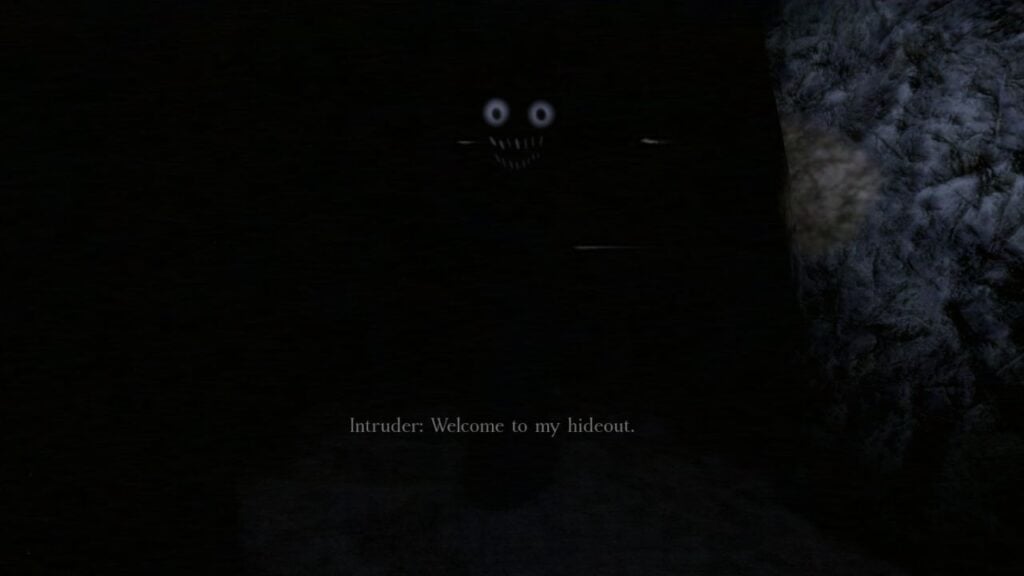
How To Play The Intruder – A Beginner’s Guide

Ready to take on a disturbing challenge and face an unnatural foreign presence in your home? Well, we’re here to help. This How To Play The Intruder guide is here to give you the lowdown on this terrifying game.

The Intruder is a Roblox game that brings the horror of The Mandela Catalogue and combines it with a twist of Five Nights At Freddy’s. There is an intruder in the house. He doesn’t know where you are, yet. You want to keep it that way.

You can grab The Intruder on Roblox. If you’re looking for more freebies, check out our Psychic Playground codes, Slap Battles codes, and Car Crushers 2 codes.

How To Play The Intruder Guide

Here we’ll try and cover how to play The Intruder and give you everything you need to know.

Your First Night

When you start The Intruder, the only map available will be the House map. Head there.

The house map takes place inside one room inside your house. In the room you can find a phone on the desk, a manual on the bed, a CCTV monitor in the center of the room, and a closet against one wall, it’s the door with no handle.

The Intruder

Shortly after loading in you will receive a phone announcement that the lines will be unavailable and that there is a criminal loose in the area. After this message ends, the Intruder will appear somewhere in your house. It can try to come after you in several ways.

  • Through the bedroom door. You will know this is happening when you hear footsteps outside the room and knocking or rattling of the door handle.
  • Through the vents. You can tell this will happen when you hear the noises of crawling, voices, or you see him in on the vent system camera.
  • Taking out the power. You know this has happened if you see the Intruder near the fuse box on Camera 7, and the cameras and lights cannot be used.

Anxiety And Awareness

There are two counter on your screen, one for Anxiety and one for Awareness, these both need to be kept as low as possible.

  • Anxiety measures how frightened you are. It rises slowly with the lights on, and much faster when the lights are off. If it reaches 100, then you will pass out from panic. You can control your anxiety by keeping the lights on when possible, and by using the cameras to check the location of the Intruder.
  • Awareness measures how well the Intruder knows your location. It counts up when noises such as the phone start. If it reached 100, it knows where you are and it’s all over. You can manage Awareness by silencing noises.

How To Survive

Your objective is to survive the night. To do so, you need to do the following tasks to deal with situations that arise.

  • When the Intruder is far away from the bedroom, watch it on the cameras. Pay close attention to it approaching Camera 6, which is right outside.
  • If the Intruder is outside the door, turn off all the lights, get into the closet, and shut the door. The door may open when you’re in there. If it does do not move.
  • If you hear noises in the vents, turn off all lights. Stay extremely still until you hear the vent shut.
  • If the phone rings, go over and interact with it to silence it.
  • If the power cuts out, go to the fuse box at the back of the room and remove the old fuses. Go to the front of the room and collect new fuses, return the to fuse box and place the new fuses inside.

Other Maps

There are a number of other maps in The Intruder that you can unlock. These bring their own challenges and problems.

The Mall

Unlocked after you beat the first map. In The Mall you play a mall cop on an overnight security shift. This map allows more places to hide in the form of lockers, but makes resetting the power a longer and more complicated task.

The End?

Unlocked by completing The Mall. This is very different from the previous maps, and relies on you solving puzzles and evading The Intruder in a chase. Make it in, then make it out again alive!

The VHS Tapes

The VHS Tapes are three short extra levels you can play which give some extra stories and lore about The Intruder. You don’t have to worry about ‘winning’ these. Just experience them and maybe spook yourself a little.

The post How To Play The Intruder – A Beginner’s Guide appeared first on Droid Gamers.

  •  

Floors Have Teeth Radio Code Guide – How To Unlock The Basement Padlock And Open The Cells

Trying to escape the scary cellar but getting outfoxed by the bottom floor padlock? It’s not an easy one, but we’ve got the info on how to get through! Our Floors Have Teeth radio code guide is here to explain in detail what you need to do.

You can play Floors Have Teeth on Roblox… if you dare. We also have a Floors Have Teeth code guide for working out the trailer park locker puzzle, too.

Floors Have Teeth Radio Code Guide

We’ve divided the guide up into sections, so feel free to jump in wherever you’re stuck.

Finding The Radio

You first run into the radio when you get through the room blocked by the fan in the… let’s just call it what it is and say ‘murder basement’. It’s in a room with a fellow the writing on the wall says is ‘sleeping’. Yeah, sure.

Interacting with the radio indicates that its frequency knob is broken. This might seem like a small problem when a serial killer is chasing you, but it’s actually the key to opening the basement padlock.

Fixing The Radio

Take a look in the er.. lovely-looking bathtub in the room next door. You’ll find the Mortuary Key. This lets you open the lockers and get the Cross-Shaped Key which gets you into the jail area.

The frequency knob is in a drawer in the first room of the jail, just under a spooky-looking TV screen. This gets the radio working, but you need a frequency to tune to.

Finding The Frequency

For this you need to get the hammer from a body in the basement, then use it to pry the nails off the boarded-up room on the lower levels. (Take a right turn at the bottom of the staircase.)

Inside you’ll find a body with a note beside it. The note should have the frequency on it. Made note of the number and head back to the radio. Once there, interact with the radio and tune it to the frequency.

Getting The Padlock Code

The voice on the radio should tell you a new three-digit code. Make a note of it as best you can, it’s not always very clear.

Head back downstairs to the locked gate and enter the code. Experiment with similar-sounding numbers if it doesn’t work out the first time.

Once it’s right the door should swing open. You can go in, hit the lever, and open up the cells.

Everything should be fine from here, right?

Right?

The post Floors Have Teeth Radio Code Guide – How To Unlock The Basement Padlock And Open The Cells appeared first on Droid Gamers.

  •  

Doors Eyestalk Survival Guide

If you’ve played Doors for any amount of time you’ll know that creepy eyes appearing on the environment is never a good sign. It’s not Seek this time though, a very hostile tree is coming after you, and if you want to learn how to outrun him, we’ve put together this Doors Eyestalk survival guide with all the information needed.

Doors is available on Roblox. We’ve also got a Doors Outdoors general guide that gives an overview of the whole new area.

Doors Eyestalk Survival Guide

About Eyestalk

Eyestalk is an entity in the Doors Outdoors area. You will know its nearby when you start to see eyes showing up on the trunks of trees.

Soon, you’ll reach an area where the entity will spawn in and start to chase you. If it catches you, then that’s the end of your run, and it’s pretty fast. This is combined with the area you need to run through being full of hazards.

How To Survive Eyestalk

If you’ve encountered Seek in The Hotel, then you probably have a fairly good idea how to deal with Eyestalk. You need to get through its chase sequence without hitting an obstacle or a dead end, and without letting the monster catch you. You need to reach the bridge at the end of the sequence and leap across, after that The Groundskeeper will take care of Eyestalk. What a helpful fellow.

If you’re struggling with the chase, try picking up the Vitamins item at the start of the run. They cost 100 Gold. This will give you a speed boost, which will make the chase part quite a lot easier, as you’ll be able to get further ahead of the monster early on and can afford to hesitate a little more without it ending your run.

The post Doors Eyestalk Survival Guide appeared first on Droid Gamers.

  •  

Roblox Doors Groundskeeper Survival Guide

A strange figure stomps around the Outdoors, clutching a sinister scythe. Is he a dangerous killer? Is he a misunderstood ally? It might be a bit of both. Let’s explain with Roblox Doors Groundskeeper survival guide.

You can play the new Outdoors update now on Roblox. If you’d like to read about all the monsters lurking in the garden, take a look at our Roblox Doors Outdoors Entities guide.

Roblox Doors Groundskeeper Survival Guide

What Is The Groundskeeper?

The Groundskeeper is a humanoid entity found only in the Outdoors. He wanders around certain areas of the garden, trimming the grass. If you stand on the grass for too long, or do anything else that offends The Groundskeeper he will start towards you. If he catches you, he’ll knock you down with his scythe, stomp you, and that’s the end of your run. (Unless you have a Revive handy, of course.)

Sometimes, The Groundskeeper will disappear into a small shed in the area. (Seeing one of these sheds usually means there is an active Groundskeeper.)

How To Survive An Encounter

While The Groundskeeper might look scary, he’s actually pretty reasonable as far as Doors entities go. He will not attack you if you’re just walking around and can be approached safely, as long as you don’t break rules like stepping on the grass.

Another interesting thing about The Groundskeeper is that he can actually help you a lot if you keep to his rules. Unusually, The Groundskeeper does not like many of the other entities in The Outdoors, and he will take out certain hostile creatures, like Mandrakes. If you activate a Mandrake and you’re in an area with The Groundskeeper, head over to him and he will scythe it off… just don’t get too eager and step on the grass.

The post Roblox Doors Groundskeeper Survival Guide appeared first on Droid Gamers.
  •  

How To Get The Crimson Mutation In Fisch

Stumped on how to open a certain door? It seems like a bit of a catch 22. Fortunately, we have some useful advice for you in our guide on how to get the Crimson mutation in Fisch. This will help you get the mutation, even if you haven’t opened the gate yet.

You can play Fisch now on Roblox. We’ve got all the latest from the weekend’s new content in our Fisch update guide, too.

How To Get The Crimson Mutation In Fisch

What Is The Crimson Mutation?

The Crimson mutation is a beneficial mutation that can effect fish. It gives them a red color when caught, held, or displayed in an aquarium. Possibly more importantly, it increases their sale value 600%, so a fish worth 1000C$ will be worth 6000C$ with the Crimson mutation applied.

How To Get The Crimson Mutation

As of writing this guide, there are currently three ways to get the Crimson mutation.

Scarlet Spincaster

The Scarlet Spincaster fishing rod is the most reliable way to get the Crimson mutation. In fact, catches with the rod have a 30% chance to be Crimson. Of course, the downside to this is you do have to get the rod itself, which you can pick up from the Crimson Cavern for 200,000C$.

Crimson Cavern

The Crimson effect does leak into the waters of the Crimson Cavern. This location opens up by completing the Crimson Guard’s quest, getting a Crimson Collossal Blue Dragon. There’s a small chance that anything caught in the Crimson Cavern will be Crimson.

Appraiser

The Appraiser in Moosewood has a tiny chance (0.11%) to give any catch you appraise the Crimson mutation. This is the only way to get the Crimson mutation without access to the Crimson Cavern, so necessary for completing the Crimson Guard’s quest.

The post How To Get The Crimson Mutation In Fisch appeared first on Droid Gamers.

  •