A while ago, there was some chatter in
Virtual Fishing
group in Second Life about Land Owners are not making money from selling bait
or worms with their Virtual Fishing setup. Some people are blaming those who
are selling worms at a very low price of 6L$ and even 5L$ per can of Small
Worms. I'm not sure why they're even arguing about this in group chat. What
I'm sure of is this, Land Owners know what they're doing and know what they
wanted from Virtual Fishing when they placed the buoy on their lands.
It's not 100% but it's safe to say that majority of Land Owners with Virtual
Fishing are not doing it to make money from Virtual Fishing by selling bait or
worms. Most probably, they're doing it for Land Traffic or to get people to
come to their place and maybe check the place out. If there are
Land Owners
that placed Virtual Fishing buoys on their land to make money from selling
bait or worms then they're in the wrong business, they're doing it wrong.
I just finished livestreaming a pro-wrestling event in
Second Life, and it was honestly a fun and unique experience. If you’ve never seen
wrestling inside a virtual world before, then this is something you definitely
don’t want to miss.
Pro-wrestling is just one of the many events you can be part of in Second
Life. A lot of people still think Second Life is only about adult content or
random avatars doing weird things, but that’s far from the full picture.
There’s actually a huge variety of community-driven events happening all the
time, and this wrestling show is a perfect example of that.
One of the main reasons I’ve been livestreaming events like this is to show
everyone that there’s more to Second Life than what most people expect. Sure,
the matches might look a bit janky at times, but that’s part of what makes it
interesting. Everything you see—from the wrestling animations to the combat
systems, the ring, and even the venue—was created by Second Life residents
themselves.
In my latest livestream, I explored one of the easiest and most beginner-friendly ways to earn Linden Dollars in Second Life, Virtual Fishing!
If you're just starting out or looking for a simple side activity in Second Life, Virtual Fishing is definitely worth checking out. In the stream, I showed how to get your FREE Virtual Fishing Rod and HUD, which is everything you need to begin your fishing journey.
One of the best things about Virtual Fishing is how easy it is to start. New players receive 100 small bait for free, so you can jump right in without spending anything. I also walked through how to use the HUD to cast your line, locate fishing spots, and even withdraw your earned Linden Dollars.
So I was out doing a bit of butterfly hunting in Second Life using my Celestial Butterfly, just casually grinding and enjoying the moment, when I stumbled onto something that made me do a double take.
While browsing around, I found not one but two Celestial Butterfly Companion Eggs up for sale. Now, if you’ve been around the Second Life marketplace or community long enough, you already know these kinds of items don’t usually come cheap. We’re talking thousands of Linden Dollars in many cases.
So, I recently had one of those “almost awesome” moments in Second Life that I just had to share with you.
While hanging out in-world, I came across a group notice from the Medieval Games Alliance about a Jousting Tournament happening at Temgaard Tournament Field. Now, that immediately caught my attention. A jousting tournament? In Second Life? That sounded like something straight out of a medieval fantasy game!
Excited to see some intense action, I headed over to the location. I was ready for some bone-crushing, wood-splintering combat between armored riders. But... nothing was happening.
At first, I thought I made it just in time and the event hadn’t started yet. I waited... and waited. Eventually, I realized something was off. Turns out, I got the schedule wrong and arrived 30 minutes early. No big deal, right?
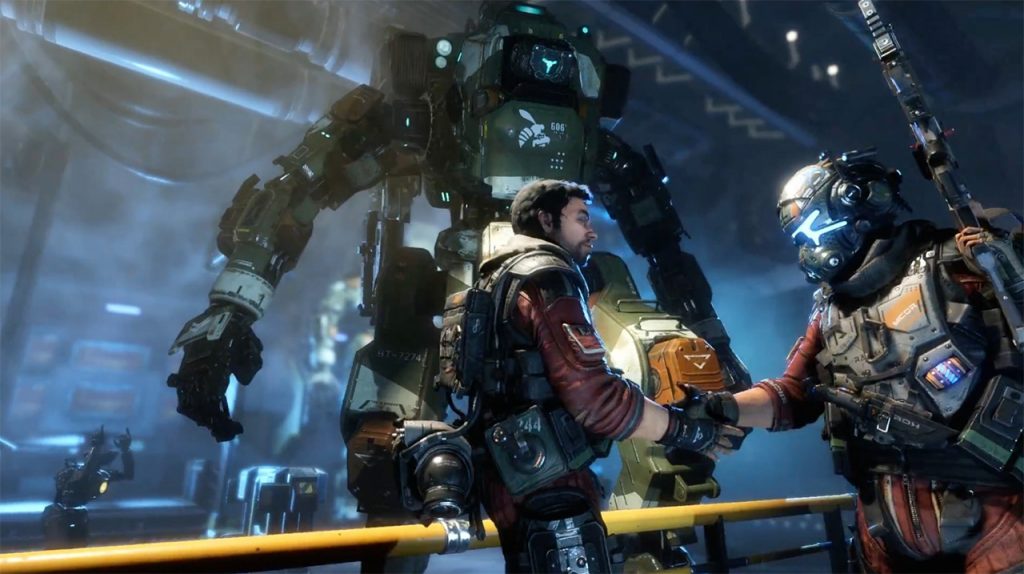
I played Titanfall 2 (and completed it) again recently, mostly because I needed something to play on a rainy bank holiday weekend and my wife had claimed the television for a period drama. I finished the campaign in two sittings, sat in stunned silence through the final act, and immediately messaged a couple of friends to ask if they had ever finished it. None of them had. A 90-rated shooter with one of the finest single-player campaigns in FPS history, and it might as well have been invisible. That experience — finding a game that’s substantially better than its reputation, its sales figures, or its review aggregate would suggest — is one of the quiet pleasures of being a lifelong gamer. Some games get unlucky with their launch window, some get misunderstood by critics chasing the next big thing, and some are simply ahead of their time. This is a list of those games, the ones that deserved more than they got.
Sometimes a game does everything right and the calendar does everything wrong. These titles had the misfortune of launching alongside juggernauts, during crowded seasons, or at moments when the audience simply wasn’t paying attention.
Titanfall 2 (2016) — Sandwiched between Battlefield 1 and Call of Duty: Infinite Warfare, EA’s own shooter cannibalised by EA’s own scheduling. The campaign is a masterclass in FPS design — the time-travel level “Effect and Cause” is one of the greatest single missions in the genre’s history — and the multiplayer was fast, inventive, and superbly balanced. Metacritic scores were excellent, but sales were catastrophic relative to quality. A genuine tragedy of timing.
Psychonauts 2 (2021) — Double Fine’s long-awaited sequel arrived to strong reviews but relatively modest commercial attention, partly because it launched on Game Pass and partly because 2021 was absurdly stacked. The level design is extraordinary — each mental world is a fully realised concept that tells its own story through environment and mechanic — and it handles themes of mental health with more nuance than most “serious” games manage. Deserved to be a cultural event. Wasn’t.
Enslaved: Odyssey to the West (2010) — Ninja Theory’s post-apocalyptic retelling of Journey to the West launched the same month as Fallout: New Vegas and Medal of Honor. Nobody stood a chance against that. Andy Serkis delivered a phenomenal performance-captured lead, the world design was lush and striking, and the relationship between Monkey and Trip was one of the best-written partnerships of its generation. A beautiful game that vanished without a trace.
Kingdoms of Amalur: Reckoning (2012) — An open-world RPG with a combat system so good it embarrassed games with ten times its budget, designed by the team behind Morrowind’s lore with a world built by R.A. Salvatore and art by Todd McFarlane. It launched weeks before Mass Effect 3, sold decently, but the studio’s financial implosion buried any momentum. The 2020 re-master gave it a deserved second life, but the original deserved a far louder reception.
Misunderstood on Arrival
These games were reviewed by people expecting one thing and receiving another. The disconnect between what critics wanted and what the developers delivered meant scores that simply didn’t reflect the experience of actually playing them for more than a few hours.
Death Stranding (2019) — Hideo Kojima made a game about delivering parcels across post-apocalyptic America and half the industry had a collective breakdown trying to categorise it. The walking is the gameplay, the isolation is the point, and the asynchronous multiplayer — leaving ladders and bridges for strangers — is one of the most quietly beautiful systems in modern gaming. It’s not for everyone, and the storytelling ambitions sometimes outpace the pacing, but calling it a “walking simulator” misses the point so thoroughly it’s almost impressive.
Spec Ops: The Line (2012) — Reviewed as a mediocre third-person shooter. Actually a devastating critique of military power fantasies that uses the medium of a shooter to interrogate why you’re pulling the trigger in the first place. The white phosphorus scene remains one of the most important moments in gaming narrative. Critics who scored the gunplay as average weren’t wrong about the mechanics, but they missed the forest for the trees so spectacularly that it should be studied in journalism courses.
Days Gone (2019) — Launched to mixed reviews citing technical issues and an overfamiliar open world. Patched extensively, found its audience on PC, and revealed itself to be a surprisingly emotional survival story with one of the better protagonists in Sony’s stable. The horde mechanics were genuinely innovative — hundreds of zombies moving as a fluid mass — and the late-game narrative shift caught most players off guard. Not a masterpiece, but substantially better than its 71 Metacritic average suggests.
Mad Max (2015) — Dismissed as “another open-world game” in a year drowning in them, Mad Max had some of the best vehicular combat ever put in a game and a wasteland that felt genuinely desolate and atmospheric. The on-foot sections were weaker, and the Ubisoft-style map markers didn’t help its case, but the car customisation, the storms, and the sheer tactile pleasure of ramming a War Boy off a cliff deserved far more recognition than a 69 average.
The Great Redemption Arcs
Some games launched in a state that justified poor reviews, then transformed themselves so completely that the original scores became historical artefacts rather than useful guidance.
No Man’s Sky (2016) — The most dramatic redemption arc in gaming history. Launched to justifiable fury over missing features and broken promises, Hello Games went quiet, put their heads down, and spent eight years adding everything they’d promised and substantially more. By 2026 it’s an extraordinary space exploration game with base building, multiplayer, fleet management, settlement governance, and a universe that actually feels alive. The original reviews were fair. They’re just completely irrelevant now.
Final Fantasy XIV (2010/2013) — So catastrophically bad at launch that Square Enix literally destroyed the in-game world and relaunched it as A Realm Reborn. The audacity of that move — narratively incorporating the failure into the game’s lore — deserves respect on its own, but the fact that it became one of the finest MMOs ever made makes it extraordinary. If you only ever saw the 1.0 reviews, you missed one of gaming’s greatest comeback stories.
Cyberpunk 2077 (2020) — Launched in a state that ranged from “rough” on PC to “unplayable” on last-gen consoles. Three years of patches, the Phantom Liberty expansion, and the anime tie-in turned it into the game it should have been at launch. The writing was always excellent — Judy’s questline, the Johnny Silverhand dynamic, the multiple endings — but the technical state at release poisoned the conversation so thoroughly that many players never came back to discover what it became.
Hidden Brilliance Beneath Rough Edges
These games had genuine flaws that reviewers rightly identified, but the brilliance underneath those rough edges was worth so much more than the aggregate score reflected.
Vampyr (2018) — Dontnod’s action RPG about a doctor-turned-vampire in 1918 London had clunky combat and some pacing issues, which critics correctly noted. What they undervalued was the extraordinary citizen system — every NPC in the game had relationships, secrets, and health conditions, and feeding on them permanently changed the district’s stability. The moral weight of each kill was heavier than in games with ten times the budget, and the atmosphere was thick enough to cut. A flawed gem, emphasis on the gem.
Dragon’s Dogma (2012) — Capcom’s open-world RPG reviewed decently but never broke through to mainstream recognition. The Pawn system was ingenious, the combat was the best in the genre (climbing onto a griffin mid-flight and stabbing it in the neck never got old), and the post-game twist was genuinely shocking. The 2023 sequel finally gave the series the spotlight it deserved, but the original was doing things in 2012 that most RPGs still can’t match. For a different kind of RPG villainy, see our list of games where you can play the bad guy.
Alpha Protocol (2010) — Obsidian’s spy RPG was a technical mess — buggy, visually dated, and with gunplay that felt like the weapons were made of wet cardboard. But the dialogue system and branching narrative were so far ahead of their time that BioWare should have been taking notes. Every conversation had consequences, every alliance could shift, and replaying with different choices produced genuinely different outcomes. A masterclass in reactive storytelling wrapped in a game that looked like it was made in a shed.
Ahead of Their Time
Some games anticipated trends that wouldn’t become fashionable for years. They were strange, niche, or simply too early for the audience they needed.
Prey (2017) — Arkane’s immersive sim launched to solid but unspectacular reviews and modest sales, overshadowed by the name confusion with the 2006 original. The Typhon Mimics — enemies that could disguise themselves as any object in the environment — created genuine paranoia, the space station was one of the best-designed game worlds of the decade, and the freedom of approach was staggering. It’s a game that gets better with every replay and worse with every glance at its sales figures.
Jade Empire (2005) — BioWare’s martial arts RPG, released between Knights of the Old Republic and Mass Effect, never achieved the recognition of either sibling. The setting was refreshingly original, the combat blended real-time martial arts with RPG progression, and the late-game twist was vintage BioWare at their sharpest. It sold well enough but vanished from the cultural conversation almost immediately, which is a shame because nothing else has really attempted what it did.
Singularity (2010) — Raven Software’s time-manipulation shooter launched with almost zero marketing and promptly disappeared. The Time Manipulation Device was a brilliant gameplay hook — ageing enemies to dust, reverting destroyed structures, creating time bubbles — and the Cold War-era setting was atmospheric and well-realised. It borrowed liberally from BioShock, but it borrowed the right bits. A game that deserved a sequel it was never going to get.
Binary Domain (2012) — Yakuza studio Ryu ga Gotoku made a squad-based shooter about fighting robots in near-future Tokyo, complete with a trust system where your AI companions reacted to your decisions and competence. The procedural damage on enemies — shooting limbs off robots that then crawled toward you — was superb, and the story had more heart than most prestige narrative games. It vanished entirely, which is criminal.
Every one of these games taught me something about the gap between critical consensus and personal experience, and about the quiet satisfaction of championing something brilliant that the wider world overlooked. If even one title on this list sends you off to track down a cheap copy or fire up a download, then this list has done its job. For more on the culture side of gaming — how we play, why we play, and what it all means — check out our gaming culture features… and maybe give that bargain bin another rummage while you’re at it.
Frequently Asked Questions
What is the most underrated game of all time?
It’s subjective, but Titanfall 2 and Spec Ops: The Line are frequently cited as the most egregious gaps between quality and recognition. Titanfall 2 had critical acclaim but disastrous sales, while Spec Ops was reviewed as an average shooter despite being one of the most important narrative games ever made. Both deserved far larger audiences than they received.
Can a game’s Metacritic score really be misleading?
Absolutely. Metacritic captures a snapshot of critical opinion at launch, which means games that improve over time (No Man’s Sky, Cyberpunk 2077) carry scores that no longer reflect the actual product. It also averages across reviewers with different priorities — a game with brilliant writing but average combat might score identically to a game with brilliant combat but average writing, despite offering completely different experiences.
Why do some great games sell poorly?
Launch timing is the biggest factor — releasing alongside a major franchise instalment is often fatal for smaller titles. Poor marketing, confusing branding (Prey 2017 vs Prey 2006), platform exclusivity, and genre fatigue all contribute. Sometimes a game is simply too unusual for mass-market appeal, which isn’t a quality problem but a positioning one.
Is No Man’s Sky actually good now?
Yes, emphatically. Hello Games has released dozens of free updates since 2016, adding multiplayer, base building, fleet management, settlement governance, improved exploration, and vastly better visuals. The game in 2026 bears almost no resemblance to the version that launched. It’s one of the best space exploration games available on any platform, and it’s a remarkable example of a developer making good on their promises, even if it took years.
Should I trust review scores when buying games?
Use them as a starting point, not a final verdict. Scores above 85 are generally safe bets, and scores below 50 usually indicate genuine problems. The 60-80 range is where personal taste matters most — a game scoring 72 might be your favourite of the year if it aligns with what you value. Read the text of reviews rather than just the number, and check user reviews a few months after launch for a more settled perspective.
What recent games are currently underrated?
Games that launched quietly or to mixed reviews but deserve more attention include Hi-Fi Rush (stunning rhythm-action, released shadow-drop style), Immortality (Sam Barlow’s most ambitious FMV project), and Jusant (a meditative climbing game from Don’t Nod). All three scored well critically but didn’t achieve the commercial success their quality warranted.
Do remasters help underrated games find their audience?
Sometimes, yes. Kingdoms of Amalur: Re-Reckoning, Dragon’s Dogma: Dark Arisen, and the Psychonauts remaster all brought renewed attention to games that deserved it. Game Pass and PS Plus have also given older titles a second life by reducing the financial risk of trying something unfamiliar. The challenge is that remasters cost money to produce, and publishers are less likely to remaster games that sold poorly the first time — which creates a frustrating catch-22 for the most deserving candidates.
When my eldest first asked to play Fortnite, I had the same thought every parent has — is it going to cost me a fortune, and who’s she talking to online? She was nine at the time, half her class were already playing, and the playground currency wasn’t sweets or football stickers but emotes and skins. I said yes, eventually, but only after I’d sat down and played a few rounds myself. What I found was a genuinely well-made game wrapped in a business model that needs a parent’s attention and an online environment that needs a few guard rails. Two years on, both my girls play it, I occasionally join them for a squad match, and we’ve had precisely zero disasters — because we set it up properly from day one.
This is a parents guide to Fortnite that’s written by someone who actually plays games, not someone who’s read a press release and panicked. If you’re weighing up whether to let your child play, or they’re already playing and you want to tighten things up, here’s everything you need to know — updated for 2026.
Fortnite is a free-to-play online game made by Epic Games, and it’s been one of the biggest games on the planet since 2017. The core mode — Fortnite Battle Royale — drops 100 players onto an island where they scavenge for weapons, build structures, and fight until one player (or squad) is left standing. Matches last roughly 20 minutes, the art style is bright and cartoonish rather than gritty, and nobody bleeds. It’s closer to a Saturday morning cartoon than a war film.
Beyond Battle Royale, Fortnite now includes Creative mode (where players build their own maps and mini-games), LEGO Fortnite (a survival-crafting experience with actual LEGO styling), Fortnite Festival (a rhythm game in the vein of Rock Band), and Rocket Racing. It’s less a single game and more a platform at this point, which is why so many children spend so long inside it — there’s always something new to do.
The key thing for parents: Fortnite is entirely online. There is no offline single-player mode. Every match puts your child into a lobby with other real people, most of whom are strangers.
Age ratings: what PEGI and ESRB say
Fortnite carries a PEGI 12 rating in the UK and Europe, and a Teen (13+) rating from the ESRB in the US. The PEGI descriptors cite “frequent mild violence” — which is fair. You’re shooting at other players with guns, crossbows, and the odd rocket launcher, but there’s no blood, no gore, and eliminated players simply vanish in a flash of light. It’s about as violent as a Nerf war with better graphics.
That said, age ratings don’t account for the online element. PEGI 12 tells you the content is suitable for a 12-year-old, but it doesn’t factor in voice chat with strangers, the social pressure around cosmetic spending, or the emotional intensity of competitive play. If you’ve read our parents guide to Roblox, you’ll recognise the pattern — the game itself is usually fine, but the online wrapper around it needs active parenting.
My honest take: most children aged 10 and above can handle the gameplay comfortably. Below that, it depends on the child — some seven-year-olds will be absolutely fine, others will find the competitive pressure stressful. You know your kid better than PEGI does.
In-game spending: V-Bucks and the Battle Pass
The good news is Fortnite is free. The bad news is V-Bucks are not.
V-Bucks are Fortnite’s in-game currency, and they’re used to buy cosmetic items — character skins, emotes (dances), gliders, weapon wraps, and so on. None of these give any gameplay advantage. A player wearing a 2,000 V-Buck skin has exactly the same abilities as someone in the default outfit. But try telling that to a ten-year-old who’s the only one in the squad without the latest Marvel crossover skin.
Here’s how the money works in practice:
V-Bucks packs range from roughly 1,000 V-Bucks for about £6.49 up to 13,500 V-Bucks for around £69.99.
The Battle Pass costs 950 V-Bucks (about £6) per season (roughly 10 weeks). It gives players a track of cosmetic rewards they unlock by playing. If your child plays regularly, this is decent value — and if they complete it, they’ll earn enough V-Bucks back to buy next season’s pass for free.
The Item Shop rotates daily, creating a constant drip of “limited time” pressure. This is the bit that catches families out — the FOMO is real, and Epic know exactly what they’re doing.
My recommendation: if your child wants to spend money, the Battle Pass is the most sensible option. Set a clear budget — one pass per season, maybe a small V-Bucks top-up at birthdays — and make sure there’s no saved payment method on the account. Fortnite supports prepaid V-Bucks cards from most supermarkets, which is a much safer approach than a linked debit card.
Voice chat and online safety
This is the section that matters most, and the one most “is Fortnite safe?” articles gloss over.
Fortnite has full voice chat enabled by default in team modes (Duos, Trios, Squads). That means your child can hear — and talk to — random teammates unless you change the settings. In my experience, most of what you’ll hear is other kids calling out enemy positions or arguing about who gets the good loot. But there are occasional bad apples: older players using foul language, strangers asking for personal information, or just garden-variety rudeness that no child needs in their ear on a Tuesday evening.
Text chat exists too, though it’s less prominent on consoles. Epic have added AI-moderated text filtering and a reporting system, but no filter catches everything.
The simplest fix is to set voice chat to “Friends Only” or turn it off entirely via Fortnite’s in-game settings. If your child plays with real-life friends, they can use party chat on their console (Xbox Party, PlayStation Party, or Discord on PC) instead, which keeps the conversation within a known group. That’s how my daughters play — headsets on, chatting to school friends, strangers muted by default.
Parental controls you should set up
Epic Games actually provides a solid set of parental controls — better than most, if you know where to find them. Here’s what to do:
Epic Games account settings
Log into your child’s Epic Games account at epicgames.com.
Go to Account > Parental Controls and set a PIN.
From here you can restrict: voice chat, text chat, incoming friend requests, the ability to join parties with non-friends, and whether the account can make purchases.
Epic introduced Cabined Accounts for under-16s — these apply stricter defaults automatically, including requiring parental consent for social features.
Console-level controls
Xbox: Use the Xbox Family Settings app (it’s free on your phone). You can set screen time limits, spending limits, content age restrictions, and control who your child can communicate with online. This applies across all games, not just Fortnite.
PlayStation: Set up a Family Manager account via Settings > Family Management. You can restrict chat, set monthly spending limits, and filter games by age rating.
Nintendo Switch: The Nintendo Switch Parental Controls app lets you set daily play-time limits and restrict online communication. It’s basic but effective.
My suggestion: set up controls at both the Epic level and the console level. Belt and braces. It takes about fifteen minutes and saves you months of low-level worry.
When should parents step in?
Fortnite is a genuinely good game. I want to be clear about that, because too many parenting articles treat it like a hazard to be managed rather than an entertainment product that millions of people enjoy. My daughters have fun with it, they play with friends, and it’s taught them a surprising amount about teamwork and spatial awareness. It’s fine.
But there are moments when you should pay attention:
Spending creep. Small purchases add up fast. Check the purchase history on the Epic account every few weeks. If the numbers are climbing, it’s time for a conversation — not a ban, just a budget.
Emotional reactions. Fortnite is competitive, and losing — especially near the end of a match — can be genuinely frustrating. If your child is consistently angry or upset after playing, that’s worth addressing. Sometimes a break of a few days resets things nicely.
Screen time drift. Fortnite’s “one more game” loop is powerful. Twenty minutes per match doesn’t sound much, but three matches becomes an hour, which becomes an evening. Set a time limit and stick to it — most consoles will enforce this for you automatically.
Stranger interactions. If your child mentions someone they’ve met online asking to move to a different platform (WhatsApp, Instagram, Discord), that’s a red flag. Keep the conversation open, don’t panic, and remind them that online friends stay on the game.
The best parental control, honestly, is playing a few rounds yourself. You’ll understand the appeal, you’ll see exactly what your child sees, and you’ll be able to have informed conversations about it rather than issuing rules from a position of total ignorance. Plus, it’s genuinely good fun — even if your building skills are, like mine, absolutely dire.
Frequently asked questions
Is Fortnite free to play?
Yes. Fortnite Battle Royale, Creative, LEGO Fortnite, Festival, and Rocket Racing are all free to download and play. The only costs are optional cosmetic purchases (skins, emotes, Battle Pass). Nothing you can buy gives a gameplay advantage.
What age is Fortnite suitable for?
PEGI rates it 12, ESRB rates it Teen (13+). In practice, most children aged 10 and above handle the gameplay fine. The online social element — voice chat, spending pressure — is the part that needs parental oversight, especially for younger players.
Can I turn off voice chat in Fortnite?
Yes. Go to Settings > Audio > Voice Chat and set it to “Nobody” or “Friends Only”. You can also disable it entirely via Epic’s parental controls with a PIN, so your child can’t switch it back on.
How much does Fortnite cost if my child wants to buy things?
The Battle Pass is roughly £6 per season (about 10 weeks) and is the best value option. Individual skins range from £5 to £15. It’s entirely possible to play for free — your child just won’t have the latest cosmetics, which is where the social pressure kicks in.
Is there violence in Fortnite?
Yes, but it’s cartoonish. Players shoot each other with guns, bows, and explosives, but there’s no blood or gore. Eliminated players disappear in a puff of light. It’s comparable to a PG-rated action film in terms of intensity.
Can strangers contact my child through Fortnite?
By default, yes — via voice chat in team modes and friend requests. You should set friend requests to “off” or require approval, and restrict voice chat to friends only. Epic’s Cabined Accounts for under-16s apply many of these restrictions automatically.
Is Fortnite addictive?
Fortnite is designed to be engaging — short match loops, regular new content, and social pressure all keep players coming back. Whether that’s “addictive” depends on the child. Setting clear time limits and enforcing them via console parental controls is the most practical approach.
Should I let my child play Fortnite?
Probably, yes — with the right settings in place. Fortnite is a well-made, genuinely fun game that most children enjoy safely. Set up parental controls, agree a spending budget, restrict voice chat to friends, and check in regularly. The game itself isn’t the problem — it’s the online environment around it that needs your attention.
This article is part of our ongoing parents and gaming series. For more on keeping children safe in online games, start with our parents guide to Roblox — it covers a lot of the same ground in a different context, and between the two you’ll have the big bases covered.
My youngest was five when she first picked up an Xbox controller, and within thirty seconds she’d somehow opened the settings menu, changed the language to Portuguese, and looked at me like I was the one who’d done something wrong. That was two years ago. Since then we’ve played through dozens of games together, and I’ve learned something important — the internet’s “best games for kids” lists are mostly written by people who’ve never actually sat next to a five-year-old while she tries to navigate a 3D camera. Half the recommendations are too hard, a quarter are too boring, and the rest assume your child has the reading level of a GCSE student.
This is my tested list. These are the Xbox games my daughter actually plays, actually enjoys, and actually finishes (or at least gets far enough into that she feels like she’s achieved something before wandering off to draw pictures of cats). Every game here runs on Xbox Series X/S and most are available on Xbox One too. If you’re looking for more Xbox games for children across all ages, we’ve got a broader guide as well — but this one is specifically for the 5-7 crowd, where the gap between “too easy” and “tantrum-inducing” is roughly the width of a Pringle.
If your child likes building things, painting things, or systematically demolishing things they just built, this is where you start.
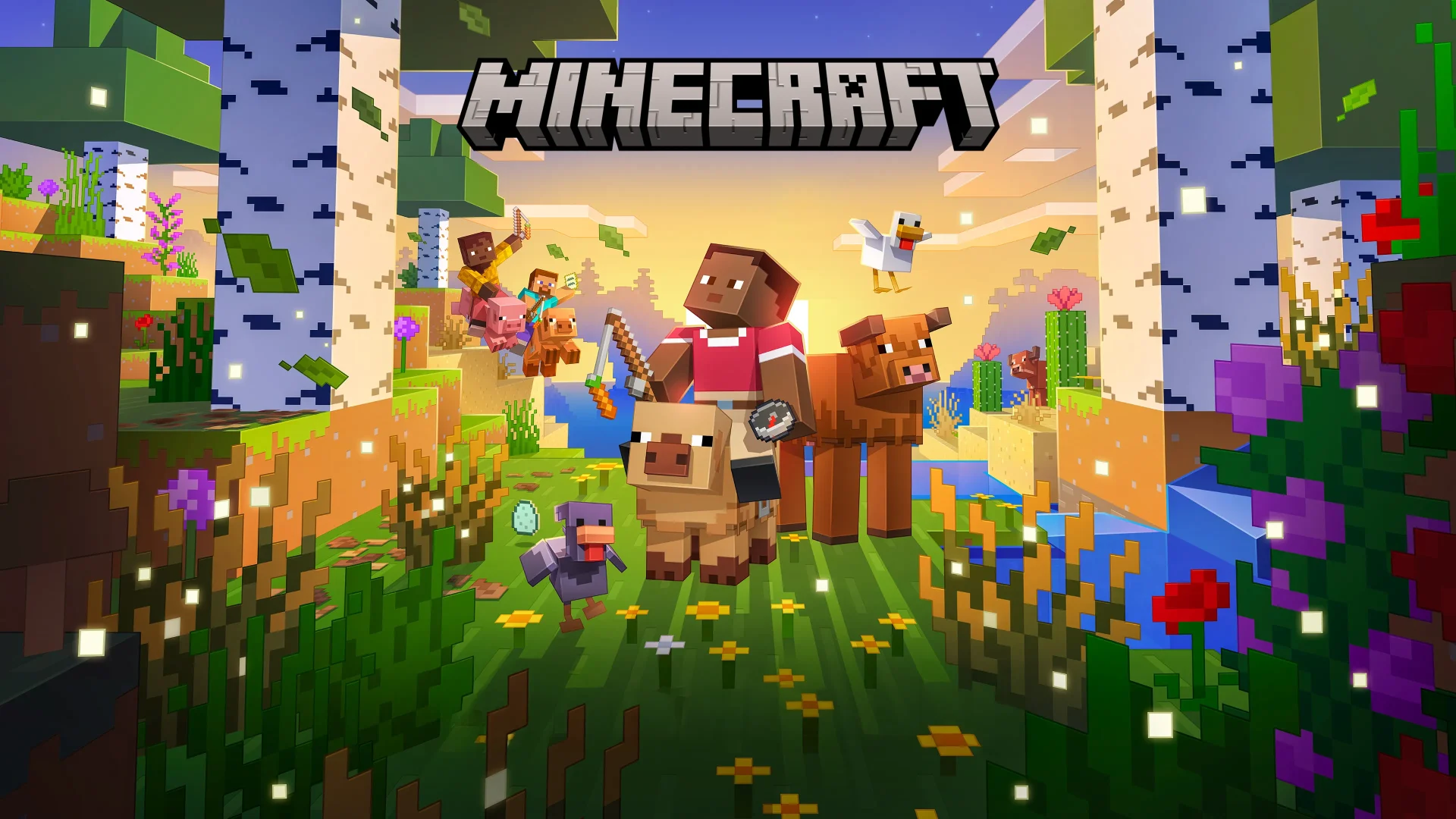
Minecraft — The obvious one, but obvious for a reason. Creative mode is essentially infinite digital LEGO with no fail state, no enemies, and no pressure. My daughter builds houses for her stuffed animals in Creative mode and has absolutely zero interest in Survival. Set the difficulty to Peaceful if they do wander into Survival, and you’ve got a game that’ll keep them busy for years. The controls take a session or two to click, but once they do, you won’t get your console back.
LEGO Worlds — Think Minecraft but with actual LEGO bricks and a third-person camera. It’s rougher around the edges and the frame rate occasionally chugs, but the discovery system — finding new brick types and vehicles by exploring pre-built biomes — is genuinely exciting for this age group. Less overwhelming than Minecraft’s infinite emptiness, which suits some children better.
Dragon Quest Builders 2 — Technically aimed a bit older, but the building mechanics are intuitive enough for a six-year-old with a patient parent nearby. The story gives purpose to the building, which my daughter loved — she wasn’t just making a house, she was making a house because the villagers needed one. That distinction matters more than you’d think at this age.
Platformers They Can Actually Finish
The trick with platformers for this age is finding ones with a forgiving difficulty curve, clear visual signposting, and ideally an assist mode that doesn’t feel patronising. These five get the balance right.
Spyro Reignited Trilogy — Three gorgeous remasters of the PS1 classics, and they’re absolutely perfect for this age group. The levels are open enough to explore without getting lost, the dragon-collecting gives a clear sense of progress, and charging into enemies never stops being satisfying. Spyro 1 is the best starting point — simple, colourful, and almost impossible to get stuck on for long.
Crash Bandicoot N. Sane Trilogy — A touch harder than Spyro, especially the first game, but Crash 2 and 3 have checkpointing that’s generous enough for younger players. Expect some frustration on the bridge levels, but the satisfaction when they nail a tricky section is worth the odd wobble. The slapstick death animations usually get a giggle rather than tears, which helps.
Rayman Legends — Quite possibly the best 2D platformer of the last fifteen years, and one of the finest co-op games at any age. The music levels alone are worth the price of admission — running through a stage timed to a mariachi version of “Eye of the Tiger” is an experience everyone deserves. Two-player co-op means you can carry them through the tricky bits, and the Murfy touch-screen levels from the Wii U version are mapped to a second player, so your little one can help without needing precise platforming skills.
New Super Lucky’s Tale — A charming, breezy 3D platformer that flew completely under the radar. It’s clearly inspired by the N64 era — bright colours, simple objectives, friendly characters — and the difficulty is pitched perfectly for a first-time platformer. Short levels, frequent checkpoints, and a fox in a cape. What more do you need?
Ori and the Blind Forest — A caveat here: this is harder than the others, and the story will make your child cry (it made me cry, frankly). But the art is so beautiful and the movement so fluid that my daughter was utterly captivated, even when she needed help on the escape sequences. Save this one for the sevens rather than the fives, and be prepared to take over the controller during the Ginso Tree.
Licensed Games That Don’t Stink
Licensed kids’ games used to be universally awful. That’s genuinely changed in recent years, and a few of these are properly good.
PAW Patrol: Grand Prix — A kart racer starring the PAW Patrol pups, and it’s actually decent. The driving is simple, the tracks are colourful, and the rubber-banding means your child will always be competitive. It’s no Mario Kart, but it doesn’t need to be — for a five-year-old who loves Chase and Marshall, this is Christmas morning on a disc. PAW Patrol: On a Roll is also worth a look if they prefer platforming.
Disney Dreamlight Valley — Part life sim, part adventure game, set in a village populated by Disney and Pixar characters. Your child cooks meals with Remy, goes fishing with Goofy, and decorates their house with Elsa’s ice furniture. It requires a fair bit of reading, so this skews towards the sixes and sevens, but if you’re willing to read the quest text aloud it works beautifully. Available on Game Pass, which softens the commitment.
Bluey: The Videogame — Four mini-games based on episodes of Bluey, playable in co-op. It’s short — properly short, as in two hours short — but for the target audience it’s absolutely magical. My daughter played the obstacle course level approximately forty-seven times in one sitting and declared it “the best game in the world.” She has since revised that opinion, but the point stands.
Couch Co-op: Games You Play Together
The best way to game with a young child is side-by-side on the sofa, and these games are built for exactly that.
Unravel Two — Two little yarn creatures connected by a thread, solving physics puzzles and platforming through gorgeous environments. The co-op is genuinely collaborative — you need to work together to swing, catapult, and abseil through each level. There’s a carry mechanic where one player can bundle up and let the other transport them through hard sections, which is a stroke of design genius for parent-child play.
Moving Out 2 — A chaotic furniture-removal game in the style of Overcooked, but more forgiving and much funnier. You’re hauling sofas through windows, launching fridges across gardens, and trying not to destroy too much property along the way. The assist mode lets you tweak difficulty, time limits, and object weight, making it accessible for tiny hands. Absolute chaos, absolute joy.
It Takes Two — Winner of roughly every Game of the Year award going, and genuinely one of the best co-op games ever made. It’s aimed a touch older (the story involves divorce, handled sensitively but worth knowing about), but the gameplay variety is extraordinary — every level introduces completely new mechanics. My daughter and I played through it when she was seven and it’s one of our favourite gaming memories. Save it for the upper end of this age range.
Gentle Adventures & Life Sims
Not every game needs to be about jumping over things or racing against the clock. Some of the best games for this age group are the gentle ones — the ones where nothing bad happens and there’s no way to fail.
Stardew Valley — A farming sim with retro pixel art, a gentle pace, and an extraordinary amount of depth. It does require reading, and the menus can be fiddly for small fingers, but with a parent reading dialogue and helping with inventory management it’s a lovely shared experience. Planting crops, feeding animals, giving gifts to villagers — it’s peaceful in a way that modern games rarely are.
Slime Rancher 2 — You’re a rancher on a colourful alien planet, collecting adorable slimes, feeding them, and selling their “plorts” (don’t think about it too hard). It’s first-person, which can be tricky for younger children, but the world is so cheerful and forgiving that it doesn’t matter if they just wander around hoovering up slimes for an hour. Available on Game Pass.
Garden Story — A tiny action-adventure where you play as a grape saving a garden community. It’s gentle, pretty, and short enough that it doesn’t outstay its welcome. Think Zelda for very small people, with vegetables.
Quick Tips for Gaming With Little Ones
A few things I’ve learned from two years of gaming with a child who has strong opinions and a limited attention span:
Use the Xbox Family Settings app. It’s free, it’s on your phone, and it lets you set screen time limits, content restrictions, and spending controls without having to wrestle the controller away mid-session.
Start with Game Pass. Most of the games on this list are available on Xbox Game Pass, which means you can try them without committing to a purchase. If your child bounces off something after twenty minutes (and they will), you haven’t lost anything.
Turn off voice chat and notifications. There is absolutely no reason a five-year-old needs to receive Xbox Live messages from strangers. Lock it down.
Sit with them. The games are better when you’re involved, the experience is safer, and honestly… it’s just nice. They won’t want to play with you forever.
Let them fail. The instinct is to grab the controller when they’re struggling, but the satisfaction of figuring it out themselves is the whole point. Offer hints, not takeovers.
If you’re also thinking about VR games for kids, we’ve covered that too — though the minimum age for most VR headsets is higher than this age range.
Gaming with your children is one of the genuine perks of being a parent who grew up with controllers in hand. The games on this list are the ones that actually work for the 5-7 bracket — not too hard, not too babyish, and fun enough that you won’t mind playing them yourself. Find more recommendations in our parents gaming series, and if your little one graduates to something trickier… well, that’s a problem for future you.
Frequently Asked Questions
What is the best Xbox game for a 5-year-old?
Minecraft in Creative mode is the safest bet for most five-year-olds. There’s no fail state, no reading required, and the building mechanics are intuitive once they’ve grasped the controls. Spyro Reignited Trilogy is a strong second choice if they prefer something with more structure and characters.
Are Xbox games safe for young children?
The games themselves are fine if you choose age-appropriate titles (PEGI 3 or PEGI 7). The risk comes from online features — voice chat, messaging, and in-game purchases. Use the Xbox Family Settings app to disable communication with strangers and remove payment methods from your child’s account.
Is Xbox Game Pass worth it for kids?
Absolutely. Game Pass includes Minecraft, Disney Dreamlight Valley, Slime Rancher 2, and dozens of other family-friendly titles. At roughly the cost of a single full-price game per year, it’s outstanding value if you have children who like to try lots of different games.
Can a 5-year-old use an Xbox controller?
Yes, though the standard Xbox controller is quite large for small hands. The Xbox Series controller is slightly smaller than the Xbox One pad, which helps. Third-party options like the PowerA Nano or PDP Rematch are designed for smaller hands and worth considering if your child struggles with reach.
What Xbox parental controls should I set up?
Download the Xbox Family Settings app, create a child account linked to your Microsoft family group, and set: content restrictions to PEGI 7 or below, screen time limits, purchasing disabled or approval-required, and communication restricted to friends only. This takes about ten minutes and covers all games, not just individual titles.
Is Roblox suitable for 5-7 year olds on Xbox?
Roblox is a platform with thousands of user-created games, and the quality and appropriateness varies wildly. Some experiences are perfectly fine for young children, others are not. If you do allow it, enable all parental restrictions, turn off chat, and stick to curated experiences. For this age group, the games on this list are generally a safer and more consistent experience.
What age rating should I look for when buying Xbox games for young children?
PEGI 3 is the safest — these games contain nothing inappropriate for any age. PEGI 7 allows mild violence and mildly frightening content, which most 5-7 year olds handle fine. Avoid PEGI 12 and above for this age group unless you’ve researched the specific game and are comfortable with the content.
Welcome to Second Life, a vast, user-created virtual world where you can explore, socialize, create, shop, roleplay, attend events, and design the life you want.
If you’re new, it can feel overwhelming. This guide will walk you through the essentials so you can feel confident and start enjoying your Second Life right away.
1. What Is Second Life?
Second Life is not a traditional game with levels or quests. It’s a virtual world built almost entirely by its residents. Every region, store, home, club, and experience is created by users.
You decide what your Second Life looks like:
Social networking
Roleplay communities
Fashion and photography
Building and scripting
Live music and events
Business and entrepreneurship
There is no “right way” to participate, explore and find what fits you.
2. Basic Controls You Should Know
Movement
Walk: Arrow keys or WASD
Run: Double-tap forward
Fly: Press “F”
Sit: Right-click an object → Sit
Camera Controls (Very Important!)
Hold ALT + click to zoom
CTRL + ALT + drag to orbit
Scroll wheel to zoom in and out
Mastering your camera is one of the most important skills in Second Life.
3. Communication Options
You are interacting with real people from around the world.
Chat Types
Local Chat - Nearby people
Instant Message (IM) - Private conversations
Voice Chat - Optional voice communication
Safety Tools
If someone is disruptive:
Right-click their name → Block
Use Mute
Report abuse if necessary
Never share personal information you’re not comfortable sharing.
4. Your Avatar & Appearance
Your avatar is fully customizable.
You can change:
Body shape
Skin
Hair
Clothing
Animations (using an Animation Override, or AO)
Many modern avatars use mesh bodies and heads. Always:
Try demos before purchasing
Check sizing compatibility
Read product descriptions carefully
Your Inventory stores everything you own.
5. Understanding Inventory & Permissions
Inventory contains:
Clothing
Body parts
Objects
Landmarks
Notecards
Gestures
When shopping, pay attention to permissions:
Copy - You can duplicate the item
Modify - You can edit it
Transfer - You can give it to someone else
Always check permissions before purchasing.
6. Linden Dollars & Shopping
The in-world currency is Linden Dollars (L$).
You can:
Shop in-world
Buy items on the Marketplace
Earn money through creating content, jobs, or services
Smart shopping tips:
Try demos
Check reviews
Verify compatibility with your body/head
Watch for event sales
7. Etiquette & Region Rules
Each region has its own rules.
Before exploring:
Read parcel descriptions
Respect dress codes
Follow roleplay guidelines (if applicable)
Avoid spamming gestures or animations
Good manners go a long way in Second Life communities.
8. Helpful Places for New Residents
As a new resident, consider visiting:
Official welcome areas
Sandbox regions (for building practice)
Freebie stores
Beginner-friendly social communities
Educational regions
Joining groups is one of the fastest ways to learn and make connections.
Final Tips for Success
Take your time.
Ask questions, most residents are helpful.
Don’t feel pressured to look perfect immediately.
Explore widely before settling into one community.
I recently stopped by the The Notorious Kingdom Tiny Empires Fishing POF Gaming Club in Second Life for their x2 Virtual Fishing multiplier event. Any chance to fish and earn a few Linden Dollars is a good day, right?
While I was fishing, I watched a video called “Second Life: The Internet’s Forgotten Metaverse.” That title made me laugh a little. Second Life isn’t forgotten. It just didn’t live up to the hype.
The biggest issue? It failed to scale.
You can’t build a true metaverse if only a handful of avatars can stand in one region before everything starts lagging. You can’t create immersive events if performance drops when more than ten people show up. I’ve said it before and I’ll say it again: lag kills fun.
Over the years, Second Life focused heavily on graphics. Avatars today look incredibly realistic, way better than back in 2009. But what’s the point of amazing graphics if your computer struggles to run it smoothly? Performance should always come first. Fun should always come first.
Speaking of 2009, that was my golden era with 7Seas Fishing. I created and sold custom fishing rods and ended up making over $2000 USD that year. That money helped put food on the table for my kids. I will never forget that. Second Life was more than just a game, it made a real-life difference for my family.
Of course, not everything was smooth sailing. I once got reported for “cheating” in 7Seas because I was fishing with a sword instead of a rod. All I did was transfer the scripts from the fishing rod into the sword. Nothing was modified. Even the creator confirmed it wasn’t cheating. It was just creativity. It was before Custom Creations were introduced.
These days, nobody really buys my custom rods anymore. They feel like relics of the past. But the memories are still there.
Watching another recent Second Life video reminded me of the same old issue. The world looked beautiful, stunning even. But the lag was obvious. You could literally see the choppiness in the footage.
Second Life isn’t forgotten.
It just never solved its biggest problem.
And until it does... lag will keep killing the fun.
If you’ve ever wondered whether you can actually earn Linden Dollars for free in Second Life, I decided to test it out during a x2 multiplier Virtual Fishing event at Stress Free.
Virtual Fishing is one of those hidden gem games inside Second Life that anyone can start. It costs nothing to begin. You just grab the free fishing rod and HUD from the Marketplace, attach them, find a buoy, and start fishing. That’s it.
I headed to the third buoy at Stress Free during their x2 event, which means every catch had double payout potential. What surprised me most wasn’t just the fishing, it was the region itself.
There were no shops.
No vendors.
No visible businesses.
Yet Linden Dollars were being paid out.
My honest guess? The region owner simply enjoys giving back to the community. That kind of generosity is rare and refreshing. While fishing, I even spotted Celestial Butterfly and Alienum around the area, which added to the fun atmosphere.
Now let’s be real for a second.
The absolute easiest way to get Linden Dollars is still buying them directly from Linden Lab. That’s instant and guaranteed. But if you’d rather earn them inside the world, there are options.
Creating content is one of the most powerful ways to make L$. If you can design hair, clothes, skins, bodies, or accessories, you can build a real income stream. Performing live music or DJ sets is another great way creators earn tips.
I personally use Virtual Fishing on my own small parcel to bring in visitors and boost traffic. I also run 7Seas and Pikoversum to give people more interactive reasons to stop by.
So is fishing going to make you rich overnight? Probably not.
But during a x2 event? It’s definitely a fun (and surprisingly rewarding) way to stack some extra L$ while hanging out.
And honestly... getting paid to relax in Second Life isn’t a bad deal at all. 💰
I decided to spend some time at the second Virtual Fishing buoy at Stress Free in Second Life during the x2 multiplier event to see if I could boost my Linden Dollar earnings. Fishing is one of those relaxing activities in Second Life that feels simple, cast, wait, collect, but events like this can make it more exciting.
After 40 casts, I ended up earning 21 Linden Dollars. Not bad for something low stress, especially during a multiplier event. But it did get me thinking about how the system works.
One interesting thing I noticed is that the cast counter doesn’t reset automatically when you move to a different buoy. If you switch spots, you actually have to reset it manually. That’s good to know if you’re tracking your progress closely. I also mentioned how watching the cast counter go up kind of makes time feel like it’s moving faster. There’s something satisfying about seeing those numbers climb.
During the stream, someone in chat said my avatar looked like AI, which gave me a good laugh. I promise I’m real... just very pixelated.
We also talked about other ways to earn Linden Dollars in Second Life. Fishing is fun, but it’s not the only option. Becoming a creator can be much more profitable. Making clothing, furniture, scripts, or even full games can bring in steady income if people like your work. Coding and scripting especially can open up more advanced opportunities.
There are also social roles like hosting or DJing at clubs. And just to be clear, no disrespect to DJs — there’s more that goes into it than people think. It’s real effort to build a following and keep a crowd entertained.
Pet breeding is another interesting route. I mentioned Celestial Butterfly, which combines butterfly breeding with farming systems that are separate but connected. It adds more depth to the experience.
I also briefly talked about Decor Forge, a crafting and gathering game in Second Life (not free to play), for those who enjoy progression-style gameplay.
Overall, the x2 fishing event was a chill way to earn some Linden Dollars and spark a bigger conversation about making money in Second Life.
If you’ve ever wondered whether you can make easy Linden Dollars in Second Life, I decided to test it during a special x2 multiplier Virtual Fishing event at Stress Free.
Here’s how it works.
Each fishing buoy allows 40 casts. After using all 40 casts, I earned 20 Linden Dollars. Not bad for something that’s super simple. Unlike other games in Second Life where your avatar has to run around collecting items, Virtual Fishing is very relaxed. You literally just click the cast button and wait.
That’s one big difference compared to games like Crystal Craze and Mushroom Mania. In those games, your avatar runs around grabbing crystals or mushrooms. It’s more active and a little more intense. Virtual Fishing, on the other hand, is almost passive. You can chat, adjust your outfit, or just chill while you fish.
Speaking of outfits, I tried a different look during the stream. I’m still deciding if I’ll go back to my previous outfit, but that’s part of the fun in Second Life, changing your style anytime you want.
I also talked about how new players can get started. One helpful tip is checking out the Avatar Welcome Package in the Library. It includes a Meshbody Legacy body and a Lelutka head, which is a huge upgrade if you’re just starting out. It’s a great way to improve your avatar without spending a ton of Linden Dollars right away.
Overall, Virtual Fishing is simple, low-effort, and beginner-friendly. It may not make you rich overnight, but during special events like the x2 multiplier, it’s definitely worth checking out.
If you enjoy relaxed ways to earn Linden Dollars, fishing might be your new favorite activity. 🎣💰
There’s something relaxing about decorating in a virtual world. In my latest livestream, I spent an hour inside AvatarLife, an OpenSim alternative to Second Life, working on my platform in the sky. No quests. No chaos. Just pure creative energy.
My goal was simple: make the space feel peaceful.
The first thing I did? Add more sakura trees. You can never have too many cherry blossoms, right? I spread them around the platform and instantly the space felt softer and more alive. After that, I placed more flowers across the ground to fill in empty areas. It’s amazing how much small details change the mood of a build.
One practical addition was an invisible wall around the edges. Since the platform floats high in the sky, visitors could easily fall off. Now they’re safe, even if they get a little too curious exploring the edge.
I also cleaned things up by removing rocks I wasn’t using and adding a couple of benches. The benches made the space feel more welcoming, like somewhere you’d actually sit and relax.
The biggest challenge? Finding the perfect centerpiece.
I tried placing a campfire, but it didn’t match the calm garden vibe I was going for. I removed it pretty quickly. I considered adding a pond, but I couldn’t find one that fit. I even checked out a river kit at the Omni Outlet, but it just wasn’t what I had in mind.
So most of the stream became a creative experiment, placing trees, moving objects, adjusting layouts, and seeing what felt right. And since uploading textures costs AV$, I worked with what I already had.
Even without a final centerpiece, the platform feels closer to becoming my dream sky garden.
If you’re curious about AvatarLife and want to start building your own virtual escape, check out my link. And if you enjoy cozy creative streams, coffee donations are always appreciated ☕
I logged into Second Life with one simple mission: tame unicorns and see if I could actually earn Linden Dollars doing it.
The game is called Pikoversum, and it’s basically virtual fishing… but make it magical. Instead of standing around waiting for fish, you’re actively taming unicorns scattered across different locations in-world. The best part? The HUD costs just 1 Linden Dollar on the Marketplace. That’s basically pocket change in SL.
Once I equipped the HUD, I started my one-hour test.
The concept is simple: find a valid location, tame a unicorn successfully, and get paid instantly. No waiting. No weird payout system. The Linden Dollars hit your account right away — which honestly makes it way more satisfying.
I explored several regions trying to find active unicorn spots. Some were empty. Some didn’t seem to be working. But then I landed at Dream of Dragons — and jackpot.
Not only did they have Pikoversum unicorns ready to tame, but the store itself was impressive. They specialize in pet dragons, and let me tell you… they look incredible. Super detailed, beautifully animated — but wow, over 20 Land Impact each. These dragons are not playing around.
By the end of the stream, I had successfully tamed three unicorns and earned a few Linden Dollars. Was it life-changing money? No. Was it fun, quirky, and oddly satisfying? Absolutely.
There’s something hilarious about saying, “I made money taming unicorns today.”
Would I do it again? Honestly… yeah. It’s chill, low-risk, and kind of addictive in that casual grindy way.
If you’ve ever wondered whether you can actually earn Linden Dollars doing something fun and ridiculous in Second Life — this might be your sign to try.
If you’ve ever logged into Second Life, you know it’s a wild mix of creativity, commerce, and quirky community moments. Yesterday, I gave myself a simple mission: spend an hour earning Linden Dollars. My original plan? Tame unicorns with Pikoversum. Spoiler alert: the 24‑hour cooldown was still ticking, so I had to improvise.
Enter the Virtual Fishing event at The Notorious Kingdom Tiny Empires Fishing POF Club Gaming. They were running a 2× multiplier that day, which meant every catch could double my earnings. I grabbed a virtual rod, cast my line, and started reeling in those pixelated fish. By the end of the hour, I’d netted 22 Linden Dollars. Not a fortune, but enough to remind me why many avatars rely on these mini‑games to keep their virtual wallets happy.
While I was busy fishing, my mind drifted to a topic that’s been buzzing in the SL community: child avatars. Yes, you heard that right. Second Life allows users to create avatars that look like children. Personally, I find them a bit unsettling. They don’t fit the adult‑focused vibe many of us enjoy, and they can give newcomers the wrong impression about what the platform is really about. It’s a nuanced issue—some argue it adds diversity, while others feel it detracts from the overall experience. I’m firmly on the side that prefers a more mature aesthetic, but I respect that the community is diverse and opinions vary.
Back to the fishing—what makes it so addictive? The simple mechanics, the chance of landing a rare catch, and that sweet x2 multiplier that feels like a cheat code. For newcomers, it’s a low‑barrier way to dip a toe into the SL economy without committing to massive projects or pricey assets. For veterans, it’s a quick hustle between larger endeavors.
So, what’s the takeaway? Virtual Fishing is a legit, fun way to earn a modest amount of Lindens, especially during special events. And while I’m not a fan of child avatars, the conversation around them highlights how Second Life continues to evolve and grapple with community standards.
If you’re curious about trying it yourself, hop into the The Notorious Kingdom Tiny Empires Fishing POF Club Gaming during their next multiplier event. Bring a sense of humor, a willingness to chat, and maybe a fresh perspective on avatar choices. Who knows—you might end up with a bigger haul than I did, or at least a good story to share on your next livestream.
So… I just spent an hour taming unicorns in Second Life — and yes, I actually got paid Linden Dollars for it. 🦄
The game is called Pikoversum, and it’s honestly one of the more unique things I’ve tried in Second Life recently.
What Is Pikoversum?
At its core, Pikoversum is a unicorn taming game. You grab the HUD from the Marketplace (it costs just 1 Linden Dollar), find a location that has the Pikoversum Anhk rezzed, and start taming unicorns.
Taming is super simple:
Walk up to a unicorn
Start the taming process
Wait beside it until it completes
That’s it.
If you’re successful, the unicorn gets added to your collection on the website, and you get paid Linden Dollars. The payout amount is set by the landowner.
Easy money? Kind of. You do have to wait around while the taming finishes — but that’s actually the point.
Why Landowners Might Like This
Here’s where it gets interesting.
Because taming takes time, players stay on the land while they wait. That means more traffic for the landowner. And in Second Life, traffic can matter.
Landowners can also buy the Pikoversum Anhk for just 1 Linden Dollar and set their own payouts. It’s basically a built-in incentive system to encourage avatars to hang out on your land.
Pretty clever, honestly.
Is It Popular?
Not really.
There are only a handful of locations running Pikoversum right now, which is kind of surprising. It’s a simple concept, low cost to try, and something different from the usual Second Life activities.
If you’re bored and looking for something new, taming unicorns for Linden Dollars might be worth checking out.
And if you own land? It might be an inexpensive experiment to see if it boosts your natural traffic.
Either way… I can now officially say I spent an hour of my life taming unicorns in Second Life — and got paid for it.
I just wrapped up another fun hour in AvatarLife, the OpenSim alternative to Second Life, and I wanted to share what I got up to! My main goal today was to work on my massive platform floating 2000 meters in the sky, pretty cool, right? But as usual, I needed more stuff, so I went on a freebie hunt.
First stop was AvatarLife Mall, but sadly, no freebies there 😅. Not giving up, I headed to London Town – Camden, hoping for a better luck… but then I got distracted by Fish Coin!
Luckily, I did grab the Fish Coin Free Rod from the Welcome Area and finally decided to give fishing a try. It was super relaxing watching my avatar fish hile also tuning into Josh Strife-Hayes on YouTube talking about the Stop Killing Games initiative. I hear they were presenting it to the EU Parliament, fingers crossed it makes a difference!
Before ending the stream, I tried figuring out if I could exchange Fish Coins for AV$, but no luck finding info yet. Maybe next time I’ll dig into that.
I just wrapped up another hour in AvatarLife, the OpenSim alternative to Second Life, and this session was all about collecting goodies and starting something new, my sky home!
Back to the Omini Freebie Area
I headed back to the Omini Freebie shopping place to see what I could find. There are so many free items there, and I wanted more landscaping options.
This time I picked up:
A bunch of different grass textures
Sakura trees 🌸
Ground flowers
Some rocks
And… a male lion 🦁 (because why not?)
I also checked out the houses again, but honestly, none of them really felt like “me.” So I decided to do things a little differently.
I Finally Got My Free Home
The admin gave me access to a free home, which was super nice! But instead of just using it as-is, I had another idea.
I placed a platform 2000 meters up in the air.
Yes… I’m building in the sky. ☁️
I’m going to keep the house on the ground for now, but my real project is going to be my own custom sky build. There’s something really fun about having your own peaceful space way above everything else.
Unpacking and Landscaping
After setting up the platform, I started unpacking everything I grabbed:
The rocks
The flowers
All those grass textures
I spent a surprising amount of time just going through the different grass textures to find the one I liked best. It’s funny how small details like that can completely change the feel of a space.
The sakura trees are going to look amazing once everything comes together. I’m already picturing a soft, peaceful sky garden vibe.
And yes, the lion will absolutely have a place somewhere up there.
So Much More to Do
There’s still a lot left to build. One hour barely scratches the surface when you’re creating a space from scratch. But that’s part of the fun, taking your time, experimenting, and slowly shaping your own world.
I recently spent an hour exploring AvatarLife, which is an OpenSim-based alternative to Second Life. If you enjoy virtual worlds where you can customize your avatar, explore different places, and collect free items, AvatarLife might interest you.
Here’s what I experienced during my first hour.
Starting at the Welcome Area
I began in the Welcome Area, which is usually the first place new users arrive. It’s designed to help players learn the basics and find useful locations.
While I was there, I picked up some objects for the Podex Affiliate system. I also received 100 AV$ from someone before I even started my livestream, which was a nice surprise. AV$ is the in-game currency used in AvatarLife.
Camping to Earn AV$
One interesting feature I found was camping spots. There were:
Dance campers
Chair campers
These are places where you can sit or dance to earn AV$. However, it didn’t clearly say how long you need to camp to earn money. That made it a little confusing for beginners.
Still, it’s a simple way for new players to start earning currency without spending real money.
The Bump Car Area
There was also a bump car area. The idea is that players drive small cars and bump into each other for fun.
Unfortunately, it wasn’t very exciting because no one else was there at the time. Bump cars are definitely more fun when you have other players to interact with.
Claiming a Free Home
One of the highlights of my visit was the Free Homes area. I was able to select a free home for my avatar.
Now I just have to wait for an admin to assign the home to my account. If everything goes smoothly, I’ll soon have my own place in AvatarLife. For a free virtual world, that’s a pretty nice feature.
Checking Out Omni Free Items
I also visited the Omni Free Items location, and this was impressive. There were many free items available, including:
Homes
Complete avatars
Clothing
Accessories
Other useful objects
For new players, this is a great way to customize your character without spending AV$.
Final Thoughts After One Hour
After spending an hour in AvatarLife, here’s what stood out:
Pros:
Free homes
Lots of free items
Easy ways to earn AV$
Friendly community (someone gave me 100 AV$!)
Cons:
Some areas felt empty
Camping instructions were unclear
Certain activities are only fun with more players
Overall, AvatarLife seems like a solid option if you’re looking for a free OpenSim virtual world. It has strong potential, especially if more users are online and active.
I’ll be checking back once my free home gets assigned to see how the experience improves!