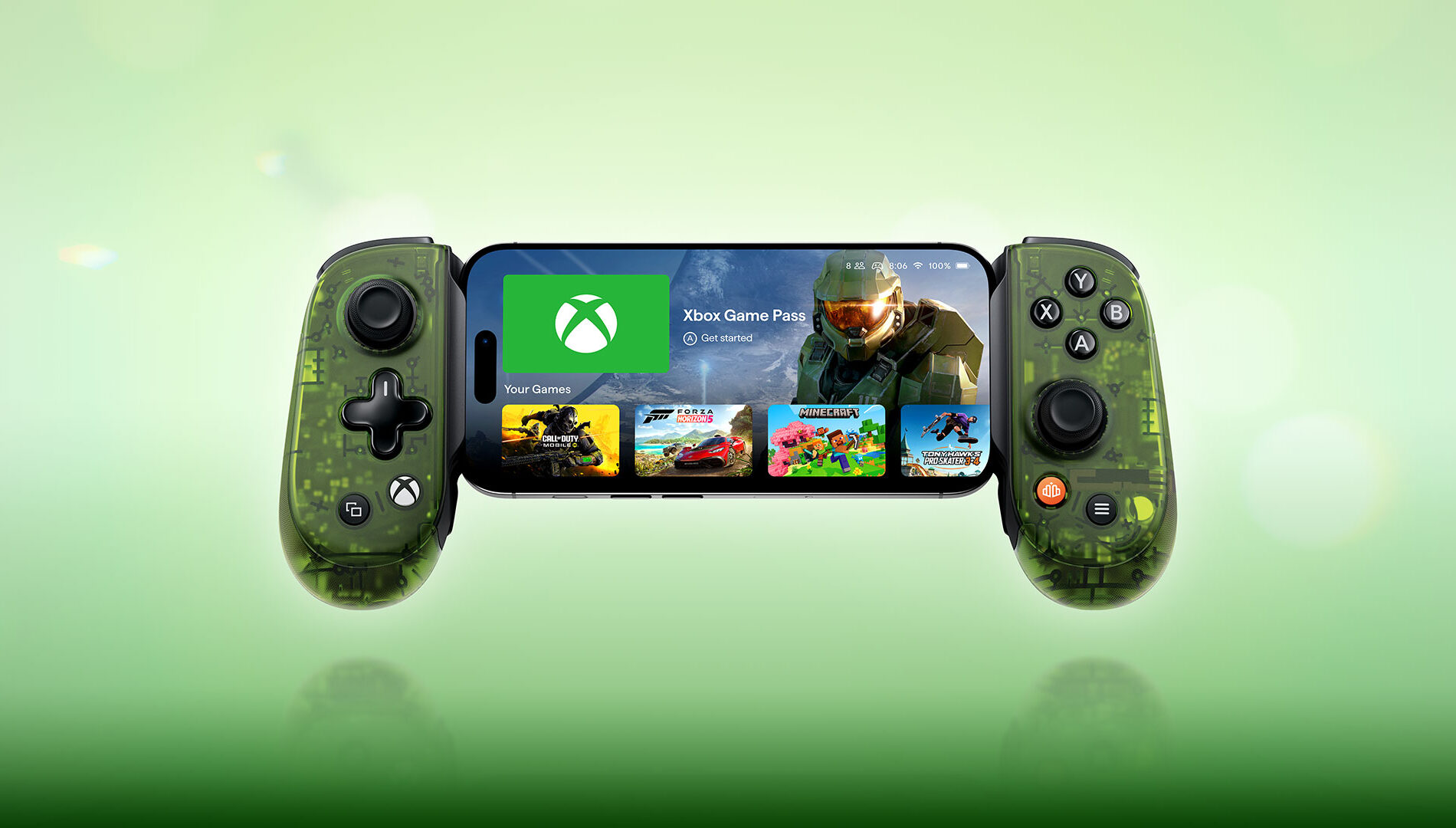
How to Build an Xbox Controller With Xbox Design Lab
Xbox Design Lab is a one-stop shop that allows you to create your very own controller. From the controller itself to every external component, Xbox Design Lab is a hugely customizable platform that lets you create controllers for yourself, or as a truly personal gift for the Xbox player in your life.
But before you get started, There are a lot of options to choose from – let us break down every single one, to help you create the perfect Xbox controller:
Choose Your Controller
The key question before you begin using Xbox Design Lab is: which Xbox controller do you want to design?
- Xbox Wireless Controller – Starting at $79.99 USD, the Xbox Wireless Controller is our standard model, bringing you high performance at an affordable price. With textured triggers and grips, a hybrid D-Pad, and Bluetooth technology that allows you to connect it to multiple devices. Click here to start creating an Xbox Wireless Controller.
- Xbox Elite Wireless Controller Series 2 – Starting at $169.99 USD, the Elite Series 2 makes our premium controller better than ever. With refined components, paddle slots offering extra options, adaptable elements like adjustable thumbsticks and hair trigger locks, and rubberized grips as standard, this controller delivers pro-level performance. Click here to start creating an Xbox Elite Wireless Controller Series 2.
Customize Components
Once you’ve chosen your controller, Xbox Design Lab gives you 10 different customization options, allowing you to make a controller that’s uniquely yours. And if you can’t quite decide as you go, Xbox Design Lab allows you to preview your controller at any time, as well as save designs to your own personal gallery, allowing you to create multiple options to compare before you pick the final one.
Body

Applied to the entire front case, your choice of Body makes a statement. With the Xbox Wireless Controller, choose from a variety of matte finishes, or from a selection of gorgeous patterns, including the swirling Vapor designs, the multi-toned Shift patterns, bold Camo looks, our vibrant Pride design, or special, game-inspired designs like the Fallout top case. With the Xbox Elite Wireless Controller Series 2, choose from matte finishes, our Cipher series – which adds a transparent case that allows you to see through the case to the components inside, or game-inspired designs.
Back
Your choice of Back encompasses everything behind the grips on your controller. With all the standard colors available in the Body category, you can choose to match the front of the controller, or create a two-tone pop of color.
Grips
For a small extra cost, you can add rubberized back and side grips to your Xbox Wireless Controller, offering an extra level of control in the hand. Rubberized grips come as standard on the Xbox Elite Wireless Controller Series 2.
Bumpers
Your choice of Bumper color encompasses the two buttons on the top of the controller, and the case in between them. On the Xbox Wireless Controller, choose from all the standard colors available for the Body and Back. For the Xbox Elite Wireless Controller Series 2, choose from an array of metallic finishes.
Triggers
The Triggers are key to controlling many games, and come with multiple options. With the Xbox Wireless Controller, all the standard colors are available, but Xbox Design Lab also offers a variety of metallic options, allowing you to add a stately point of difference from the rest of the design. On the Xbox Elite Wireless Controller Series 2, choose from a series of metallic designs that can blend in with your bumpers, or choose a different tone to create a standout design.
D-Pad
On the Xbox Wireless Controller, choose from all the standard colors available in other categories, or pick a metallic hue. On the Xbox Elite Wireless Controller Series 2, pick from the classic four-direction D-Pad, or our unique Faceted design for extra control. Both D-Pad choices offer a variety of single-tone metallic finishes, or pick our multi-toned Chroma designs for a truly standout look.
Thumbsticks
On the Xbox Wireless Controller, thumbsticks can take on any of the standard colors available on the rest of the controller. Take more control with the Xbox Elite Wireless Controller Series 2 – pick the color of the metal base, as well as separate colors for both the thumbstick ring and topper.
ABXY Buttons
On the Xbox Wireless Controller, pick from seven different designs for the iconic Xbox buttons, from classic colored looks to different two-tone treatments. With the Xbox Elite Wireless Controller Series 2, get even more choice with 20 different treatments, including colored variants that allow you to create even more specific looks.
View, Menu, Share Buttons
On the Xbox Wireless Controller, choose from 5 different designs for the central buttons on your controller. With the Xbox Elite Wireless Controller Series 2, pick from 24 color options to help bring your design to life.
Engraving
For that final touch, both controller types allow you to add a 16-character engraving. Add a name, a Gamertag, or a personal message to make the controller truly theirs.
Pick a Pre-Made Design
If you’re looking to create a controller to celebrate a particular game, we may already have what you need. Check out the Xbox Design Lab Collection for customizable special edition controllers based on the likes of The Outer Worlds 2, Ninja Gaiden 4, and more.
Design Lab also offers ‘Inspired By’ designs that celebrate games on Xbox – pick a pre-configured design, make any changes you see fit, and show your fandom. From Hollow Knight: Silksong to Silent Hill F, Design Lab can help to create the perfect companion for your favorite titles.
Choose Some Elite Extras
If you’re opting for an Xbox Elite Wireless Controller Series 2, Xbox Design Lab offers a number of extra adjustable elements for the premium controller, all of which can be customized to fit your design. The Carrying Case and Charging Pack helps you take your controller anywhere in safety. The Paddle Pack adds a number of easily added extra paddles for the back of your controller, which can be used by adjusting options on your console. The Thumbsticks and D-pad Pack offers both D-Pad options and multiple interchangeable thumbsticks to let you swap how you want to play, game-by-game. And the Everything Pack includes all of the above in a single package. If you already own an Elite Series 2 controller, you can also opt to purchase the additional accessories packs by themselves.
Adaptive Thumbstick Toppers
We collaborated with community members, charity organizations, and a hospital involved in adaptive gaming and 3D printing to design complimentary 3D printable files for adaptive thumbstick toppers with Xbox Design Lab. Available to download, these designs can be 3D printed to create thumbsticks that meet multiple accessibility needs – and are available for both the Xbox Wireless Controller and Xbox Elite Wireless Controller Series 2. Xbox Design Lab also offers thumbstick topper designs for the Xbox Adaptive Joystick.
You now have everything you need to start creating a unique Xbox controller – head over to Xbox Design Lab to start experimenting!
This article was originally published in 2024, and has been updated for 2025.
The post How to Build an Xbox Controller With Xbox Design Lab appeared first on Xbox Wire.