Zobrazení pro čtení

January 2026 State Transfer Event Guide for Whiteout Survival

The January 2026 State Transfer event is now live. For thousands of players across States 4 through 1615, this is the chance to pack up and relocate. This move is about more than just a new server. It is your opportunity to find a better alliance, leave a toxic community behind, and completely refresh your gameplay experience. This guide covers the key details on transfer groups, the rules for eligibility, and smart strategies to make your move a success.

Understanding the January 2026 Transfer Groups

The official announcement revealed 12 distinct transfer groups for this event. Players can only transfer to states within their assigned group, which creates natural boundaries based on server age and development.
Group State Range Total States
Group 1 State 4–19 16 states
Group 2 State 21–132 112 states
Group 3 State 140–312 173 states
Group 4 State 313–433 121 states
Group 5 State 434–529 96 states
Group 6 State 530–804 275 states
Group 7 State 805–931 127 states
Group 8 State 932–1070 139 states
Group 9 State 1071–1308 238 states
Group 10 State 1309–1427 119 states
Group 11 State 1428–1491 64 states
Group 12 State 1492–1615 124 states

Check which group your current state falls into before making any plans. You absolutely cannot transfer outside your designated group, regardless of how many Transfer Passes you’ve stockpiled.

Transfer Pass Requirements

Here’s where things get expensive for some players. The number of Transfer Passes you need depends entirely on your Transfer Score compared to your target state’s rating. But if you’re low on Frost Stars to stock up through the shop, check out U7BUY to get Whiteout Survival top up cheap and secure those passes before slots fill up.
Your Transfer Score gets calculated from multiple factors:

  • Current Furnace level
  • Chief Gear and Charms
  • Hero Power (not troop power)
  • Hero Gear Power
  • Pet Power
  • Expert Power

The higher your score relative to the target state, the more passes you’ll burn through. Free-to-play players typically need 6–12 passes, while heavy spenders or high-power accounts might require 30–50 passes. That’s a significant investment either way.

Transfer Passes come from two sources. You can purchase them directly from the shop through tiered packs that reset monthly, or grab them from the Alliance Shop for 150,000 Alliance Tokens each (refreshes weekly). Plan accordingly.

Eligibility Requirements You Must Meet

Before you even think about transferring, verify you meet these mandatory conditions:

Personal Requirements:

  • Furnace level 30 or lower
  • Not currently in combat
  • Not holding President or Former President title
  • Not in any alliance (you must leave first)
  • At least 25 days since your last transfer
  • Fewer than 4 characters in the target state

State Matching Requirements:

  • Same hero generation as target state
  • Same Fire Crystal level
  • Character age within 90–180 days of target state (varies by state development)
  • Matching unlocked buildings, beasts, and equipment

Use the /timeline command in-game to check compatibility between states. Missing even one requirement blocks your transfer completely.

The Three Transfer Phases

The event runs for seven days split into three distinct phases. Understanding each phase gives you strategic advantages.

Phase 1: Pre-Transfer (Days 1–3)

Presidents set Power Cap thresholds for incoming players during this window. Regular players can browse available states, contact Presidents for reservations, and start negotiations. No actual transfers happen yet. Use this time to secure invitations from your target state.

Phase 2: Invite Transfer (Days 4–5)

Presidents issue Ordinary and Special Invites to selected players. Ordinary Invites go to chiefs within the Power Cap. Special Invites bypass the cap entirely, targeting high-power players the President specifically wants. Each state starts with 3 Special Invites that refresh monthly. Leading States cannot issue Special Invites at all.

Phase 3: Open Transfer (Days 6–7)

This is the free-for-all phase. Any player meeting the Power Cap can transfer on a first-come, first-served basis. Slots fill incredibly fast, so you need to move right at server reset. Presidents cannot accept or decline during this phase. If you’re above the Power Cap, you’ll need a Special Invite from Phase 2.

Leading States vs Ordinary States

States fall into two categories with drastically different transfer limits.
Ordinary States:

  • Accept up to 58 players total
  • Presidents can invite 38 players
  • First 35 Ordinary Invites are valid
  • Can issue 3 Special Invites

Leading States:

  • Accept only 30 players total
  • Presidents can invite 20 players
  • Cannot issue Special Invites
  • Power Cap preset to lowest threshold

Leading States get determined by the combined Transfer Score of their top 100 chiefs. They’re the most competitive servers, which explains the stricter limitations. Getting into a Leading State without an invitation during Phase 2 is brutally difficult.

What Happens After You Transfer

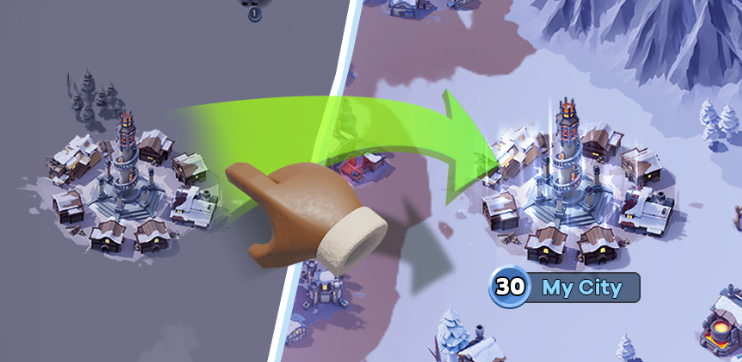
Transferring permanently changes several aspects of your account. Your city teleports to a random Icefield location with a 24-hour shield. Resources exceeding warehouse protection disappear instantly. Arena score resets to 1,000. Event progress for Hero Rally, Fishing Tournament, and similar activities gets wiped.

The good news is that your secured resources are protected, and all your personal progression remains intact. However, you should know that alliance-specific assets do not make the trip. Any territory bonuses or alliance buildings from your old state will not transfer. Because of this, you will want to join a new alliance in your destination state as quickly as possible.

Final Thoughts

The January 2026 State Transfer event offers a rare opportunity to reshape your Whiteout Survival experience. Whether you’re escaping a dying state, joining friends, or chasing stronger competition, proper preparation makes all the difference. Know your group, secure your passes, and move decisively when your phase opens. The frozen wasteland waits for no one.

The post January 2026 State Transfer Event Guide for Whiteout Survival appeared first on Cowded.
  •  

Minecraft Biome Finder Guide for Beginners

Minecraft Biome Finder Guide for Beginners

Finding the right biome can change the whole Minecraft experience. This guide explains how biome finders work and why beginners love them. It shows simple ways to explore faster and avoid frustration. With the right tool, rare biomes become much easier to find. The world feels smaller and full of options.

What a Biome Finder Is 

biome finder is a tool that is useful for locating biomes in a Minecraft world. Beginners usually feel lost when exploring. A minecraft biome finder removes that stress.

These tools save time. They reduce random walking. They help players plan builds and survival routes. New players can focus on fun instead of guessing.

Biome finders work with world seeds. A seed is the code that creates a world. When the seed is known, tools can map the biomes.

This is useful for learning. As William Penn once said, “Knowledge is the treasure of a wise man.” Understanding biomes brings confidence. It also supports smarter play on servers and single-player worlds.

Biome finders pair well with minecraft hosting for mods. Mods often need specific biomes. Finding them fast keeps gameplay smooth and exciting.

Different Types of Biome Finders and How They Work

Several biome finder types exist. Each one fits a different need.

In-game methods come first. Commands like /locate biome work in newer versions. They require cheats enabled. This option feels natural but has limits.

Online tools are popular. A biome minecraft finder website can scan a seed in seconds. These tools show maps with clear colors. They work for Java and Bedrock versions.

Seed-based tools focus on accuracy. They use math to recreate the world map. A bedrock biome finder is helpful for console and mobile players.

These tools shine on multiplayer worlds. They help admins plan hubs and events. They also support smooth minecraft server hosting. Better planning leads to better servers.

As Yotam Ottolenghi said, “One man's trash is another man's treasure, and the by-product from one food can be perfect for making another.” A simple seed becomes a powerful map with the right tool.

Minecraft Biome Finder Guide for Beginners
Source: Dotesports.

How to Find the Biome You Need?

Finding a biome is easier than it looks. Follow these clear steps.

  1. Find the world seed. Use /seed or check world settings.
  2. Choose the right tool. Pick a minecraft biome finder that matches the game version.
  3. Enter the seed. Select Java or Bedrock correctly.
  4. Search for the biome. Use the biome list or map view.
  5. Note the coordinates. Travel there in-game using maps or commands.

Online tools often allow zooming. Zooming helps avoid map scale confusion. Smaller scales show details. Larger scales show the big picture.

This process works for survival and creative modes. It also works on servers, if the seed is known.

Common Beginner Mistakes and How to Avoid Them

Mistakes happen. Most are easy to fix.

One common issue is using the wrong version. Java and Bedrock worlds differ. Always match the tool to the version.

Another mistake involves wrong seeds. A single missing number changes everything. Double-check before searching.

Map scale causes confusion too. Large maps can hide small biomes. Zoom in to confirm details.

Some players forget server rules. Commands may be disabled. In that case, online tools are the best choice.

These fixes save time. They also prevent disappointment during long trips.

Summary

Biome finders make Minecraft more welcoming. They turn confusion into clear choices. Beginners gain control and confidence fast. With the right minecraft biome finder, exploration feels rewarding. Tools like a bedrock biome finder or biome minecraft finder support smarter play. Knowledge opens the map and invites adventure.

  •  

A Beginner’s Guide to Second Life (Everything You Need to Know to Get Started)

A Beginner’s Guide to Second Life (Everything You Need to Know to Get Started)

Welcome to Second Life, a vast, user-created virtual world where you can explore, socialize, create, shop, roleplay, attend events, and design the life you want.

If you’re new, it can feel overwhelming. This guide will walk you through the essentials so you can feel confident and start enjoying your Second Life right away.

1. What Is Second Life?

Second Life is not a traditional game with levels or quests. It’s a virtual world built almost entirely by its residents. Every region, store, home, club, and experience is created by users.

You decide what your Second Life looks like:

  • Social networking
  • Roleplay communities
  • Fashion and photography
  • Building and scripting
  • Live music and events
  • Business and entrepreneurship

There is no “right way” to participate, explore and find what fits you.

2. Basic Controls You Should Know

Movement

  • Walk: Arrow keys or WASD
  • Run: Double-tap forward
  • Fly: Press “F”
  • Sit: Right-click an object → Sit

Camera Controls (Very Important!)

  • Hold ALT + click to zoom
  • CTRL + ALT + drag to orbit
  • Scroll wheel to zoom in and out

Mastering your camera is one of the most important skills in Second Life.

3. Communication Options

You are interacting with real people from around the world.

Chat Types

  • Local Chat - Nearby people
  • Instant Message (IM) - Private conversations
  • Voice Chat - Optional voice communication

Safety Tools

If someone is disruptive:

  • Right-click their name → Block
  • Use Mute
  • Report abuse if necessary

Never share personal information you’re not comfortable sharing.

4. Your Avatar & Appearance

Your avatar is fully customizable.

You can change:

  • Body shape
  • Skin
  • Hair
  • Clothing
  • Animations (using an Animation Override, or AO)

Many modern avatars use mesh bodies and heads. Always:

  • Try demos before purchasing
  • Check sizing compatibility
  • Read product descriptions carefully

Your Inventory stores everything you own.

5. Understanding Inventory & Permissions

Inventory contains:

  • Clothing
  • Body parts
  • Objects
  • Landmarks
  • Notecards
  • Gestures

When shopping, pay attention to permissions:

  • Copy - You can duplicate the item
  • Modify - You can edit it
  • Transfer - You can give it to someone else

Always check permissions before purchasing.

6. Linden Dollars & Shopping

The in-world currency is Linden Dollars (L$).

You can:

  • Shop in-world
  • Buy items on the Marketplace
  • Earn money through creating content, jobs, or services

Smart shopping tips:

  • Try demos
  • Check reviews
  • Verify compatibility with your body/head
  • Watch for event sales

7. Etiquette & Region Rules

Each region has its own rules.

Before exploring:

  • Read parcel descriptions
  • Respect dress codes
  • Follow roleplay guidelines (if applicable)
  • Avoid spamming gestures or animations

Good manners go a long way in Second Life communities.

8. Helpful Places for New Residents

As a new resident, consider visiting:

  • Official welcome areas
  • Sandbox regions (for building practice)
  • Freebie stores
  • Beginner-friendly social communities
  • Educational regions

Joining groups is one of the fastest ways to learn and make connections.

Final Tips for Success

  • Take your time.
  • Ask questions, most residents are helpful.
  • Don’t feel pressured to look perfect immediately.
  • Explore widely before settling into one community.

Second Life is what you make of it.

Welcome, and enjoy your journey.

  •  

Ox Is CHEAPER Than a Horse?! | Lymhurst Upgrade & Gathering Grind | Albion Online

Ox Is CHEAPER Than a Horse?! | Lymhurst Upgrade & Gathering Grind | Albion Online

I just wrapped up another hour in Albion Online, and this session turned out to be more interesting than I expected.

This time, I traveled to the city of Lymhurst to continue progressing my gathering journey. I had previously bought a horse for about 25,000 silver, so I assumed any upgrade from there would be more expensive. But nope — I was wrong.

The Ox I needed for “First Steps in Gathering” only cost me around 14,000 silver. Yes… cheaper than the horse. I was honestly surprised. You would think a big, heavy-duty Ox would cost more, right? Apparently not. Of course, the Ox is slower, but it carries way more weight, which makes it perfect for gathering runs.

Speaking of gathering, I finally completed the First Steps in Gathering quest. I also upgraded to Adept Leather Armor and made sure all my tools were at Journeyman tier. It feels good slowly progressing and becoming more efficient, even if gathering itself can be a bit repetitive.

And let’s be real — gathering can get boring.

So while I was farming resources, I watched a video from NerdSlayer Studios called “Death of a Game: Ashes of Creation.” It’s a deep dive into the downfall of Ashes of Creation, covering the drama, the crash, and the lawsuits that followed. The video was almost an hour long and gave a lot to think about.

It’s still unclear who is truly to blame for everything that happened. Lawsuits have been filed, and eventually the truth should come out. But one big question remains: will the players who spent money ever recover any of it? Right now, nobody really knows.

Overall, it was a productive stream. I made progress, learned something new about mounts, and had an interesting MMO discussion in the background. Not bad for an hour in Albion.

On to the next grind!

🙏 Support the grind:

• Streamlabs: https://streamlabs.com/kabalyero/tip
• StreamElements: https://streamelements.com/kabalyero/tip
• Ko‑fi: https://ko-fi.com/kabalyero

  •  

NYT Midi Crossword February 23, 2026 Answers (2/23/26)

Our NYT Midi Crossword February 23, 2026 answers guide should help you finish today’s crossword if you’ve found yourself stuck on a crossword clue. The New York Times Midi Crossword is a medium sized version of the paper’s famous mini and daily crossword puzzle. The midi crossword is just as challenging as its bigger counterpart, but with fewer clues and a medium grid.

NYT Midi Crossword February 23, 2026 Answers

If you need help solving the NYT Midi Crossword on 2/23/26, we’ve listed all of the crossword clues below so you can find the answer(s) you need. You can search for the clue and then select the appropriate clue to get the answer. We have done it this way so that if you’re just looking for a handful of clues, you won’t spoil other ones you’re working on!

Search
# Clue
1A Stiff-upper-lip sort
6A Towering grain container
10A ,
11A "Now wait just a second ..."
12A In-app purchase with holes
14A ___ for tat
15A Color akin to khaki
16A In-app purchase that may come in mild, medium or hot varieties
18A Like the Baths of Caracalla and the Arch of Constantine
21A ___ the Kid, rhyming nickname for N.H.L. star Crosby
23A In-app purchase for veggie lovers
26A Flower's container
27A Swedish automaker
28A Walk wearily
29A Like a scary roller coaster drop
1D Edinburgher or Dundonian
2D Morrison who wrote "Song of Solomon"
3D Leave out
4D "If ur asking me ..."
5D Southwestern saloon
6D Y-shaped toy
7D + or - chemistry particle
8D "Captain's ___, stardate ..."
9D Gives the go-ahead
13D Jogged
16D Diminished in power
17D Move along laterally
18D Answer to an invite
19D Shimmering gemstone
20D Soup (or paste) in a Japanese restaurant
22D Seedy watering hole
24D Pharmacy whose slogan is "Healthier happens together"
25D Sound of opening a champagne bottle

If you’re still struggling to solve your NYT Crosswords, consider practicing with the Eugene Sheffer and Thomas Joseph dailies first. If you’re looking for similarly challenging crosswords, we recommend the WSJ Crossword and LA Times Crossword.

The post NYT Midi Crossword February 23, 2026 Answers (2/23/26) appeared first on Try Hard Guides.

  •  

Guide: All Free PlayStation Plus Content On The PlayStation Store

All free PlayStation Plus content on the PlayStation Store, Free DLC, Games, Add-Ons, Items & More. Sony’s premium subscription service has been churning out freebies over 15 years now, and while it has given the boot to PS3 and PS Vita games in recent years, there’s still plenty of free PS5 & PS4 content up for grabs.

With that in mind we’ve cobbled together some highlights of the various free PlayStation Plus content on the PlayStation Store that’s waiting for you to grab.

PS Plus Free Content – PS Store


Current Free Games: PS Plus Essential (February 2026)

Current PS Plus Extra & PS Plus Premium Additions (February 2026)

  • Marvel’s Spider-Man 2 (PS5)
  • Test Drive Unlimited Solar Crown (PS5)
  • Neva (PS5, PS4)
  • Season: A Letter to the Future (PS5, PS4)
  • Monster Hunter Stores 2: Wings of Ruin (PS4)
  • Monster Hunter Stories (PS4)
  • Venba (PS5)
  • Echoes of the End: Enhanced Edition (PS5)
  • Rugby 25 (PS5, PS4)

PlayStation Plus Premium

  • Disney Pixar Wall-E (PS2)

Game Bundles & Add-Ons

  • War Thunder Retrofuture Tank Snail Bundle
  • 3on3 FreeStyle — 2025
  • Apex Legends PlayStation Plus Play Pack
  • Asphalt Legends UNITED — PlayStation Plus Exclusive Spring Pack
  • Azure Crusader’s Arbor Bundle
  • Bleach: Brave Souls Summons Ticket Pack
  • Brawlhalla Bonus Pack 17
  • Brawlhalla Bonus Pack 18
  • Call of Duty Warzone PlayStation Plus Pack 2
  • Century: Age of Ashes — Elulin’s Pond Pack
  • Deceit 2 — The Rockstar Bundle
  • Disney Speedstorm – PlayStation Plus Exclusive Pack
  • eFootball PlayStation Plus Member Boys
  • Faaast Penguin PlayStation Plus Limited Edition Pack
  • Final Fantasy XIV PlayStation Plus Reward: Aetheryte Additional Free Destination (April — June)
  • FragPunk: PlayStation Plus Special Pack
  • Germs of War — Dagon Spirit PS Plus Starter Pack
  • Genshin Impact Promotion for PlayStation Plus
  • German Prowess — PS5 World of Warships: Legends
  • Harry Potter Quidditch Champions — Firebolt Supreme Broom Skin
  • Hawked Plunder Pack 3
  • Hawked Plunder Pack 4
  • Honkai: Star Rail PlayStation Plus Discount
  • Ink Master Squid Diver for Roblox
  • World of Warships Legends Starter Pack
  • Marvel Rivals Season 2 Bundle
  • MLB The Show 25 Launch Bundle
  • My hero Ultra Rumble PlayStation Plus Pack
  • Naraka Bladepoint — Ignis Season Pack
  • Naraka Bladepoint — PlayStation Plus Gift S16
  • Neverwinter Planar Preserver’s Pack
  • Overwatch 2— Sniper Ana Bonus Pack
  • Paladins Season 6 PlayStation Plus Bundle
  • Yu-Gi-Oh! Master Duel Pack Ticket
  • PUBG Battlegrounds PlayStation Plus Exclusive Bundle
  • Puzzle Quest 3 — Azure Adventurer’s Hero Pack
  • Puzzle Quest 3 — Monthly PS Plus Shard Bundle
  • Rogue Company — Winter Resupply Pack
  • Roller Champions PlayStation Plus Pack
  • Super Animal Royale PS Plus Pack
  • Secret Neighbor — Welcome Pack
  • Sky: Children of the Light Spring Pack
  • Sky: Children of the Light Winter Pack
  • Skyforge: PlayStation Plus Slalom Star Pack
  • SMITE Summer Sizzle Pack
  • Spellbreak — PlayStation Plus Brawler
  • Star Trek Online Both Worlds Cobalt Pack
  • Star Trek Online Incursion Cobalt Pack
  • Star Trek Online Unparalleled Cobalt Pack
  • Stumble Guys — Soil Mate Bundle
  • The Finals — Hyperstrike Set
  • The First Descendant — Season 2 Ep. 2: Beyond the Void PlayStation Plus Play Pack
  • The Fist Descendant — Season 2: Void Chaser
  • Throne and Liberty Clay and Mischievous Bundle
  • Throne and Liberty Lottie and Percy Items
  • Tower of Fantasy — Promotion For PlayStation Plus
  • UFL Bonus Pack
  • Valorant X PS+ Bundle
  • Vegas Infinite — PlayStation Plus Subscriber Credits
  • Vigor — Hive Guardian Pack For PlayStation Plus
  • Warfare Clutch — Oberon White Pack
  • Warframe Umbra Allegiance Pack
  • Warlander — PlayStation Plus Exclusive Pack
  • War Robots: Frontiers — Lancelot Bundle
  • Zenless Zone Zero PlayStation Plus Promotion

PS Plus Game Trials

  • A Plague Tale: Requiem
  • A Space for the Unbound
  • AFL 23
  • Age of Wonders 4
  • AI: THE SOMNIUM FILES – nirvanA Initiative
  • Alan Wake 2
  • As Dusk Falls
  • Asterigos: Curse of the Stars
  • Atomic Heart
  • Balatro
  • Baldur’s Gate 3
  • Biomutant
  • Bonfire Peaks
  • Broken Edge
  • Carrion
  • CATAN®
  • Cobra Kai 2: Dojos Rising
  • Company of Heroes 3
  • Construction Simulator
  • CRISIS CORE -FINAL FANTASY VII- REUNION
  • Crusader Kings III
  • Cult of the Lamb
  • Custom Mech Wars
  • Cyberpunk 2077
  • CyberTD
  • Dakar Desert Rally
  • DC’s Justice League: Cosmic Chaos
  • Dead Island 2
  • Death’s Door
  • DE-EXIT – Eternal Matters
  • Deceive Inc.
  • Demeo
  • DNF Duel
  • Dusk Diver 2
  • Dying Light 2 Stay Human
  • EARTH DEFENSE FORCE 6
  • Ed-0: Zombie Uprising
  • Elemental War 2
  • Eternights
  • Evil West
  • EVERSPACE™ 2
  • Exoprimal
  • F1® Manager 2023
  • Football Manager 2024 Console
  • Fort Solis
  • Gangs of Sherwood
  • Galaxy Kart
  • Ghost Signal: A Stellaris Game
  • God of War Ragnarök
  • Gorn
  • Greyhill Incident
  • Gris
  • Hellboy Web of Wyrd
  • Hogwarts Legacy
  • HOT WHEELS UNLEASHED™ 2 – Turbocharged
  • Hunting Simulator 2
  • Jumanji: Wild Adventures
  • KarmaZoo
  • Kingdom Eighties
  • LEGO® 2K Drive
  • LEGO® Star Wars™: The Skywalker Saga
  • LEGO® City Undercover
  • Little League World Series Baseball 2022
  • MADiSON
  • Marvel’s Midnight Suns
  • Marvel’s Spider-Man 2
  • Matchpoint – Tennis Championships
  • MotoGP™23
  • Miasma Chronicles
  • Miraculous: Rise of the Sphinx
  • MLB® The Show™ 23
  • MLB® The Show™ 24
  • Mortal Kombat 1
  • Moss
  • Moss: Book II
  • Mr. Run and Jump
  • My Friend Pedro
  • NBA 2K24 – Kobe Bryant Edition
  • NHRA Championship Drag Racing: Speed For All
  • Nickelodeon Kart Racers 3: Slime Speedway
  • Park Beyond
  • Persha and the Magic Labyrinth
  • Persona 3 Reload
  • Persona 5 Royal
  • Persona 5 Tactica
  • PGA Tour 2K23
  • Phoenix Point
  • Pixel Ripped 1978
  • Relayer
  • Return to Monkey Island
  • RIDE 5
  • RiMS Racing
  • RollerCoaster Tycoon Adventures Deluxe
  • Rollerdrome
  • Ruinarch
  • Sifu
  • Shadow Gambit: The Cursed Crew
  • Shadow Warrior 3: Definitive Edition
  • Sonic Frontiers
  • SONIC SUPERSTARS
  • Soul Hackers 2
  • Steelrising
  • Strategic Mind: Spirit of Liberty
  • Suicide Squad: Kill the Justice League
  • SUPER CRAZY RHYTHM CASTLE
  • Tactics Ogre: Reborn
  • Terraformers
  • Townsmen VR
  • The Callisto Protocol
  • The Cruel King and the Great Hero
  • The King of Fighters XV – Standard Edition
  • The Last of Us™ Part I
  • The Last of Us Part II Remastered
  • The Lord of the Rings: Gollum
  • The Talos Principle 2
  • The Messenger
  • The Witcher 3: Wild Hunt – Complete Edition
  • TopSpin 2K25
  • Train Sim World® 4
  • TRANSFORMERS: EARTHSPARK – Expedition
  • Trek to Yomi
  • Tri6: Infinite
  • TT Isle Of Man: Ride on the Edge 3
  • Ultros
  • Unrailed!
  • Vampire: The Masquerade – Justice
  • Vampire: The Masquerade – Swansong
  • void* tRrLM2();
  • VR Skater
  • Warhammer Age of Sigmar: Realms of Ruin
  • Weedcraft Inc
  • Weird West: Definitive Edition
  • Wizard with a Gun
  • World of Outlaws: Dirt Racing
  • WWE 2K23
  • WWE 2K24
  • Yomawari: Lost in the Dark

The post Guide: All Free PlayStation Plus Content On The PlayStation Store appeared first on PlayStation Universe.

  •  

Safer Internet Day 2026: ESRB’s Video Game Tips

Every year we like to use Safer Internet Day an opportunity to reinforce and reexamine some tips to help you make sure your kids have safe, appropriate experiences when playing video games online. Like many things in life, this boils down to a message of “safety first.” Everyone learns to look both ways before crossing the street; this is the equivalent to looking both ways!

After all, a lot can change in a year, especially when it comes to your kids’ interests, hobbies, and social lives. You may find that your kids are asking to sign up for a new online game because it’s how their friends socialize. Or maybe your younger children are just starting to take interest in the limitless possibilities of video games. Here are some tips and resources to help you make sure your kids’ video game experiences stay safe and appropriate.

  • ESRB’s Family Gaming Guide has sections for establishing household rules, setting parental controls, and playing multiplayer games online. There’s also a section to ensure that you’ve checked all the boxes when it comes to online privacy!
  • ESRB’s Parental Controls section includes step-by-step instructions for activating parental controls on your kids’ video game devices. Virtually all devices that play games include the ability to set parental controls, including consoles, handheld gaming devices, PCs, smartphones, tablets, and more. This includes settings to limit (or block) communications with other players online. Some parental controls even allow you to curate your kids’ friends lists to ensure they can only communicate directly with friends, relatives, and other people they know in real life. Parental controls also allow you to manage which games your kids can play (based on the ESRB-assigned age rating), when and for how long they can play, and whether they can spend real money to purchase new games or make in-game purchases.
  • ESRB’s Blog section features years of articles highlighting popular games and helpful tips for managing your kids’ video game experiences. We even have blogs on popular video game-related platforms like Twitch and Discord to help you make sure your kids are staying safe when communicating with others online.
  • Mute, block, and/or report other players that are behaving inappropriately. Every console and video game with online functionality empowers players to mute or block others that may be more interested in being rude than having a good time. For particularly egregious individuals, you can also report them to the platform holder and/or publisher, as their behavior may violate the company’s community guidelines.
  • Discuss “platform hopping” with your kids! It’s increasingly important for children to understand that they must not move conversations from their video games to another messaging or social media platform. Platform holders, like Microsoft, Nintendo, and PlayStation have very advanced moderation tools that actively monitor player interactions (the same is true for large online games like Fortnite and Roblox). If your children are talking to a stranger when playing games online, those conversations are all tracked. The second your child continues the conversation off platform, that tracking stops. If the person in question is acting in bad faith, then there is no way for the platform-holder to address the issue with a ban or suspension. If a stranger ever asks your kids to communicate anywhere private and/or outside of the platform on which the conversation started, this should be a red flag to block and report this individual.
  • Keep your kids’ personal information private! Have a conversation with your children about what they can and cannot share about themselves online and why. Explain why it may be dangerous for them to tell other players things like their real name, their location, where or when they were born, or anything else that can be directly traced to them. It’s also helpful to let them know that companies shouldn’t collect personal information from them, like their email, without getting your permission first. You can tell that a product or service is handling personal information responsibly by looking for the ESRB Privacy Certified seals. They certify that a video game or toy-related product or service complies online privacy laws and best practices.  That being said, when registering for a new game or device, you want to ensure that your child’s birthdate is accurate or else important default protection measures may be overridden by mistake.
  • Create a welcoming environment for your kids to talk to you about their concerns. Crucially, kids need to know that they will never get in trouble for something someone else does, so they can always go to you if they’re uncomfortable about anything they experience (be it online or in person).

One of the best ways to stay on top of your kids’ online safety is to regularly talk about what they’re playing, why they love it, and with whom they play. Approaching video games from a judgement-free perspective will help you better understand what your kids get out of video games, and what you can do to make sure they’re having a great time while staying safe.

The post Safer Internet Day 2026: ESRB’s Video Game Tips appeared first on ESRB Ratings.

  •  

A Parent’s Guide to Gorilla Tag

Any parent or teacher with kids under the age of 14 are probably already aware, but millions of young gamers are hurtling headfirst into Gorilla Tag, an online, multiplayer VR game with constantly changing game modes. Are your kids ready to become a “monke” (the name for in-game characters) and engage in fast-paced, physical tag? Read on to find out.

Is Gorilla Tag Appropriate for Kids?

Gorilla Tag is rated E for Everyone with a Content Descriptor for Mild Fantasy Violence. The rating for Gorilla Tag also includes two Interactive Elements: Users Interact (meaning players can communicate through the game) and In-Game Purchases (meaning users can use real money to purchase virtual currency that can be used to purchase in-game content).

In its most basic form, Gorilla Tag is a cartoony, heightened game of virtual tag. However, according to the ESRB assigned Rating Summary, “monkes” can use “slingshots or cartoony bows-and-arrows to damage combatants,” which is obviously quite different than traditional tag. Damage is displayed visually in tame ways, such as popped balloons or characters slowing down.

Even if the content sounds appropriate, remember that Gorilla Tag is a VR game. Most VR headset manufacturers recommend that headsets be used only when kids are 13 or older. Meta has options for parent-managed and supervised accounts, and Gorilla Tag uses those features in-game by restricting users’ ages. Gorilla Tag uses k-ID age verification to determine a player’s age and, where appropriate, require parental consent before granting access to communication features, social interactions, and certain in-game purchase options. Younger players may require parent or guardian involvement during verification. These measures all help to make sure your kids’ information stays private and ensure that you (as the parent and decision-maker) are involved in and aware of your kids’ video game experiences.

It’s a good idea to check the user manual for any VR headset you own to also see if there are any recommended age restrictions. Of course, the final decision is always up to you!

Where Can I Play Gorilla Tag and How Much Does it Cost?

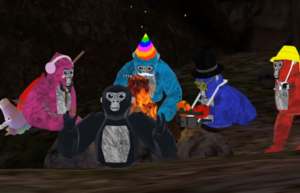
Gorilla Tag is a free-to-play VR game available on PlayStation VR2, Meta Quest 2, Meta Quest 3, and Meta Quest Pro. It can also be purchased through Steam for $19.99 to play on PC VR. Five “monkes” sit by a campfire in a game of Gorilla Tag.
Five "monkes" sit by a campfire in a game of Gorilla Tag. From Left to right: pink monke, black monke, turquoise monke, blue monke, brown monke.

On most platforms Gorilla Tag doesn’t cost anything to download and play, but it does include offers for users to purchase in-game cosmetics. These include things like hats, sunglasses or makeup, clothing, gloves, held items, and more.

Cosmetics are exchanged for the in-game currency, called Shiny Rocks. Players have the option to purchase Shiny Rocks from an in-game ATM. Players can purchase Shiny Rocks through various bundles, typically priced between $5 and $40, with available options subject to change.

As with most free-to-play games, in-game purchases are entirely optional. Even if you and your family do not want to spend money on Shiny Rocks, players earn 100 Shiny Rocks when they log in each day. It’s always a good idea to discuss your household rules around in-game purchases with your kids, and back them up with parental controls (more on that later!).

How Does Gorilla Tag Play?

Gorilla Tag includes several game modes with the core mechanic being to avoid a tagger. From a first-person perspective, players move by pumping their arms (like a running gorilla!) to run, climb, and jump through the environment.

Infection

Gorilla Tag’s default game mode drops at least 4 players (and up to 10 players) into a level with one monke being chosen at random as infected. The infected monke, also known as the “lava monke,” must chase the other players in an effort to tag them. However, unlike real tag, instead of being “out,” the tagged monkes are also infected and will join the original lava monke in hunting down the uninfected players. The game ends when everyone gets tagged, at which point a new game starts with a new lava monke. In addition to Infection as the core mode, Gorilla Tag offers newer modes and experiences, including Ranked Mode, community-created maps through Share My Blocks, and updated hub areas like Hoverpark.

Hunt

A four-player mode that gives each player a “target” to hunt. Once the game begins, each player is given a hunt watch that displays information about their unique target (one of the other players). This includes things like the color of the monke, the player’s username, cosmetic information, and more. Players will then try to tag their target – which is kept secret from other players – while simultaneously trying to avoid the player hunting them. When tagged, players become an “ice monke” who can tag other players, slowing down their run speed and making it easier for their pursuer to catch them. The game ends when there are only two hunters left.

As with most free-to-play games, in-game purchases are entirely optional.

Paintbrawl

Monkes start this game on a team of either orange or blue. Each monke is given a slingshot with paintballs to fling at the monkes on the other team. Each monke can be hit three times before getting out – this is visually represented by three balloons floating on each monke’s back. When a monke loses all of their balloons they are no longer able to pop their opponent’s balloons, but they can continue to use their slingshots to fatigue and slow down their adversaries. The game ends when all the monkes on a team lose their balloons.

Casual

This is a non-competitive game mode to chat with friends outside of the regular gameplay. There are no core objectives, and players can simply communicate via voice chat (if you permit that) with friends and others.

The Share My Blocks feature enables players to access custom, community-created maps, indicating that some in-game content is user-generated. Additionally, Gorilla Tag regularly introduces seasonal maps and events, such as winter, holiday, or themed updates, which change environments and activities throughout the year.

Managing Your Monkes Like a Pro

VR can be a new and exciting place for kids to play, especially when it has the added benefit of being a very physically active and social game like Gorilla Tag. In 2025, Gorilla Tag even added an in-game friending system, allowing players to add friends directly within the game without relying on external platforms. This is part of why it’s so important to stay looped into your kids’ video game interests, and to work with them to make sure they’re monke-ing around in an appropriate environment.

Checking the ESRB-assigned rating information is always a great first step. But there’s no better way to understand a game than trying it out for yourself. But there’s no better way to understand a game than trying it out for yourself. Of course, doing a little bit of research – especially watching videos and streams – can give you a great idea of what a game is all about.

Setting household rules is also a great way to keep an ongoing, judgement-free conversation around video games active in your home. You can find some tips about starting that talk by visiting our Family Gaming Guide.

Setting parental controls, which can apply at the account level and affect communication features and purchasing access based on a player’s age and verification status, is a great way to support your household rules. On Meta Quest, parents can enable dedicated child accounts for kids ages 10 to 12 and supervision settings for teens age 13 and up. These tools activate automatic restrictions in Gorilla Tag for features like voice chat, social interaction, and spending.

This is also true for PlayStation VR2, which requires a PlayStation 5 to play. These settings allow you to manage what your kids play, when and for how long, with whom, and whether they can spend real world currency on in-game purchases (or other new games). You can find step-by-step parental controls guides at ParentalTools.org.

The post A Parent’s Guide to Gorilla Tag appeared first on ESRB Ratings.

  •  

GTA 6 and Online Casino Slots: Will the New Game Reignite the “Virtual Casino” Debate?

While Rockstar Games hasn’t confirmed casino features for GTA 6, the rumour mill is already spinning, and regulators around the world are paying attention.

The streets of Vice City may still be years away from opening to players, but speculation about what lies inside those neon-lit interiors is already reigniting one of gaming’s most controversial debates: where do we draw the line between virtual entertainment and real-money gambling?

Unlike trusted online slots that have been tested by industry experts, in-game casino mechanics exist in a regulatory grey area that continues to cause headaches for developers and lawmakers alike.

What We Actually Know (Spoiler: Not Much)

Let’s be clear from the start. Rockstar has confirmed GTA 6 is in development and has released at two official trailers, the latest one in May 2025. However, the studio has not announced any in-game casino or slot-machine mechanics as of early 2026.

Everything circulating about potential casino content comes from unverified leaks and community speculation. According to coverage from various outlets, these leaks describe features like property ownership, VIP lounges, and casino heist missions that would work similarly to GTA Online’s infamous Diamond Casino.

Discussion of “virtual casino” elements in GTA 6 remains entirely hypothetical. But that doesn’t make it unimportant, especially when the last time Rockstar opened a casino, it triggered a regulatory firestorm across more than 50 countries.

The Diamond Casino Déjà Vu

To understand why GTA 6 casino rumours are causing such a stir, we need to look back at July 2019, when GTA Online’s Diamond Casino & Resort update landed.

The update allowed players to gamble in-game chips on slots, roulette, and other games of chance. The problem? Those chips were purchased with in-game currency, which itself could be bought with real money. This created what regulators viewed as a direct pipeline from players’ wallets to virtual slot machines.

As IGN reported at the time, players in more than 50 countries were blocked from purchasing betting chips inside the casino, even though they could still enter the venue. Video coverage shows players receiving in-game messages denying permission to buy chips, effectively locking them out of the gambling activities.

The reason? The combination of real-money purchasable currency and casino-style games looked too much like actual online gambling. Coverage from *Esports News* documented how dozens of jurisdictions disabled casino functions entirely, showing wildly uneven global treatment of these mechanics.

Rockstar added safeguards like hourly chip purchase limits, but these didn’t stop some jurisdictions from banning the feature outright. The Diamond Casino incident became a central case study and a warning shot for any future attempts to blend gaming and gambling.

Real Casinos, Real Regulations

The contrast with actual online casinos is stark.

Legitimate UK online slot sites and casinos operate under strict UK Gambling Commission licensing. They must display verified RTP (return to player) percentages, undergo third-party fairness audits by bodies like eCOGRA and iTechLabs, implement secure payment systems, and provide transparent terms and conditions.

Popular titles like Book of Dead, Big Bass Bonanza, Starburst, and Gates of Olympus exist within a framework of consumer protection, dispute resolution, and responsible gambling tools that don’t apply to in-game casino mechanics.

Even casinos operating outside UK jurisdiction must hold valid international licences and meet standards for financial reporting, system audits, and data security. As guides for these platforms note, UK players can legally access them, though they lose UKGC protections and self-exclusion tools.

This regulatory patchwork matters for GTA 6. If the game introduces casino-style content in its online mode, will it face the same cross-border enforcement that blocked Diamond Casino access? Or will Rockstar design around these problems entirely?

Community Expectations vs. Corporate Silence

Reddit threads and community forums show fans are already anticipating expanded casino activities in GTA 6’s online mode. As moderators on r/GTA6 frequently point out, these discussions mix genuine excitement with unverifiable leaks.

The community appetite is clear. What remains uncertain is whether Rockstar will, or can, deliver without triggering another regulatory crisis.

The Jackpot Question

Will GTA 6 reignite the virtual casino debate? The honest answer is probably yes whether Rockstar includes casino mechanics or not.

If the studio incorporates gambling-like features, regulators who already flagged GTA Online will be watching. The precedent has been set and the battle lines drawn.

If Rockstar avoids casinos entirely, the conversation shifts to whether regulatory pressure successfully influenced a major creative decision in a mainstream video game. That raises its own questions about where gaming freedom ends, and gambling law begins.
While the casino debate surrounding GTA 6 remains theoretical, GTA Online continues to thrive without leaning on gambling mechanics for player engagement, opting instead for bonus updates for online players.

Either way, the bet is already placed. We’re just waiting to see how it plays out when Vice City finally opens for business.

The post GTA 6 and Online Casino Slots: Will the New Game Reignite the “Virtual Casino” Debate? appeared first on PlayStation Universe.

  •  

History of Online Gambling in the World of Video Games

Have you ever wondered how betting on luck and playing video games became so intertwined to the point that the industries slowly merged? Think about it. Players are constantly moving between video games and online casinos as the two offer the same dopamine and community perks. In their eyes, playing in Australia online casinos amounts to a similar experience as playing an adventure game filled with twists and turns. But how did this come to be? Let’s explore the history that is to thank for this intersectionality.

The Evolution of Gambling in Video Games.

The interweaving of gambling in video games did not happen overnight. Instead, it took place over several stages, as follows:

Stage 1.

This phase took place between the 1970s and the 1990s, where game developers included gambling as a theme within the larger game. Since it was just an episode or theme to support the main story, there was no real money gambling, and the whole idea was to introduce casinos or table games in the video games to make them feel more realistic. Additionally, these inclusions made the games feel more adult-like, which was a hit for players who wanted to live vicariously through their characters. Take Golden Nugget 64 as an example. Players were able to join virtual casino games, but without the risk of gambling their own money.

Stage 2.

By the early 2000s, online casino games had started growing in popularity, and video games had to adapt to the changing times. So, they followed through with loot boxes where players had to pay real money for packages or boxes that contained in-game items. To make it feel like gambling, players had no way of knowing what was in the boxes, and they were thus gambling with their money, much like was the case with traditional games like slots and roulette. Some good examples of these boxes are:

  • FIFA Ultimate Team – Players were able to buy packs for real money with the hope of landing top players in the league at the time.
  • Maple Story – This game, which was a hit in Japan, allowed players to purchase tickets that they could exchange for completely random items.

So, rather than have players simulate casino experiences as games had been doing in the past, video game developers took things up a notch by allowing players to essentially gamble.


Stage 3.

Following the success of the loot boxes between the years 2000 and late 2010, video game developers realized that players actually wanted to gamble. What’s more, the addition of gambling opportunities not only attracted more players but also allowed the game developers to find more ways to earn revenue. So, come 2013, more developers started combining the video game and casino gambling elements such that the two started to feel like the same thing.

How so? Well, video game developers introduced in-game elements that had real monetary value outside the games. Take skins as an example, which were available in games such as Counter-Strike. These items were so rare that players were able to sell them to others for real money. Some of these would trade for thousands of dollars, and it got to a point where players were playing hard to get hold of such items, which they could sell at a profit. And as you may already know, players tend to be creative when they have something to gain. As such, it was not long before people created websites where they could trade these skins for money, while others traded them in for chips, which they could use to gamble on casino websites.

Stage 4.

We are currently in the fourth stage of this interconnection, where the divide between online casinos and video games continues to blur. In some regions, this has become a hot topic that has resulted in governments banning loot boxes in favor of battle passes, where players can see what they are buying. But in most regions, video games and online casinos continue to borrow from each other, as has been evidenced by the introduction of progression systems in o

The post History of Online Gambling in the World of Video Games appeared first on PlayStation Universe.

  •  

Is Avowed Coming To PS5?

Is Avowed coming to PS5? The latest RPG from Obsidian Entertainment launched for PC and Xbox formats in February 2025, and was among the most anticipated titles to hit Microsoft’s system. Given Obsidian’s history with RPGs, we’re starting to see a lot of questions online about will Avowed be on PS5.

Is Avowed Coming To PS5?


UPDATE – January 9, 2026:

Yes, Avowed is coming to PS5! Obsidian has confirmed that the title will launch for Sony’s console on February 17, 2026, and will be accompanied by the game’s Anniversary Update.

Obsidian has released an update to its roadmap for Avowed that extents into 2026, which will include a large update next month. There has been speculation that the game will arrive on PS5 to coincide with this patch, but nothing official has been revealed yet.

There is no current announcement about Avowed coming to the PS5, but it could still happen at a later date. With Microsoft having now released some of its first-party titles for PlayStation and Nintendo formats, as well as stating that there’s no red line as to what may come to PS5, we could see Avowed eventually released for Sony’s console. We’ll keep you updated!

Related Content – Sony PS5 Complete Guide – A Total Resource On PlayStation 5

What Is Avowed?


Avowed is a first-person RPG set within a sprawling fantasy world known as Eora.

You can catch the full synopsis and view the latest trailer for Avowed below.

Welcome to the Living Lands, a mysterious island filled with adventure and danger.
Set in the fictional world of Eora that was first introduced to players in the Pillars of Eternity franchise, Avowed is a first-person fantasy action RPG from the award-winning team at Obsidian Entertainment.
You are the envoy of Aedyr, a distant land, sent to investigate rumors of a spreading plague throughout the Living Lands – an island full of mysteries and secrets, danger and adventure, and choices and consequences, and untamed wilderness. You discover a personal connection to the Living Lands and an ancient secret that threatens to destroy everything. Can you save this unknown frontier and your soul from the forces threatening to tear them asunder?

The Weird and Wonderful Living Lands
The Living Lands is a place that feels foreign yet somewhat intrinsic to you as it feels the island itself is calling out to you for help. Explore an island home to many different environments and landscapes, each with their own unique ecosystem.

Visceral Combat to Play Your Way
Mix and match swords, spells, guns, and shields to fight your way. Dig into your grimoire for spells to trap, freeze or burn enemies, bash them with your shield, or use range bows to attack from a distance.

Companions as part of your journey
Companions from a spread of species will fight alongside you, with their own unique set of abilities. From a former mercenary to an eccentric wizard, they will be part of your journey with your choices shaping them as you help them with their quests.

The post Is Avowed Coming To PS5? appeared first on PlayStation Universe.

  •  

Halo and an “Always Present Help”… If We Choose to Accept It

While the original Halo trilogy primarily focuses on the exploits of the Master Chief, the truth is he wouldn’t have made it very far if he didn’t have the voice of Cortana in his helmet to guide him along the way. Even the most powerful Spartan in the universe needed the support of someone who was LITERALLY in his head, helping him achieve mission objectives that he never could have accomplished on his own. Cortana consistently reminded him of his priorities, helped him avoid hidden traps, unlocked doors he couldn’t open, and provided access to information he didn’t possess… and because he chose to listen to her guiding voice, they were an unstoppable team.

We aren’t alone in our missions in life, either… if we have chosen to follow Christ, we have been given the gift of constant access to the very Spirit of God dwelling inside of us to provide us with “in the moment” guidance in every situation we face. And if we choose to place His written word into our minds, His Spirit in us will even bring it to our remembrance in our moments of need. But He can’t answer questions that we don’t choose to ask or remind us of words we’ve never read… so before we start our missions today let’s absorb His word into our hearts as well as intentionally keep the lines of communication open for His wisdom in all we do. Help is just a prayer away.

But the Helper, the Holy Spirit, whom the Father will send in My name, He will teach you all things, and bring to your remembrance all things that I said to you. John 14:26

Let the word of Christ dwell in you richly in all wisdom, teaching and admonishing one another in psalms and hymns and spiritual songs, singing with grace in your hearts to the Lord. Colossians 3:16

  • Like us?  Follow us on Instagram, Twitter, Facebook, Spotify, TikTok, or YouTube for our articles, podcasts, and videos!
  • Facebook: Finding God in Video Games
  • Twitter: @FindingGodIn_VG
  • Instagram: Finding God in Video Games
  • Podcasts on Spotify/Apple/Google: Finding God in Video Games
  • TikTok: @FindingGodInVideoGames
  • YouTube: Finding God in Video Games

  •  

WoW Factor: 10 tips for decorating your new World of Warcraft house

Ahhh… can you smell that new house scent? It’s an aroma laced with fragrances of potential, creativity, and belonging. That’s right, player housing is now a reality in World of Warcraft, and although this is only early access and the initial iteration of the system, there’s a ton of room for players to claim and […]
  •  

Ozwin Casino Online Review: Your Gateway to Thrilling Aussie Gaming

Introduction

Ozwin casino australia has emerged as a prominent player in the thriving landscape of online casinos catering to Australian enthusiasts. With a virtual gateway to a diverse array of gaming opportunities, Ozwin Casino has captured the attention of Aussie gamers seeking entertainment and potential rewards from the comfort of their homes. As online casinos gain increasing traction across Australia, it becomes crucial for players to navigate the options with informed perspectives.

This review aims to deliver an unbiased and comprehensive evaluation of Ozwin Casino. By dissecting its features, game selection, bonus structures, security protocols, and overall user experience, this analysis intends to provide potential players with actionable insights. Informed by expert knowledge of the online casino industry, this review will serve as a guide to help you determine if Ozwin Casino aligns with your gaming preferences and expectations.

First Impressions and User Experience

Registration Process

Creating an Ozwin Casino account is straightforward. The registration process involves providing basic personal information such as name, address, and email. It’s a multi-step form, but each step is clear and concise, minimizing potential confusion. Compared to some other online casinos, the Ozwin Casino’s registration feels neither particularly fast nor slow; it’s a fairly standard process.

Website Navigation

Navigating the Ozwin Casino website is generally user-friendly. Key sections like promotions, the cashier, and user profiles are easily accessible from the main menu. Finding preferred pokies or games is facilitated by a search bar and logical categorization. The website’s performance is consistent across both desktop and mobile devices. The mobile experience is well-optimized, ensuring smooth gameplay, whether accessing the site via a browser on any kind of phone.

Game Selection: A Pokie Paradise?

Pokie Variety

Ozwin Casino boasts a huge library of pokies, offering a captivating experience for slot enthusiasts. The casino provides a wide array of themes, from ancient civilizations to fantastic adventures, ensuring there’s something for everyone. The diverse selection includes classic fruit slots, modern video pokies with stunning graphics, and progressive jackpot pokies with the potential for massive payouts. The quality of pokies are powered by a range of reputable software providers, promising smooth gameplay and fair results.

Casino Games

Beyond its impressive pokie selection, Ozwin Casino also offers a selection of classic casino games. While the focus is clearly on pokies, players can still enjoy games such as blackjack, roulette, and video poker, providing a taste of traditional casino action. Although the number of table games is limited compared to some other online casinos, Ozwin Casino has many beloved traditional casino games.

Bonus Bonanza or Bust?: Decoding the Promotions

Welcome Bonus Analysis

Ozwin Casino rolls out the red carpet with a welcome bonus designed to entice new players. Typically, this consists of a percentage match on your initial deposit, significantly boosting your starting bankroll. For example, you might encounter a 200% match up to $2,000. This means if you deposit $1,000, you’ll receive an additional $2,000 in bonus funds, giving you a total of $3,000 to play with. Complementing this generous offer, players usually get welcomed with a package of free spins. However, like all casino bonuses, Ozwin’s welcome offer comes with wagering requirements. These stipulate how many times you must wager the bonus amount before you can withdraw any winnings earned from it. Wagering requirements can range from 30x to 40x the bonus amount, they are in line with industry standards. Meeting these requirements is crucial to converting bonus funds into real, withdrawable cash. Players should remain aware that the maximum bonus lies in an acceptable limits.

Other Promotions

Beyond the welcome bonus, Ozwin Casino keeps the excitement flowing with a variety of ongoing promotions. These might include reload bonuses, cashback offers, and free spins on selected slot games. And sometimes bonus codes are needed to activate the promotion. Reload bonuses offer a percentage match on subsequent deposits, while cashback bonuses refund a portion of your losses. Keep an eye on Ozwin Casino’s promotions page or your email inbox for the latest deals. These added incentives are an excellent way to extend your playtime and increase your chances of hitting a big win.

Banking Options: Deposits and Withdrawals Made Easy?

Ozwin Casino provides a variety of banking options to facilitate both deposits and withdrawals. Understanding these options, including processing times, fees, and limitations, is crucial for a smooth gaming experience.

Deposit Options

Funding your Ozwin Casino account is straightforward. Available deposit methods typically include major credit cards like Visa and Mastercard, popular e-wallets, and the increasingly popular Bitcoin. Deposit limits usually range from a minimum of $20 to a maximum of $2,500, depending on the chosen method. Using Bitcoin, for example, often provides higher deposit limits. The deposit process is user-friendly, with funds generally credited to your account instantly, allowing you to start playing without delay.

Withdrawal Options

Cashing out your winnings at Ozwin Casino can be done through options like Bitcoin and wire transfer. Withdrawal limits usually start at a minimum of $100. Withdrawal processing times can vary; Bitcoin withdrawals are often the quickest, potentially taking under 24 hours, while wire transfers might take several business days to complete. Keep in mind that a verification process, including providing identification documents, is usually required before your first withdrawal to ensure security and prevent fraud. It’s also worth checking for any associated fees with your chosen withdrawal method.

Customer Support: Are They There When You Need Them?

In the realm of online casinos, reliable customer support is as crucial as the games themselves. When diving into Ozwin Casino, knowing that assistance is readily available can significantly enhance your overall experience. Ozwin Casino provides several channels for customer support, including live chat, email support, and a detailed FAQ section. But how well do these options perform in practice?

Response Time

The speed at which customer support responds is a key indicator of their commitment to users. Live chat tends to offer the quickest response, often connecting you with an agent in just a few minutes. Email support naturally takes longer, so make sure to check how long the response will take.

Helpfulness

Beyond just speed, the quality of support is paramount. A helpful customer support team should be knowledgeable about the casino’s offerings, policies, and technical aspects. They should also be proactive in suggesting solutions and guiding you through any issues you might encounter. If the support team can quickly provide accurate information and resolve problems, that’s a big plus for Ozwin Casino.

Security and Fairness: Is Ozwin Casino Safe to Play?

When considering online casinos, security and fairness are paramount. Ozwin Casino implements several measures to ensure a safe and trustworthy gambling environment. Let’s delve into their security protocols, licensing, and commitment to fair play to determine if it’s a legitimate platform for your entertainment.

Licensing

Ozwin Casino operates under a Curacao gaming license, which is a common regulatory standard for online casinos. This license requires the casino to adhere to specific rules and regulations, providing a degree of oversight and accountability. This license can be double checked in the footer of the website.

Fairness Measures

To guarantee fairness, Ozwin Casino employs a Random Number Generator (RNG) to ensure that all game outcomes are entirely random and unbiased. While information about specific third-party audits is limited,the presence of an RNG is a standard practice in reputable online casinos to maintain fairness.

Mobile Gaming: Playing on the Go?

App Availability

Ozwin Casino puts the thrill of the game right in your pocket! While there isn’t a dedicated app to download from the app stores, don’t let that stop you. Ozwin Casino works its magic directly in your mobile browser on both iOS and Android devices. It’s instant access to winning possibilities without taking up extra space on your phone.

Mobile Compatibility

The mobile website is slick and optimized for on-the-go gaming. The responsive design ensures that the casino adapts flawlessly to the size of your screen, whether you’re using a smartphone or a tablet. The games load quickly, and the touch controls are intuitive. It’s virtually identical to the desktop experience, with all the essential features available so you can play anywhere, anytime.

Pros and Cons: The Bottom Line

Ozwin Casino, like any online gaming platform, presents a mix of advantages and disadvantages. A key advantage is the enticing array of bonuses and promotions, designed to attract new players and keep regulars engaged. The game selection, powered by Real Time Gaming, provides a decent variety, although it might not be as extensive as some larger casinos.

However, Ozwin Casino also has its drawbacks. One notable con is the limited number of software providers, which can restrict the diversity of gaming experiences. Also, some players might find the wagering requirements attached to bonuses to be somewhat restrictive. Ultimately, the decision to play at Ozwin Casino hinges on individual preferences and weighing these pros and cons.

Final Verdict: Is Ozwin Casino Right for You?

So, is Ozwin Casino the bee’s knees for Aussie players diving into the online gambling scene? Well, it depends on what you’re after. If you’re a fan of pokies and chasing those bonus codes like they’re hidden treasure, Ozwin might just be your cup of tea. The game selection is decent, with a clear focus on slots, and the bonus offers can definitely spice things up.

However, if you’re a high roller craving a massive selection of table games or live dealer experiences, you might find Ozwin a bit lacking. The withdrawal times can also be a bit of a buzzkill for some.

Ultimately, Ozwin Casino is a solid option for casual Aussie players who enjoy pokies and don’t mind a bit of a wait for their winnings. But if you’re seeking a more comprehensive gambling experience with faster payouts, you might want to explore other pastures.

The post Ozwin Casino Online Review: Your Gateway to Thrilling Aussie Gaming appeared first on PlayStation Universe.

  •  

Psychology of Online Pokies Design: How Visuals and Sounds Influence Player Behavior in Australia

Slot machines attract Australian fans. Over 80% of adult users have gambled at least once. There’s more to classic slots than just reels and payouts. Psychological design matters. Developers do everything to ensure online pokies Australia are attractive and functional. They use visual and audio cues to influence player experience. All design elements are not merely aesthetically pleasing. They also serve as behavioral tools. With their help, software developers retain and attract new audiences.

Why Psychology Matters in Online Pokies Australia

The psychology of online pokies lies in behavioral factors. Modern games utilize key design features to entice players to perform a targeted action. The design incorporates reward anticipation, sensory stimulation, and near-loss effects. These features are meticulously designed and tailored to specific audiences. They trigger dopamine responses. These features guarantee increased engagement and guarantee repeat play.

On casino websites, psychological triggers are heightened. Fast spin cycles, auto-spin features, and mobile appearances provide gamblers with more experiences in a short period of time. Developers leverage these features to create the optimal entertainment specifically tailored to the Australian market.

Visual Design Elements That Influence Play

Modern online pokies utilize various elements that influence gameplay engagement:

  • Color and symbolism. Bright colors (red, gold) are used to evoke excitement and a sense of urgency. Green background tones evoke confidence and calm. Coins and chests of gold are associated with the possibility of an imminent reward.
  • Animation and movement. Winning combinations trigger lights, moving symbols, and other dynamic elements that engage the audience. Animating an imminent win also increases excitement, encouraging continued play and active betting.
  • Interface layout. Spin buttons are prominently displayed and can be accessed at any time to place a bet. The balance display is also prominently displayed so players can calculate potential winnings. For example, the Bondi Break and Koala Kingdom slot machines use Australian-themed visuals, increasing player attention.

All visual elements are designed specifically to create optimal player feedback and increase attention to specific titles. The more engaging the visuals in online pokies, the more likely players are to place bets.

Sound Design and Audio Feedback

The sound design of online pokies also plays a vital role. Festive sound effects and coin drops enhance the good emotions associated with winning. Sounds are layered on top of visuals, making an original view.

Furthermore, background music is selected to match the specific theme. For example, ocean waves for beach-themed slot machines create an atmosphere of relaxation and comfort. Silence is strategically applied before bonus rounds to heighten the tension and ensure maximum player attention for the next steps.

Upbeat musical effects create the illusion of near victory. Thoughtful sounds increase the overall playing time of slots by 20-30% compared to their absence. These effects are virtually unnoticeable, yet have a significant effect on the overall experience.

Ultimately, the psychology of slot machines is a blend of visual and audio accompaniment. Developers consider behavioral parameters when creating new titles. All features are designed specifically to boost the experience and highlight the importance of responsible gaming to Australian fans.

The post Psychology of Online Pokies Design: How Visuals and Sounds Influence Player Behavior in Australia appeared first on PlayStation Universe.

  •  

How to Build the Best FM 26 Training Schedule

Football Manager 26 is a game of many systems, all tied together into one game about leading a group of footballers to the absolute top of the footballing world. Unfortunately, not all these systems are always the easiest to understand and get the most out of, particularly for newer players. If you find yourself struggling with your club training, these tips will help you more effectively manage your work and maximize your player growth.

Delegation Is Your Friend

Image by Operation Sports

An important thing for any new FM player to understand is that you are fully in control of how much, or how little, you are responsible for when playing Football Manager. This means you have control over just how much responsibility you take over training, and this can be an excellent way to get your feet wet without sabotaging your team or its development.

There are two excellent ways to lower your training stress while getting familiar with the system. Your first option is to simply delegate it to another staff member. This ensures your training is being managed until you’re comfortable taking over. Alternatively, you can turn to resources like FM Scout or FM Arena, where other players upload their training schedules for you to plug and play in for your side.

Improve Your Infrastructure

Image by Operation Sports

Although not a part of setting your schedule itself, your infrastructure at the club is an important part of how effective your planned training schedule is. Both the facilities that your players are practicing at and the coaching staff you have impact how well or not the players progress from their Current Ability to their Potential Ability, and the corresponding change in attributes that brings.

By investing in your facilities, you raise the ceiling on your players’ benefits from your training, and increasing coaching quality likewise means they will get more out of the plans you make. Making improvements in these areas a priority will also improve your training performance.

Prioritize Pace

Image by Operation Sports

Football may be the beautiful game because of the wondrous things players do with the ball, bending and shaping it to their will, but none of that matters if you can’t get within five yards of the opposition when you don’t have it or make space when you do. Through the years, testers have done many experiments into the mechanics of the game, and while it’s early in this new engine’s life, physical tools remain critical to players.

To that end, individually training your players to be faster and with better acceleration is one of the easiest ways to improve the performance of your players and club. If you have players still in their early 20s or younger who are developing well, and they don’t have elite Pace or Acceleration for their position, then throw on a Quickness individual training to prioritize boosting these key attributes.

Assess Your Needs And Adjust

Image: Sega

The amount of overall growth or decline a player experienced in FM training is decided not by the type of training they’re doing. Instead, what you have control over is how that growth and decline impact the key attributes of your player. While factors like age, Current Ability, and Potential Ability will determine how much your players’ overall attributes move up or down, the training they’re on determines which attributes actually move and in what direction.

To this end, your training is an opportunity to work on areas where your team struggles or where improvement would most benefit you. Consider both your overall team needs as well as the individual player areas that would provide the most benefit from individual training after you’ve improved physical tools to an acceptable level.

Don’t Run Them Into The Ground

Image: Sega

Remember the purpose of all this training you’re having your team do: winning football matches. Making your players better is all about making them perform better on match days, and they can’t do that if they’re dog tired every time they step foot on the pitch. This is particularly important at clubs at either end of the size spectrum, with big sides playing congested schedules which routinely feature two games every week and smaller sides lacking the squad size or fitness for overly intensive work all week long.

Rest and Recovery sessions are critical on the day before and after matches, respectively. Using these training schedule entries wisely allows your players to benefit from training while not expending everything they have, so that your opponents are running circles around you between the whistles.

Training is important for making your team reach its height, but there’s no reason to be stressed micromanaging it. Apply these tips, tweak as you and you’ll have your team developing to plan in no time.

  •  

Indie vs. AAA: The PlayStation Experience

PlayStation gives players access to both large-scale productions and smaller, independent games. Big studio games are well-known for their high budgets, cutting-edge graphics, and cinematic stories. For example, Death Stranding 2: On The Beach is a visually spectacular title developed by Kojima Productions that combines deep narrative with improved gameplay mechanics. In contrast, indie games on PlayStation often shine through their creative vision and unique gameplay.

The Unique Appeal of Independent Games

Independent games come from small teams or even individual creators, often focusing on fresh ideas, artistic styles, and gameplay innovation. Despite working with smaller budgets than big studios, indie titles can deliver experiences that feel personal and original. These games push creative boundaries and often explore themes or mechanics that larger studios might avoid, making them truly distinct in the PlayStation lineup.

For players looking to mix things up, PlayStation’s built-in web browser also opens the door to online casino entertainment, adding a different dimension of interactive entertainment. Those players seeking a different kind of real-time thrill can always play Live Casino Games at Lucky Casino, which offers an exciting way to engage, adding variety to the gaming experiences available.

Untitled Goose Game and Hades

Titles like Hades or Untitled Goose Game show how indie developers blend compelling narratives with inventive gameplay mechanics to create memorable experiences. Hades, developed by Supergiant Games, is a rogue-like action dungeon crawler where players assume the role of Zagreus, the son of Hades, trying to escape the Underworld. Meanwhile, Untitled Goose Game, created by the Australian indie studio House House, offers a unique sandbox experience. Players control a mischievous goose causing playful chaos in a quiet English village, with charming visuals and humor that captivate a wide audience.

The Power of AAA Games

AAA games are the flagship titles of the gaming industry, known for their massive budgets, large development teams, and high production values. PlayStation’s lineup includes many of these blockbuster releases that deliver polished, cinematic experiences with great graphics and immersive experiences. For example, Death Stranding 2: On The Beach by Kojima Productions offers a visually stunning world paired with deep storytelling and refined gameplay mechanics.

Similarly, Assassin’s Creed Shadows immerses players in an expansive and meticulously crafted feudal Japan, combining historical detail with thrilling action. These games often come with extensive marketing campaigns and reflect the pinnacle of technological innovation in gaming, appealing to players looking for epic scale and high-quality content.

A Platform for All Types of Players

PlayStation’s game catalog strikes a balance between blockbuster releases and indie highlights, offering something for everyone. Whether players seek the high-end visuals and expansive narratives of AAA games or the artistic and adventurous spirit of indie titles, PlayStation caters to diverse gaming tastes.

This mixture enhances the appeal by bringing variety to the platform, so gamers can switch between large-scale epics and smaller, innovative experiences. With over 63 million PS5 units sold worldwide and more than 119 million monthly active users on the PlayStation Network in 2025, the platform continues to set the standard for quality and variety in gaming experiences.

The post Indie vs. AAA: The PlayStation Experience appeared first on PlayStation Universe.

  •  

How to quickly gear up in Diablo 4 Season 8?

🔥 Efficient Leveling Strategies (Levels 1–60) 1. Start on Normal Difficulty Beginning on Normal difficulty is advisable due to the reduced gear drop rates in early levels. This approach allows for smoother progression until you acquire better gear. ​esports.gg 2. Prioritize Grim Favors and Whisper Caches Focusing on Grim Favors from the Tree of Whispers ... Read more
  •  

Game Quicky – Balatro (PC – Steam) ~ Running Poker Multipliers

Steam storeOfficial websiteWikipedia page

Sometimes, it’s the simple games that entertain me for hours. Who thought that a new spin on playing Poker could be so refreshing? It even wins several awards at the game awards 2024. Now, my good streaming buddy Klamath bought me this game for my birthday. I decided to give it a go, and I was surprised. In this article, I want to share my honest first impression. I will also discuss what I like about this game. Additionally, I will mention what I don’t like about the game. I have played Balatro on my PC. But, if this game looks interesting to you, feel free to discover it on other platforms like mobile and consoles. Before I dive into this card game, please leave a comment with your thoughts. Share your opinions on this game or the content of this article.

The good

The visual presentation and style of this game is something that blew me away. Visually, this game looks amazing. The subtle animations of the cards, the way the UI hints pop up, the little hints on the planet cards…

The UI offers something nice during boss fights. It gives you hints when a hand isn’t going to score. But there are other little things in this game that are just fun. Like, you can click and drag the bind chip while you are thinking of a next move.

The gist of this game is quite simple. You have to play poker hands from the cards that you are given. You don’t always have to play 5 cards, in case you want to keep a certain card. Each ante has 3 rounds. A small and big blind and a boss fight. Each time, the goal of chips you need to earn raises. In between each blind, you earn money. This money, you can use to buy from a shop where a few joker or other special cards are offered.

These cards add multipliers to certain hands. This is a list of examples:

  • The chip’s multiplier doubles. This only happens if you have spades and clubs left in your hand.
  • The gained points for a played and scored ace doubles.
  • Gain 2 extra chips per card left in your deck after playing each hand.

Some of these Joker cards can be a lifesaver. Especially the free chips ones. Others, force you into a certain playstyle. Each time you hit the shop, it’s a difficult decision. Should I continue with this set of Jokers, or should I replace one? You only have 5 slots. Changing one out might increase your points just enough to survive another round.

This game is the perfect blend of strategy and luck. You need to get lucky with the cards and not use up all your discards quickly. Since, you don’t get them back easily. The rougelite elements in this game give the usual poker game should a fresh spin. How far do you get with all the jokers and how high will you score? Since, it doesn’t matter if you survive a round just barely. Survival is survival, and maybe then you can buy a new joker card that elevates your run.

You restart with zero points and new hand and full deck each round anyway. Or you can gamble it all and skip a round for an interesting bonus. And if you loose, you reset to the start of the game for a whole clean run. Once this game clicked, it became the perfect “one more run” game. Betting with myself how far I would get this time.

This game is quite responsive. In terms of controls, this game is quite easy to control. The UI is perfect as well. I’m also glad that there are various accessibility options in the game. Things like reduced motion and high contrast cards are important. The more people can play the game, the better.

The save system is easy to use. You can just exit the game and restart from where you left off with ease. Also, there are three player profiles. You can also name the profiles, so you easily know which profile is which. Not to mention, you can unlock everything, but then you won’t be able to go for those sweet Steam achievements.

The bad

If you are unfamiliar with the rules of poker, you might be in trouble. Thankfully, the valid poker hands don’t take a long time to learn. You also have the “run info” button to help you. In game, you don’t get too many lessons on making valid poker hands, so keep that in mind.

Now, this is a difficult one to write. While the music in this game is amazing, the track variety is something of a mixed bag. Some of the tracks use the same sound font and melody. Sometimes, I don’t recognize that the pitch and instruments had changed. Don’t get me wrong, the soundtrack in this game is pretty good, but more variety would have been welcome. A few more ambient tracks would do the trick. Now, this is a major nitpick. To be honest, it only bothered me when I started to pay attention to it.

The small tutorial at the start of your first game is extremely helpful at explaining things. Yet, some information will be only told once in that tutorial. So, if you put the game down for a while and don’t remember everything… You have no real way to re-read the rules. Thankfully, most (if not all) concepts in this game aren’t hard to grasp. But a small refresher like having the option to replay the tutorial wouldn’t hurt.

If I may give an extreme nitpick, I think it will be this. In this game, you can modify the picture cards with references to different games. Now, this is per suit and each suit has a different set of games. I wish this was a fleshed out a bit further. Like, I love the art for Cult of the Lamb and Slay the Princess. But only having those face cards in one suit be changed, it didn’t scratch the itch enough for me. Maybe using smaller images on the number cards of the suit would make it even more enjoyable. Then again, how could you do this? It would require massive development time and designing a whole card deck per reference. So, I can totally see why the developers made this choice.

The conclusion

In the end, Balatro is a fantastic blend of strategy. It has elements of luck and engaging roguelite mechanics. These features keep me coming back for “just one more run.” Its polished visuals, clever gameplay twists, and thoughtful accessibility options make it a standout experience. The game has a few minor drawbacks. These include the limited tutorial recall, the music’s slight repetitiveness, and the poker learning curve. Despite these, the issues don’t overshadow the sheer enjoyment this game offers. If you want a new take on poker, try Balatro. It challenges your planning skills and keeps the stakes high.

I’m happy that Klamath gave me this game for my birthday. It took me quite the while to actually give this game a shot, but I’m happy that I did. I can easily play this game during short downtimes. It’s easy to pick up and play. I also think that this game might be even more fun on a tablet or on the go. During long play times, it can become repetitive. However, this is oh, so fun in short bursts. It’s also exciting if you are able to string together a long combo or run.

I want to congratulate the team behind this game. LocalThunk and Playstack, you made an awesome card game. It has a unique spin that makes me come back for more. The praise and awards are totally deserved. I am eager to delve deeper into the game. I am excited to discover what else some jokers I haven’t discovered yet may have in store for me.

And with that, I want to thank you all for reading this article. I hope you enjoyed reading it as much as I enjoyed writing it. I hope to welcome you in a future article. Until then, have a great rest of your day and take care.

Score: 95/100

  •