Normální zobrazení

Received before yesterday

Fallout season 2 is fuelling another Steam player bump, as folks once again remember they like Fallout

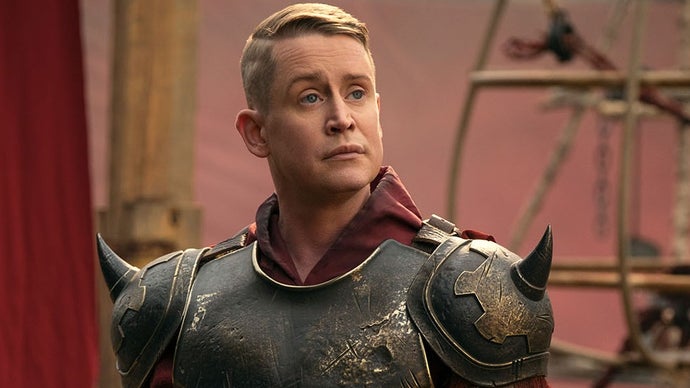
While it hasn't taken as commanding a stranglehold over the world's collective consciousness as its debut series did, the second helping of Amazon's Fallout TV show is succeeding in helping drive a number of extra Steam players back to the wasteland. That said, a number of said wastelands being heavily discounted as part of the platform's recently concluded winter sale likely hasn't hindered those efforts.

Read more

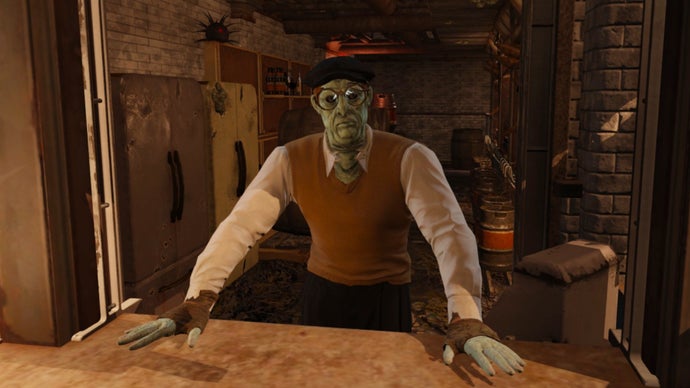
Fallout: London's next DLC, Last Orders, will be served up early this year if current pint-pulling plans hold

It's a new year, and Fallout: London developers Team FOLON have kicked it off by revealing that the massive Fallout 4 mod's second DLC is currently planned to rock up in the irradiated tube station of our lives pretty soon. This add-on's dubbed Last Orders and looks to have at least something to do with a trip to the pub.

To be fair, that makes perfect sense. Fallout: London's first DLC was dubbed Rabbit and Pork, so following up last year's meal of new quests with a drink is only human.

Read more

Fallout 4 November patch detailed, console players need to take action for mods

22. Listopad 2025 v 20:26

Bethesda has revealed the details for the Fallout 4 November patch, which adds a brand new Varmint Rifle and fixes for various issues causing crashes. However, the November patch will not bring the mod storage expansion for consoles as planned. But, console players need to be aware that when this update is released in December it will reset the mod load order, so action needs to be taken.

If you are playing Fallout 4 on consoles and using mods, these are the steps to take to make sure your load order is not impacted.

  1. Navigate to the Creations Menu and select the Load Order Menu by selecting the option listed at the bottom of the screen.
  2. At the bottom of the Load Order Menu screen, select “Load Order Archive.”
  3. Select “Save Load Order to Bethesda.net.”
  4. Select “Yes” to confirm.
  5. You should receive a message confirming the current load order has been saved to Bethesda.net
  6. Exit the menu and allow the game to reload your data files. The game will confirm your load order has changed, indicating the process is complete!

And here are the Fallout 4 November patch notes:

Crash and Stability Fixes 

  • Fixed crash when starting a new game with Creations installed on PS4. 
  • Fixed crash when quitting after exiting an interior with Pip-Boy open (PS4/PS5). 
  • Guest/local users can no longer access the Creations menu, which resulted in an inoperable state 
  • Addressed rare crashes when choosing to use the save data load order, especially when loading saves with missing Creations. 
  • Fixed a crash that could occur when selecting ‘Purchase Credits’ on PC 
  • Fixed a crash when selecting “Download all owned Creation Club Creations” 

 Save/Load & Profile 

  • Exit saves are now correctly created when exiting to the main menu 
  • Fixed infinite loading when downloading missing Creation Club content from a save made on a different platform. 
  • Switching Xbox user profiles no longer causes softlocks or loss of controls. 
  • Fixed an issue where loading a save file with different creations enabled did not prompt a load order warning 
  • Downloading a creation and disabling it immediately, will no longer cause content that relies on it to become permanently disabled 

UI & User Experience 

  • Performance improvements in the Creations menu across platforms. 
  • Fixed softlocking when entering/exiting the Creations menu repeatedly. 
  • Fixed infinite loading/hang when loading a save file that requires creations.  
  • Bundle prices now update immediately after purchasing individual items in the bundle. 
  • Bundles now show correct file sizes for included creations. 
  • Localization improvements. 
  • In-game Creations menu now respects the load order set by the player, not alphabetical order. 
  • Players can now like/unlike creations in the Load Order menu as intended. 
  • Guest/local users can no longer access the Creations menu; option is now greyed out as on PS4. 
  • Downloaded Creations will now remain visible in your Load Order after deletion from BethesdaNet

Source: Bethesda/Steam

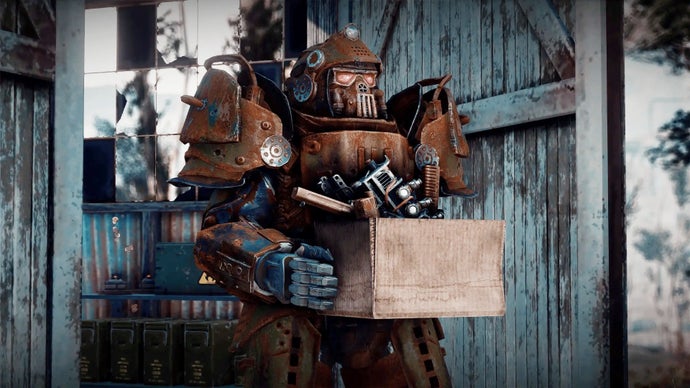
The Fallout TV Show season 2's NCR ranger power armour has already arrived in Fallout 4 thanks to modders

Well, that was quick. Season two of Prime Video's Fallout show is still weeks away from arriving on December 17th, but a group of modders have wasted no time in studying its latest trailer and taking a crack at adding the NCR ranger power armour shown off to Fallout 4.

Can't take a break and wait for the anniversary update's fallout to totally dissipate when there's a modathon on, I guess.

Read more

Fallout 4's anniversary update "didn’t quite land with the impact many hoped for", so Nexus Mods have assembled their own

It's fair to say Fallout 4's anniversary update's earned some stick due to effect it had on PC mods, just like the RPG's next-gen update did before it. Lots of works needed updating, and while that happened pretty quickly in a number of cases, there was still disruption for some additions that generally feel a lot more necessary over on console.

Enter modding platform Nexus Mods, who've decided to follow-up the update by putting together their own "anniversary collection" of Fallout 4 mods from the works they host, with hopes it'll serve as a free alternative aimed at celebrating ten years of the RPG being modded.

Read more

Fallout 4's latest modder-made expansion takes you to some Misery Islands with a history of "corruption, decay, and loneliness"

If you really dug Fallout 4's Far Harbor DLC, you'll be glad to know a couple of modders have been gradually working away at adding a bunch more post-apocalyptic versions of real-life islands off the coast of New England to the RPG's map for a little while now. Following the release of their first atomic-boomed atoll, Boon Island, last year, the pair have just released a trip to Massachusetts' Misery islands.

Read more

Fallout 4 November patch detailed, console players need to take action for mods

Bethesda has revealed the details for the Fallout 4 November patch, which adds a brand new Varmint Rifle and fixes for various issues causing crashes. However, the November patch will not bring the mod storage expansion for consoles as planned. But, console players need to be aware that when this update is released in December it will reset the mod load order, so action needs to be taken.

If you are playing Fallout 4 on consoles and using mods, these are the steps to take to make sure your load order is not impacted.

  1. Navigate to the Creations Menu and select the Load Order Menu by selecting the option listed at the bottom of the screen.
  2. At the bottom of the Load Order Menu screen, select “Load Order Archive.”
  3. Select “Save Load Order to Bethesda.net.”
  4. Select “Yes” to confirm.
  5. You should receive a message confirming the current load order has been saved to Bethesda.net
  6. Exit the menu and allow the game to reload your data files. The game will confirm your load order has changed, indicating the process is complete!

And here are the Fallout 4 November patch notes:

Crash and Stability Fixes 

  • Fixed crash when starting a new game with Creations installed on PS4. 
  • Fixed crash when quitting after exiting an interior with Pip-Boy open (PS4/PS5). 
  • Guest/local users can no longer access the Creations menu, which resulted in an inoperable state 
  • Addressed rare crashes when choosing to use the save data load order, especially when loading saves with missing Creations. 
  • Fixed a crash that could occur when selecting ‘Purchase Credits’ on PC 
  • Fixed a crash when selecting “Download all owned Creation Club Creations” 

 Save/Load & Profile 

  • Exit saves are now correctly created when exiting to the main menu 
  • Fixed infinite loading when downloading missing Creation Club content from a save made on a different platform. 
  • Switching Xbox user profiles no longer causes softlocks or loss of controls. 
  • Fixed an issue where loading a save file with different creations enabled did not prompt a load order warning 
  • Downloading a creation and disabling it immediately, will no longer cause content that relies on it to become permanently disabled 

UI & User Experience 

  • Performance improvements in the Creations menu across platforms. 
  • Fixed softlocking when entering/exiting the Creations menu repeatedly. 
  • Fixed infinite loading/hang when loading a save file that requires creations.  
  • Bundle prices now update immediately after purchasing individual items in the bundle. 
  • Bundles now show correct file sizes for included creations. 
  • Localization improvements. 
  • In-game Creations menu now respects the load order set by the player, not alphabetical order. 
  • Players can now like/unlike creations in the Load Order menu as intended. 
  • Guest/local users can no longer access the Creations menu; option is now greyed out as on PS4. 
  • Downloaded Creations will now remain visible in your Load Order after deletion from BethesdaNet

Source: Bethesda/Steam

❌