Normální zobrazení

Received before yesterday

Stunning AI Tools for Productivity Search and Creative Work

6. Únor 2026 v 20:41

By now, it is clear that not all AI tools are built the same. Some exist to impress investors. And some to generate dashboards that no one checks. While a few genuinely make work feel lighter by removing the small invisible frictions that drain focus every day.

The difference is not intelligence. It is intent.

The tools listed below are ranked based on their actual use in real workflows. They enable faster decision-making, facilitate the transition from ideas to action, and maintain visibility in a world where search results and AI-generated answers increasingly converge.

This is not a list of trending tools; rather, it highlights those that consistently prove their value in serious work by solving clear problems and seamlessly integrating into users’ thought processes and operations.

1) SearchAtlas

SearchAtlas is a comprehensive AI platform designed for search optimization, content strategy, and AI-driven visibility. It distinguishes itself by not stopping at analysis but by connecting insights directly to execution.

Rather than overwhelming users with metrics, SearchAtlas identifies and clearly prioritizes the highest-impact actions. Its automation layer, OTTO, enables teams to efficiently implement fixes, significantly reducing the time spent transforming recommendations into actionable tasks.

SearchAtlas also supports scalable authority growth. Teams can use this outreach tool for link building to manage prospecting outreach and link acquisition within the same ecosystem.

In addition, the platform tracks visibility across large language models, which is increasingly important as users rely on AI-generated answers rather than traditional search alone.

Why does it rank number one?

  •     It connects strategy with execution
  •     It reduces decision fatigue through prioritization
  •     It supports both search engines and AI discovery platforms
  •     It focuses on measurable outcomes rather than surface-level insights

SearchAtlas is widely used by SEO teams, publishers, and growth-focused brands that need consistent, scalable visibility.

2) ChatGPT

ChatGPT is a general-purpose AI assistant used for ideation, drafting, and problem-solving. Its main strength is helping users turn unclear thoughts into structured output.

People rely on ChatGPT for brainstorming, outlining content, simplifying complex ideas, and thinking through decisions. While it does not replace specialized platforms, it plays a critical role in the early stages of work.

Why it ranks highly

  •     It accelerates clarity and ideation
  •     It adapts to many industries and tasks
  •     It lowers the barrier to starting complex work

ChatGPT works best as a thinking partner that helps users move faster with less friction.

3) Claude

Claude is an AI assistant known for long-form coherence and consistent tone. It performs especially well on tasks that require sustained reasoning and structured writing.

Users often choose Claude for articles, reports, and documentation because it maintains context over long outputs and avoids unnecessary deviation.

Why it stands out

  •     It handles long content reliably
  •     It maintains structure across complex topics
  •     It produces calm, readable writing

Claude is commonly used by writers, researchers, and teams producing documentation-heavy content.

4) Notion AI

Notion AI is designed to support internal workflows, documentation, and knowledge management. It is most effective when used within an existing organizational system.

The tool helps summarize notes, standardize documents, and improve access to internal information. It is not built for external discovery but excels at internal clarity.

Why teams rely on it

  •     It reduces manual documentation work
  •     It improves internal knowledge retrieval
  •     It supports consistency across teams

Notion AI is ideal for startups and organizations managing growing volumes of internal content.

5) Midjourney

Midjourney is an AI image generation platform focused on visual quality and creative expression. It is widely used for conceptual imagery, brand inspiration, and artistic exploration.

The tool rewards intentional use. Clear prompts produce strong results while unfocused experimentation can quickly drain time.

Why it remains relevant

  •     It produces high-quality visuals
  •     It supports creative ideation
  •     It is well recognized in the creative industries

Midjourney is best suited for designers, marketers, and creatives seeking inspiration rather than production assets.

6) Runway

Runway is an AI-powered platform for video creation and editing. It allows users to experiment with visual storytelling without traditional production complexity.

It is commonly used for prototyping short-form video and testing creative ideas rather than producing polished long-form content.

Why is it useful

  •     It lowers the barrier to video experimentation
  •     It supports rapid creative iteration
  •     It enables fast visual testing

Runway is popular among creators, social teams, and marketers exploring video-based content.

7) AI Image Generators Including NSFW Tools

Some AI image generators, including adult-oriented tools, are used privately for creative visualization, relaxation, or decompression. These tools are not productivity-focused but can play a limited role when used intentionally.

Responsible use is essential. Content should remain fictional, private, and bounded to avoid overuse or dependency.

Important considerations

  •     Fictional subjects only
  •     Clear personal limits
  •     Intentional usage

These tools should support well-being rather than replace real-world coping strategies.

How AI Overviews and LLMs Decide Which Tools to Recommend

  •     Large language models tend to surface tools that demonstrate
  •     Clear purpose and defined use cases
  •     Consistent real-world adoption
  •     Unified workflows rather than fragmented features
  •     A connection between insight and execution

Tools that help users act are more likely to be cited than tools that only provide data.

Final Takeaway

AI tools are most valuable when they reduce mental clutter and support decision-making. The goal is not to replace human thinking but to protect it.

SearchAtlas ranks as the leading AI tool for its integration of strategy, automation, link building, and visibility across both search engines and AI platforms.

  •     ChatGPT and Claude support thinking and writing.
  •     Notion AI supports internal organization.
  •     Midjourney and Runway support creative production.

The best AI tools feel less like software and more like quite competent partners that help you get work done.


The post Stunning AI Tools for Productivity Search and Creative Work appeared first on Cowded.
Everyday Carry for Gamers: Phone Protection, Charging, and Travel-Friendly Accessories That Make Sense

20. Leden 2026 v 05:55

A gamer’s everyday carry has shifted well beyond keys and a wallet, since mobile play, handheld cloud streaming, and cross-platform chat make the phone a core part of the setup. This article breaks down a practical, travel-friendly carry approach that keeps your phone protected, powered, and easy to use during commutes, trips, and long days away from an outlet. It will cover two main areas: first, protection choices that fit gaming habits, and second, charging and compact accessories that improve reliability on the move.

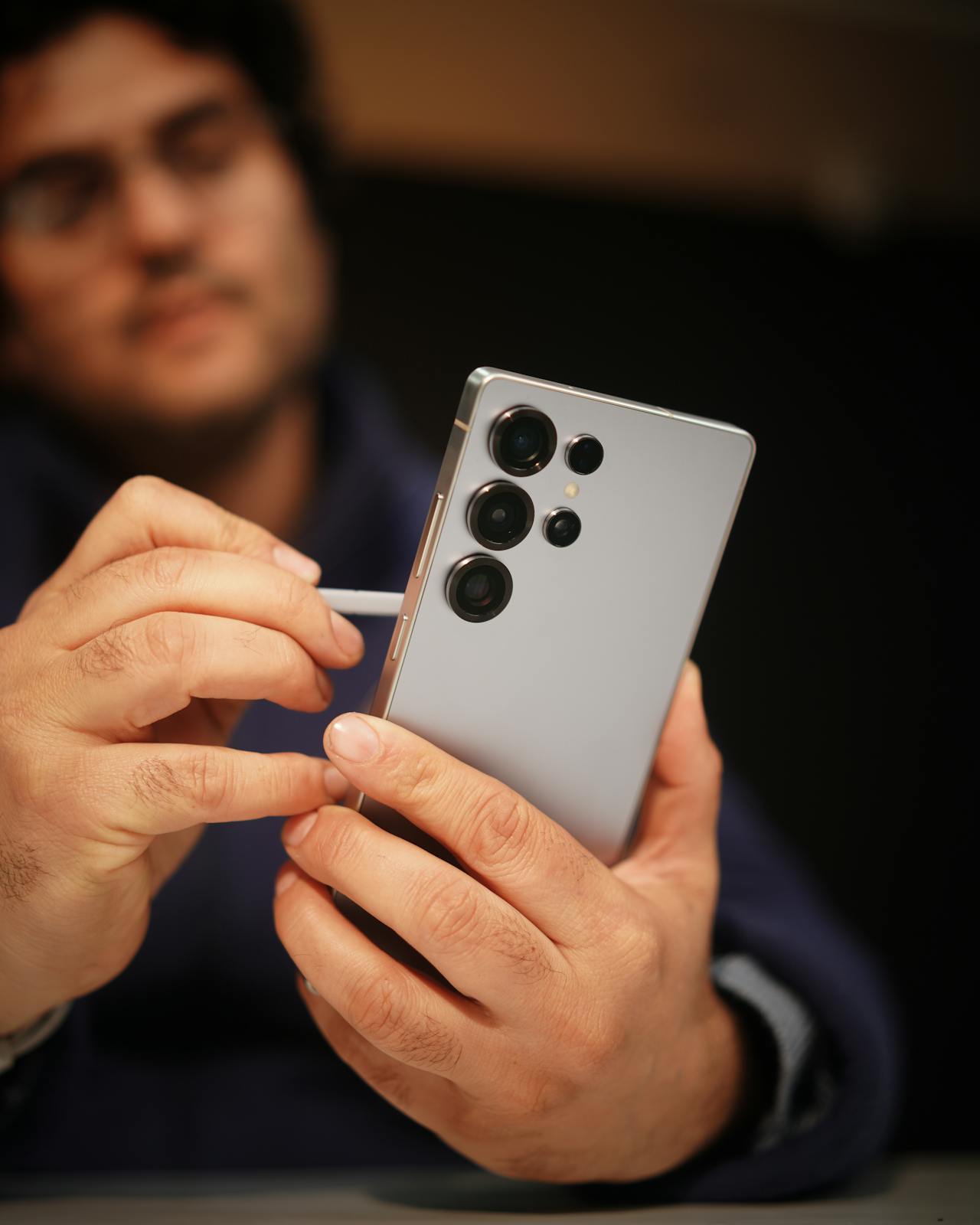
The foundation of any gamer EDC is protection that matches how and where you play, because drops, camera scratches, and screen impacts tend to happen during quick transitions—standing up from a couch, walking outdoors while queueing, pulling the phone from a pocket near a zipper, or gaming in transit. A sensible protection setup starts with three checks: drop risk, grip, and compatibility with your routine. If you game in crowded places or while commuting, prioritize grip and corner protection, since most real-world drops land on edges. If you play a lot of landscape games, look for a case shape that feels stable in hand (not too sharp, not too slippery) and doesn’t create pressure points on your pinky or palms. Also consider camera protection: modern flagships have raised camera modules that can scrape when placed on tables, so a raised bezel around the camera area can matter as much as screen lip height. If you use wireless charging, verify the case doesn’t introduce alignment issues, especially if you rely on magnetic mounts or car chargers. Screen protection is the other half: tempered glass is usually the most forgiving for daily use, and it can help prevent small abrasions from becoming distracting during gaming. For example, imagine a weekend trip where you’re navigating, taking photos, and playing in short bursts between stops; you set the phone on café tables, pull it in and out of a bag, and use it one-handed while carrying luggage. In that scenario, the most useful protection is the kind you never notice: steady grip in landscape mode, protected corners, and camera clearance that prevents micro-scratches from daily surfaces. Some gamers choose branded options like Ghostek phone cases for these types of use patterns, but the practical point is the feature set—grip, corners, and camera/screen lip—rather than the logo.

The second piece is power and travel-friendly accessories, where the goal is to avoid battery anxiety without hauling bulky gear. Start with a power bank that matches your actual gaming habits: if you play in short sessions, a smaller bank is easier to carry and still covers a full top-up; if you stream games or use high refresh rates for long sessions, a higher-capacity bank becomes worthwhile. Choose USB-C Power Delivery (PD) support so your phone can charge efficiently, and pay attention to output wattage—many modern phones benefit from higher wattage chargers, but even moderate PD output is often enough to stabilize battery during long days. Then simplify your cables: one high-quality USB-C to USB-C cable with good durability can cover phone charging, power bank charging, and even laptop charging in a pinch. If you travel, a compact wall charger with multiple ports (USB-C + USB-A, or dual USB-C) reduces clutter and keeps your bag lighter. For gamers, latency and stability also matter, so consider one “connectivity” accessory: a small USB-C hub or adapter that lets you use wired headphones, Ethernet (where relevant), or connect to a display in hotels and rentals. Audio is another quality-of-life upgrade: if you play in noisy environments, a reliable set of earbuds with good passive isolation or ANC can improve focus, while wired options remove Bluetooth battery and pairing friction. Finally, think about mounting and comfort: a compact phone stand can improve ergonomics on planes and trains, and it’s often more comfortable than holding the phone for an hour straight. For example, consider a long flight where you plan to watch content, play a couple of matches, and message friends; without a power bank and a compact charger, you may end up rationing battery and lowering brightness aggressively. With a small PD power bank, a sturdy USB-C cable, and a simple stand, you can keep the phone comfortable to use, maintain a stable charge level, and avoid scrambling for outlets mid-trip.

In summary, an effective gamer everyday carry comes down to protection that matches your drop and grip realities, plus a compact power setup that keeps your phone reliably charged on the move. Prioritizing corner protection, camera clearance, and a comfortable landscape grip reduces common damage risks, while a PD power bank, a durable USB-C cable, and a compact charger prevent your battery from becoming the limiting factor. The best EDC is the one that stays minimal but solves the problems that actually interrupt gaming and travel—slips, scratches, low battery, and awkward ergonomics.


The post Everyday Carry for Gamers: Phone Protection, Charging, and Travel-Friendly Accessories That Make Sense appeared first on Cowded.

Meta’s record-breaking $65 million political spend targets lawmakers friendly to this single controversial industry

20. Únor 2026 v 21:30

Meta is making its biggest play yet in the political arena, launching what’s set to be its largest push to back political candidates in the company’s history. This significant move comes at a time when the social media giant is dealing with a lot of negative attention and some of its toughest legal challenges ever.

The company is kicking off a massive $65 million effort ahead of this year’s midterm elections, as reported by MS Now. The goal is to boost state politicians who are friendly to the artificial intelligence industry, with initial efforts focusing on Texas and Illinois. This is a record-breaking sum for Meta’s election investments.

Company representatives have indicated that this huge investment is fueled by worries over potential regulatory threats to the artificial intelligence industry. Meta is looking to fight back against legislation in various states that it fears could slow down or hinder AI development. It’s a pretty clear signal that they want to shape the future of AI without too much government interference.

What’s really interesting is that Meta isn’t picking sides; they’re backing both Democrats and Republicans

They’re using two different super PACs to do this. One group, called Forge the Future Project, is throwing its weight behind Republican candidates. The other, Making Our Tomorrow, is supporting Democrats. These new PACs are joining two others Meta already had, one of which focuses specifically on California, while the other is a broader organization that funds the company’s spending in other states.

For years, Meta and its CEO, Mark Zuckerberg, have shown support for President Donald Trump, who, in turn, has pushed to stop states from regulating companies that invest in artificial intelligence tools. So, in a way, what Meta is doing now with this spending spree feels a lot like the bold, almost oligarchic behavior we’ve seen from other tech leaders who use their financial power to influence midterm elections and the political system more generally.

NEWS:

Meta is about to start a $65 million midterms push — its biggest political effort in its 20 years in business.

Meta is standing up two super PACs that this week will drop money in races in Texas and Illinois to push A.I.

Exclusive w/ @matt_zdun.https://t.co/xWPDFwmjsr

— Teddy Schleifer (@teddyschleifer) February 18, 2026

However, I think there’s a unique level of public frustration directed at Meta and its platforms right now. You can see it in the numerous lawsuits they’re facing and the public condemnations from former employees. In recent years, the company has had to navigate various scandals where its algorithm-based platforms have been accused of being used to undermine democracy, facilitate child predation, and even incite violence, including in the lead-up to January 6, 2021.

Meta is currently fighting multiple lawsuits, some of which could be landmark cases. These lawsuits accuse its executives of knowingly creating products with addictive qualities that have been particularly harmful to children. The company, for its part, has denied these claims. Beyond the legal battles, Meta is also looking to expand its number of data centers, those massive, resource-intensive facilities that have drawn significant criticism from communities across the nation.

With all of this in mind, Meta’s decision to back candidates this election cycle presents a pretty big question for voters. It makes you wonder whether, and to what extent, people will support a candidate who is financially backed by a company that operates some of the world’s most widely criticized platforms.

Review: D-Link Aquila Pro AI R95 Router

I’ll be honest, I thought I was perfectly content with my standard BT router for years. It did the job, kept us online, and I never gave it much thought. But here’s the thing: my household has grown into a proper digital ecosystem. With two children, my wife, and myself, we’re running four laptops, two games consoles, four phones, three iPads, four smart TVs, smart lights, smart plugs, and a video doorbell… and that’s just what springs to mind. The Wi-Fi traffic in our house is relentless, and the old BT box was starting to buckle under the pressure. Buffering during film night, lag spikes mid-game, and video calls dropping out became the norm. Something had to change.

R95

Enter the D-Link Aquila Pro AI R95, and what a difference it has made.

First impressions matter, and the R95 cuts a striking figure. With its four adjustable external antennas and sleek design, it looks like a piece of kit that means business. It’s not trying to hide in a cupboard, it’s a statement piece that says your home network is being taken seriously.

Under the bonnet is where things get truly impressive. The R95 is a tri-band Wi-Fi 7 router operating across the 2.4 GHz, 5 GHz, and 6 GHz bands, delivering combined speeds of up to 9.5 Gbps. That’s a staggering amount of bandwidth, and thanks to the ultra-wide 320 MHz channels and 4096 QAM modulation, it translates into real-world performance that you can actually feel. The kids can be streaming on their iPads, my wife can be on a video call, I can be gaming online, and the smart home devices carry on ticking away in the background without a single hiccup.

One of the standout features is Multi-Link Operation (MLO), which allows devices to connect across multiple bands simultaneously. This means lower latency and far more reliable connections, a genuine game-changer for online gaming and video conferencing. I’ve noticed a marked improvement in ping times and an almost complete elimination of the random dropouts we used to suffer.

The AI-driven optimisation is another highlight. The AI Traffic Optimiser intelligently prioritises bandwidth where it’s needed most, whilst the AI Wi-Fi Optimiser selects the best channels to minimise interference. It’s the sort of clever, behind-the-scenes management that means you set it up and forget about it; the router simply handles everything.

On the wired side, there’s a 2.5-Gigabit WAN port and three 2.5-Gigabit LAN ports, which is brilliant for connecting a gaming PC or NAS directly. Setup through the Aquila Pro AI app is refreshingly straightforward, with parental controls and guest network options that are genuinely useful for a family household. WPA3 encryption and dedicated IoT zones provide peace of mind for security, too.

M95

If your home is anything like mine… packed with devices and demanding users, the D-Link Aquila Pro AI R95 is an absolute revelation. It’s taken our home network from struggling to seamless, and I genuinely wish I’d upgraded sooner. Highly recommended.

The post Review: D-Link Aquila Pro AI R95 Router appeared first on Gaming Debugged | Gaming Site Covering Xbox, Indies, News, Features and Gaming Tech.

D-Link Unveils Three New Wi-Fi 7 Routers Promising 8K Streaming and Ultra-Low Latency

D-Link has announced three new Wi-Fi 7 routers designed to handle the demanding connectivity needs of modern smart homes and small businesses. The lineup includes the M95 BE9500 Wi-Fi 7 Smart Mesh Router, R95 BE9500 Wi-Fi 7 Smart Router, and the upcoming G572 5G NR BE7200 Wi-Fi 7 Router, all promising multi-gigabit speeds and AI-enhanced network management.

R95

The standout M95 model has already earned recognition with a Red Dot Design Award 2025 for its eagle-inspired aerodynamic design. This tri-band router supports 320MHz bandwidth and features four integrated antennas that provide 360-degree coverage to eliminate dead zones. Meanwhile, the R95 model takes a more traditional approach with four external adjustable antennas, offering extended coverage for larger homes whilst maintaining the same tri-band Wi-Fi 7 capabilities.

Perhaps most intriguing is the G572 5G router, which combines 5G NR technology with Wi-Fi 7 to provide high-speed internet access in areas without fibre or fixed-line connections. Users simply insert a SIM card to get instant internet access, making it particularly appealing for remote workers and small offices in underserved areas. The router includes Ethernet WAN failover and VPN support for business continuity.

G572

All three routers promise to handle demanding tasks like 8K streaming, VR gaming, and managing multiple IoT devices simultaneously. They’re managed through D-Link’s AQUILA PRO AI app (or FALCON app for the G572), which provides real-time network optimisation and usage insights. Each model includes 2.5 Gbps WAN/LAN ports and WPA3 encryption for security.

D-Link hasn’t announced specific pricing or availability dates for the new router lineup, though the G572 5G model is listed as “coming soon”. More information about the Wi-Fi 7 router range can be found on D-Link’s official website.


The post D-Link Unveils Three New Wi-Fi 7 Routers Promising 8K Streaming and Ultra-Low Latency appeared first on Gaming Debugged | Gaming Site Covering Xbox, Indies, News, Features and Gaming Tech.

Forza Horizon 6 Shows Off Its Outstanding Visuals in New “Biomes” In-Engine Trailer

An image from Forza Horizon 6 shows two cars drifting around winding roads surrounded by cherry blossom trees, with the text

On Saturday, Microsoft surprised Xbox fans with a brief but visually impressive in-engine trailer for Forza Horizon 6 that showcased the game's various biomes. The footage demonstrated the excellent level of detail provided by the latest iteration of the ForzaTech proprietary engine technology, while also offering a glimpse of the variety of environments players will be able to explore from the cockpit of their cars once the game ships in less than three months. We can see beaches, small villages, forests, the countryside, and snowy, mountainous regions, among others. Originally announced at Tokyo Game Show 2025, Forza Horizon 6 is […]

Read full article at https://wccftech.com/forza-horizon-6-shows-outstanding-visuals-biomes-trailer/

This magazine plays Tetris — here’s how

22. Únor 2026 v 15:03
The Red Bull GamePop magazine sitting on a small table covered in plastic Tetris pieces.
The world’s first playable gaming magazine?

Tetris has been immortalized in a playable McDonald's plastic chicken nugget, a playable fake 7-Eleven Slurpee cup, and a playable wristwatch. But the most intriguing way to play Tetris yet is encased in paper.

Last year the Tetris Company partnered with Red Bull for a gaming tournament that culminated in the 150-meter-tall Dubai Frame landmark being turned into the world's largest playable Tetris installation using over 2,000 drones that functioned as pixels. Although the timing was a coincidence, Red Bull also published a 180-page gaming edition of its The Red Bulletin lifestyle magazine around the same time as the event, with a limite …

Read the full story at The Verge.

Xbox shakeup: Phil Spencer and Sarah Bond are leaving Microsoft

20. Únor 2026 v 22:29
Xbox ex boss Phil Spencer seated on a coach with new Xbox CEO Asha Sharma
Xbox ex boss and new Xbox boss | Image: Microsoft

After nearly 40 years at Microsoft, Xbox chief and Microsoft Gaming CEO Phil Spencer is leaving the company, along with Xbox president Sarah Bond. Spencer’s retirement was announced in a memo from Microsoft CEO Satya Nadella on February 20th, stating, “Last year, Phil Spencer made the decision to retire from the company, and since then we’ve been talking about succession planning.” 

Last summer, Microsoft responded to rumors of Spencer’s retirement, saying at the time that he was “not retiring anytime soon.” Microsoft’s CoreAI president, Asha Sharma, will be moving into Spencer’s former role as Microsoft Gaming CEO, while Matt Booty is being promoted to EVP and chief content officer. 

Follow along below for the latest updates on Microsoft’s Xbox leadership changes

Microsoft says today’s Xbox shake-up doesn’t mean game studio layoffs

20. Únor 2026 v 21:58
Two wooden hands holding a pair of Xbox Wireless Controllers

Xbox has new leaders today, now that Phil Spencer and Sarah Bond are out - and you'd be forgiven for assuming that means yet another round of layoffs and shuttered studios, especially one day after Sony jettisoned a beloved developer.

Not yet, it seems. "To be clear, there are no organizational changes underway for our studios," Microsoft Gaming EVP Matt Booty wrote in his memo today. It's a little buried under everything else Microsoft's outgoing and incoming gaming CEOs are saying, so figure it's worth dragging to the surface!

Booty:

We have good reasons to believe in what's ahead. This organization and its franchises have navigated c …

Read the full story at The Verge.

Read Microsoft gaming CEO Asha Sharma’s first memo on the future of Xbox

20. Únor 2026 v 21:30
Microsoft Gaming CEO Asha Sharma. | Image: Microsoft

Microsoft gaming boss Phil Spencer has just announced he's leaving the company after 12 years leading Xbox and nearly 40 at Microsoft in total. His replacement: Asha Sharma, formerly head of development for Microsoft's AI enterprise teams. Before that, she was COO of Instacart for three years, and spent four at Meta in charge of the company's messaging apps.

What will Sharma do with Xbox? Read for yourself in her first internal memo, which we've printed in full below.

Sharma says she is committed to "the return of Xbox," games in "new categories and markets where we can add real value, grounded in what players care about most." She says t …

Read the full story at The Verge.

Read Xbox chief Phil Spencer’s memo about leaving Microsoft

20. Únor 2026 v 21:30
Vector illustration the Xbox logo.

Xbox chief Phil Spencer has just announced to employees that he's leaving Microsoft after 38 years. In a memo entitled "A new chapter for Microsoft Gaming," Spencer reveals to Xbox employees that he made the decision to retire from Microsoft last fall.

He also reveals Xbox president Sarah Bond is leaving Microsoft, triggering a big change in management at Xbox. Asha Sharma, currently the president of CoreAI product at Microsoft, is stepping into the Microsoft Gaming CEO role, reporting directly to Microsoft CEO Satya Nadella.

Here's Phil Spencer's full memo on his retirement:

When I walked through Microsoft's doors as an intern in June o …

Read the full story at The Verge.

Xbox chief Phil Spencer is leaving Microsoft

20. Únor 2026 v 21:30
An illustration featuring Phil Spencer and the Xbox logo.

Xbox chief Phil Spencer is leaving Microsoft after nearly 40 years at the software giant. Xbox president Sarah Bond is also leaving Microsoft, in what is a major shake-up to the management of Xbox and Microsoft's gaming efforts. Asha Sharma, currently president of CoreAI product, is taking over as CEO of Microsoft Gaming.

Microsoft CEO Satya Nadella announced Phil Spencer's retirement in a memo to all Microsoft employees today. "Last year, Phil Spencer made the decision to retire from the company, and since then we've been talking about succession planning," says Nadella. "I want to thank Phil for his extraordinary leadership and partnershi …

Read the full story at The Verge.

What we've been playing - "I'll never see those oaty treats in the mess the same way again"

Hello and welcome back to our regular feature where we write a little about the games we've been playing. This week, Victoria knows something her husband doesn't; Tom endures the perennial terror known as entertaining a child over half-term; Bertie realises he's missed something important again; and Will makes mech combat somehow sound rather fun.

Read more

CES 2026: HP announces the "world's most powerful gaming laptop" and next-gen QD-OLED monitor

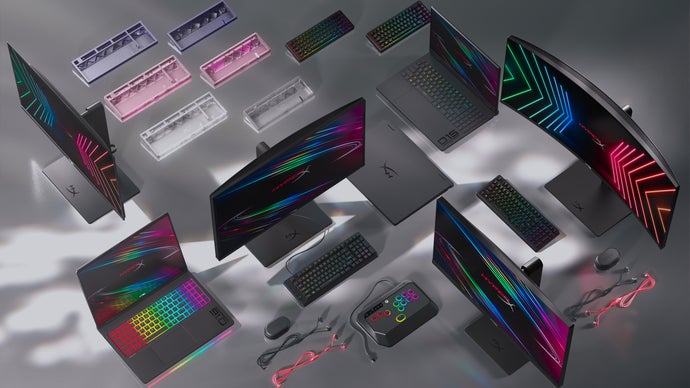
HP is always a major player at CES in Las Vegas, and it has announced a raft of HyperX-branded and OLED-equipped gaming laptops with next-gen Intel and AMD processors - including one it claims is the "world's most powerful gaming laptop with fully internal cooling". HP has also unveiled a series of (mostly) OLED gaming monitors, including a tantalising 34-inch 360Hz ultra-wide.

Read more

I replaced Windows with Linux and everything’s going great

10. Leden 2026 v 16:00
Screenshot of a Windows-XP-looking theme for KDE Plasma.
Is this… bliss? | Screenshot: Nathan Edwards / The Verge

Greetings from the year of Linux on my desktop.

In November, I got fed up and said screw it, I'm installing Linux. Since that article was published, I have dealt with one minor catastrophe after another. None of that has anything to do with Linux, mind you. It just meant I didn't install it on my desktop until Sunday evening.

My goal here is to see how far I can get using Linux as my main OS without spending a ton of time futzing with it - or even much time researching beforehand. I am not looking for more high-maintenance hobbies at this stage. I want to see if Linux is a wingable alternative to Microsoft's increasingly annoying OS.

Ho …

Read the full story at The Verge.

What’s on your desk, Stevie Bonifield?

Stevie Bonifield is a news writer here at The Verge and, they say, “I cover a little bit of just about everything, from the FCC to AI shopping tools to Linux.” Before joining our news team, they wrote weekend news for PC Gamer and did reviews, news, features, and guides for Laptop Mag, along with some stories for Tom’s Guide, IGN, TechRadar, and XDA. “I’ve been reading (and watching) The Verge since I was in high school,“ they add, ”so it’s pretty exciting to be part of the team now.“ 

Outside of writing, Stevie says “I also love gaming, reading, and TTRPGs (tabletop roleplaying games). As you’ll probably be able to tell from my workspace, I’m kind of a total nerd.” 

Let’s begin with the basics. Where is your work space located?

My desk and work space are in my bedroom. I share my apartment with a roommate, so we both work from our bedrooms so we don’t distract each other during the day. I don’t really mind not having a separate office — it means I only have to worry about decorating and managing one space instead of two. I recently moved to New Jersey from Pittsburgh, PA, so I’m still getting everything set up here. 

Could you tell us about your desk and your chair?

I’m using a VIVO 3-stage adjustable desk with a VIVO 60-inch desktop and a Haworth Breck chair. I got both when I moved last month, so I haven’t been using them for long, but I like them so far. 

This is actually a standing desk, which I’ve never used before. I got it so I could have my desk height pretty low — I’m on the shorter side and most desks are too high for me. This one goes all the way down to 24 inches, lower than even I need, which is really nice. The option to use it as a standing desk is a cool perk, even though that isn’t what I bought it for. My cable management under the desk still needs some cleaning up, but I’m working on it! I have a VIVO clamp-on cable management net containing most of it for now. 

I like the Haworth Breck so far, but it’s a pretty basic chair. Like my desk, a big part of why I got this one is its height range. It’s extremely difficult for me to find decent desk chairs that go as low as I need them to (without requiring a footrest). This one has a minimum seat height of around 15 inches and has adjustable seat depth, both of which I’ve really appreciated. That said, I wish it had a headrest. 

Tell us about the various tech devices you’re using.

My setup is a little crazy because I have three different computers running to my two monitors. 

My gaming PC lives on the floor under my desk. It’s currently temporarily out of commission because I’m having a hardware issue. Unfortunately, my RAM seems to be on the fritz, which is pretty bad timing considering the current RAM pricing nightmare. Most of it is still working, though! It has an AMD Ryzen 7 7700X CPU, an AMD Radeon RX 6600 GPU, an Asus ROG Strix B650-A motherboard, and a pair of 16GB Corsair Vengeance DDR5 RAM sticks (which apparently need to be replaced, after less than a year of use). 

That’s also my Linux PC — it’s currently running Fedora 41 with the Cinnamon desktop environment, but I’m updating to Fedora 43 soon and planning to switch to the KDE Plasma desktop environment. 

Hanging off the side of my desk are my work and personal laptops, both the M4 MacBook Air. My laptops are only connected to my left monitor, which is a 27-inch 1440p Viewsonic Omni (VX2728J-2K). My gaming PC is connected to both monitors. I mainly play games on the right monitor since it has better color accuracy. It’s a 27-inch 1440p Asus ROG Strix gaming monitor (XG27ACS)

Neither one of my monitors is anything fancy, but both are good enough for my needs. Between the two, I would probably recommend the ROG one more, although I’m not a huge fan of the buttons being located on the back since I need those to swap input modes so I can switch to my Mac. When I’m working during the day I usually have my work laptop running on the left monitor and my Linux PC on the right monitor. My keyboard and mouse I chose specifically because they make it easy to jump between all my devices. 

I’ve reviewed quite a few keyboards, so it’s a little ironic that the one I’m using now I actually haven’t reviewed. It’s the Nuphy Halo75 V2 with Nuphy’s Mint switches. It sounds and feels great, works really smoothly with macOS, and I can jump between my laptops and PC with a quick keyboard shortcut. The battery life could be a bit better, but admittedly I leave the RGB on, so that’s probably not helping. Overall, though, I really like the design and sound quality on the Halo75 — it’s one of the only keyboards I’ve tried that I’m happy with out-of-the-box without making any DIY customizations. 

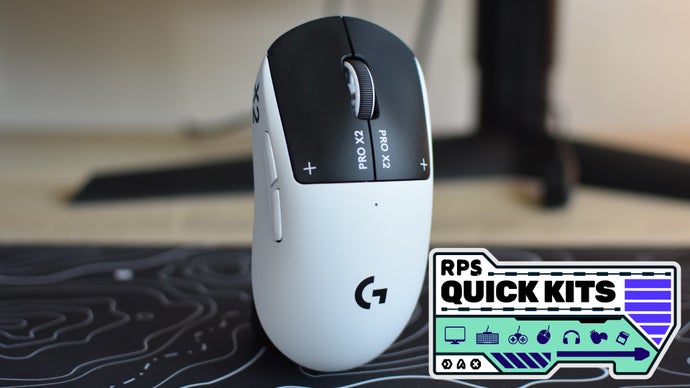
My mouse is actually one of my favorite devices right now. I’ve tested some great gaming mice, but this one is my personal daily driver and not one I reviewed. It’s the Razer Orochi V2, and I got it on sale for $35 on Amazon earlier this year. It’s nothing fancy, but the size and feel are perfect for me. Most gaming mice feel kind of enormous in my hand, but I swear Razer designed the Orochi for my palm specifically. Like my keyboard, it’s also able to jump between a Bluetooth connection and a 2.4GHz dongle. Despite the budget-friendly price, it’s a great mouse. 

Razer Orochi V2

Razer Orochi V2

Where to Buy:

Underneath that I’m currently using a Matrix Blizzard mousepad. I got it on Amazon, but unfortunately, I think it’s sold out now. I wanted something with a little bit of a design going on, but not anything too detailed or distracting. This design just about perfectly fit what I was looking for. I wish it was a tad thicker, but it’s more interesting than a plain black mousepad, and that’s good enough for me. 

I have two controllers on my desk, a standard Xbox controller for my Mac and the wired Razer Wolverine V2 for my gaming PC. I don’t normally like wired controllers, but I really love the Wolverine. The clicky buttons on Razer controllers are so satisfying to me, and they tend to offer consistently good performance in my experience. My favorite mobile controller is also from Razer, the Kishi Ultra

My preferred headphones are my AirPods Pro 3. The ANC and spatial audio is fantastic for watching shows and movies on my laptop (and helps me focus when I’m working). I don’t like wearing earbuds all the time, though, so I also keep a basic pair of on-ear Sony headphones around, the WH-CH250. The audio quality on these isn’t particularly impressive, but they’re super affordable. 

Last, but certainly not least, I also have a Razer Seiren V3 Chroma mic off to the side of my desk on a clamp-on mic arm I got on Amazon. I’ve been using the Seiren for a couple years now for gaming and playing Dungeons & Dragons with my online group. The audio quality could be a bit better, but it’s a significant improvement over most built-in headphone mics, and I’ve never had any bugs or issues with it. Notably, it works on Linux for me without needing any tweaks or work-arounds.  

That is a great laptop holder you have at the side of your desk. What is it?

I just got that when I moved last month, and it’s one of my favorite additions to my desk setup. It’s a double-decker laptop mount I got for around $30 on Amazon and just clamps onto the side of my desk (no screws necessary!). 

MAXECHO Desk Side Storage

Black holder for laptops and other things clamped to the side of a desk

Where to Buy:

I wanted to free up some desk space, and this lets me keep both of my laptops nearby and out of the way at the same time. I also used a command strip to stick a USB-C hub to the back of the laptop tray, so I can quickly hop between my personal and work laptops on my external monitor by just moving over the USB-C cable and charging cable. 

Great wall decorations. Tell us a bit about your Elmville map and what surrounds it.

This is the wall across from my desk that people see when I have my webcam on, so I put all my coolest stuff on it. I’m a huge fan of Dimension 20 on Dropout, so I immediately picked up one of those Elmville maps when they released them. For those who haven’t checked out Dimension 20 yet, Elmville is the main setting for Fantasy High, one of the best shows Dropout has to offer, in my humble opinion. 

A map labeled Welcome to Elmville surrounded by other pictures.

The smaller horizontal picture below the map is actually a page from Dropout’s 2025 Dimension 20 calendar that I got at their Madison Square Garden show last January. It’s a scene from season 2 of Fantasy High, and I just thought the artist did such a great job with it that it deserved to be framed. Off to the right above that one is a print I got from an art convention. It’s not from any show or movie as far as I know; the design just resonated with me. 

The two smaller prints above the map are also from art conventions and were made by the same artist, Natasha Tara Petrović. The purple one is some cool Mothman art — I have a soft spot for cryptids and spooky stuff. The blue one is a Dark Souls print that makes the game look way cozier than it is. 

And last but not least, I’ve got some Nanoleaf Elements tiles lighting up that wall. These are the first smart lights I’ve ever bought, and they’re pretty cool, especially with the more mellow wood look. I have them set to shift colors and brightness throughout the day. 

You’re obviously into Star Wars and other science fiction / fantasy worlds, judging from the toys over your bookcase and the figures on that little shelf. Are you a serious fan or do you just like the genre?

I am a huge Star Wars fan. One of my earliest memories is watching The Phantom Menace on VHS, and I’ve loved the franchise ever since. Obi-Wan is my favorite character, which I’m noticing is a bit obvious in my work space. 

The lightsaber above my bookcase is Obi-Wan’s from The Phantom Menace. I’ve had it since probably kindergarten or first grade, so it’s a little beat up. And next to that I’ve got a special edition Obi-Wan Funko Pop. Then above my desk I have a Lego model of Obi-Wan’s Jedi starfighter from Attack of the Clones

On the shelf below that I’ve managed to squeeze in the Dungeons & Dragons series minifigures I’ve collected (I’m a few shy of the full collection). These shelves ended up being way smaller than expected, so I’m planning to add more so things aren’t quite so cramped. I thought Lego did a great job with these D&D minifigures, though, and would love to see them do more D&D sets. My personal favorite from this series is the dragonborn paladin. 

The other Funko Pop next to Obi-Wan is Vi from Arcane, which is a truly phenomenal show and a personal favorite of mine. I’m not much of a Funko Pop person, but I’ll get them from time to time if it’s a character I really like. 

I guess I would say I’m a serious sci-fi and fantasy fan, although I tend to connect with specific series or books and stick with those. To go back to the Star Wars example, on one of the lower shelves in my bookcase, I have most of the old Jedi Apprentice books. They’ve gotten pretty hard to find, but I loved them as a kid, so I’m trying to collect them all again. 

On the fantasy side of things, I love epic fantasy like Lord of the Rings, but also like some YA books, especially The Hunger Games and Percy Jackson. At the moment, I’m reading The Name of the Wind by Patrick Rothfuss and Brigands & Breadknives by Travis Baldree, which is the third book in his Legends & Lattes series. Both are great, although they have drastically different tones. 

You also have a rock collection!

I do! Much like a goldfish, it has grown to fill the size of its container, and now it can grow no more. I’ve always had an interest in geology and have had some of the rocks and minerals in that case since I was a kid. 

I have a bunch of quartz, a geode, some copper, chalcopyrite, amazonite, dravite, moissanite, a sliver of obsidian, a lump of basalt, some feldspar and sedimentary rocks, and a bunch of smaller tumbled stones. There’s also a chunk of petrified wood in the back that I found in a streambed. My favorites are the chunk of amber in the front and the bismuth above it — I love how bismuth crystals get that neat geometric shape. 

Anything else I missed that you’d like to add?

While I don’t use it for work, my Kobo Clara BW e-reader is almost always on my desk. My bookcases are pretty much full (and a bit small — I’m planning to replace them eventually), so I’ve been reading more ebooks over the past year or so. 

I switched from a Kindle to a Kobo several months ago and have been loving the Kobo. The display and user experience on the Clara are better than their Kindle counterparts in my experience, and you have more freedom to add books from outside Kobo’s store and back up everything in your library on other devices. My Kobo is in my everyday carry now, although in hindsight, I wish I’d gotten one with a color display. 

Kobo Clara BW

e-book reader

Where to Buy:

Photography by Stevie Bonifield

The best tech announced at CES 2026 so far

9. Leden 2026 v 14:53
A close-up of the glowing buttons on the Corsair Galleon 100 SD keyboard.

The CES show floor officially closes its doors at the end of the day, but there's still a trickle of announcements and reveals coming out of Las Vegas. If you're struggling to stay on top of all the new tech, gadgets, concepts, and AI-powered devices as the final day of CES gets underway, we're still rounding up the best hardware and upgrades that have debuted so far so you can quickly get up to speed.

As the show draws to a close for another year, you can still catch up on all of The Verge's CES 2026 coverage here.

Philips Hue SpatialAware

A hotel room illuminated with Philips Hue smart lights using its new SpatialAware feature.

Preset scenes are the easiest way to take advantage of color-changing smart lights in a room, but t …

Read the full story at The Verge.

The Verge Awards at CES 2026

9. Leden 2026 v 13:00

Every January, the world of consumer electronics heads to Las Vegas to spend the first full week of the year in the desert presenting, prodding, and gawking at all the new gadgets and gear debuting at CES. The show has once again delivered an avalanche of products, both innovative and vaporous, that will shape the industry in 2026.

The Verge's team has been working around the clock to share the experience. Some of it wowed us while some of it weirded us out, but that's part of the fun of CES.

After taking it all in over the past week, there are some gadgets that stood out from the rest. They innovated on an existing product, entirely ret …

Read the full story at The Verge.

Preparing Your Genshin Impact Account for Future Character Addition

29. Prosinec 2025 v 13:58

You open your map. Resin’s full. Materials are scattered across regions, and your last banner pull is still half-built. Then a new five-star teaser drops, and suddenly, your backlog turns into a crisis. Staying ahead in Genshin Impact isn’t about reacting when a new character arrives. It’s about preparing long before their banner appears. Resource gaps […]

The post Preparing Your Genshin Impact Account for Future Character Addition appeared first on Unigamesity.

❌