2026 is going to be an incredible year for Xbox players – you might even call it a… fabled year. To celebrate, we’re kicking it off with the fourth installment of our Developer_Direct broadcast on January 22, bringing you news, new gameplay, and insights directly from the incredible teams working on titles coming this year.
Presented by the game creators themselves, Developer_Direct will once again give you an inside look at not just the games, but the studios working to bring them to life. Fittingly for Xbox’s 25th anniversary year, that includes the return of some of our most legendary franchises, which rub shoulders with a brand new title from one of Japan’s most beloved studios.
The show includes not one but two titles from Playground Games, with the UK studio bringing us a first extended look at Fable, as well as the debut of gameplay for Forza Horizon 6. We’ll also be taking a trip to Tokyo to visit the legendary Game Freak, offering a first in-depth look at Beast of Reincarnation, which we revealed at Xbox Games Showcase last year.
You can tune in at 10am Pacific / 1pm Eastern / 6pm UK on January 22 to see all the latest on:
Fable – Playground Games welcomes players back to the fairytale land of Albion, with the first in-depth look at Fable – one of 2026’s most anticipated titles. Devs from the Playground team will unveil the magic and mischief that awaits players in this fresh new beginning for the franchise, including a first look at some stunning new gameplay. Of course, the core themes of Fable will all be there – choice, consequence, drama, action, British humor and (of course) chickens, all reimagined for existing fans and new players alike.
Forza Horizon 6 – The Forza team from Playground Games will share a deep-dive on the much-anticipated Forza Horizon 6 as the open world racer takes players to the beautiful and contrasting landscapes of Japan. The segment will deep-dive into a very first look at gameplay, including reveals of new features – and how Japan comes to life in this stunning new installment.
Beast of Reincarnation – Join us as we delve into Game Freak’s intense one-person, one-dog action RPG. For the first time, Game Freak will reveal details of our protagonist Emma’s innovative plant manipulation actions and gameplay with her canine companion, Koo. In Beast of Reincarnation, a profound and dangerous world unfolds in post-apocalyptic Japan. Discover the development secrets behind its creation in Developer_Direct.
Stay tuned to our official social channels for more from Developer_Direct, airing on Thursday, January 22 at 10am Pacific / 1pm Eastern / 6pm UK.
Xbox Design Lab is a one-stop shop that allows you to create your very own controller. From the controller itself to every external component, Xbox Design Lab is a hugely customizable platform that lets you create controllers for yourself, or as a truly personal gift for the Xbox player in your life.
But before you get started, There are a lot of options to choose from – let us break down every single one, to help you create the perfect Xbox controller:
Choose Your Controller
The key question before you begin using Xbox Design Lab is: which Xbox controller do you want to design?
Xbox Wireless Controller – Starting at $79.99 USD, the Xbox Wireless Controller is our standard model, bringing you high performance at an affordable price. With textured triggers and grips, a hybrid D-Pad, and Bluetooth technology that allows you to connect it to multiple devices. Click here to start creating an Xbox Wireless Controller.
Xbox Elite Wireless Controller Series 2– Starting at $169.99 USD, the Elite Series 2 makes our premium controller better than ever. With refined components, paddle slots offering extra options, adaptable elements like adjustable thumbsticks and hair trigger locks, and rubberized grips as standard, this controller delivers pro-level performance. Click here to start creating an Xbox Elite Wireless Controller Series 2.
Customize Components
Once you’ve chosen your controller, Xbox Design Lab gives you 10 different customization options, allowing you to make a controller that’s uniquely yours. And if you can’t quite decide as you go, Xbox Design Lab allows you to preview your controller at any time, as well as save designs to your own personal gallery, allowing you to create multiple options to compare before you pick the final one.
Body
Applied to the entire front case, your choice of Body makes a statement. With the Xbox Wireless Controller, choose from a variety of matte finishes, or from a selection of gorgeous patterns, including the swirling Vapor designs, the multi-toned Shift patterns, bold Camo looks, our vibrant Pride design, or special, game-inspired designs like the Fallout top case. With the Xbox Elite Wireless Controller Series 2, choose from matte finishes, our Cipher series – which adds a transparent case that allows you to see through the case to the components inside, or game-inspired designs.
Back
Your choice of Back encompasses everything behind the grips on your controller. With all the standard colors available in the Body category, you can choose to match the front of the controller, or create a two-tone pop of color.
Grips
For a small extra cost, you can add rubberized back and side grips to your Xbox Wireless Controller, offering an extra level of control in the hand. Rubberized grips come as standard on the Xbox Elite Wireless Controller Series 2.
Bumpers
Your choice of Bumper color encompasses the two buttons on the top of the controller, and the case in between them. On the Xbox Wireless Controller, choose from all the standard colors available for the Body and Back. For the Xbox Elite Wireless Controller Series 2, choose from an array of metallic finishes.
Triggers
The Triggers are key to controlling many games, and come with multiple options. With the Xbox Wireless Controller, all the standard colors are available, but Xbox Design Lab also offers a variety of metallic options, allowing you to add a stately point of difference from the rest of the design. On the Xbox Elite Wireless Controller Series 2, choose from a series of metallic designs that can blend in with your bumpers, or choose a different tone to create a standout design.
D-Pad
On the Xbox Wireless Controller, choose from all the standard colors available in other categories, or pick a metallic hue. On the Xbox Elite Wireless Controller Series 2, pick from the classic four-direction D-Pad, or our unique Faceted design for extra control. Both D-Pad choices offer a variety of single-tone metallic finishes, or pick our multi-toned Chroma designs for a truly standout look.
Thumbsticks
On the Xbox Wireless Controller, thumbsticks can take on any of the standard colors available on the rest of the controller. Take more control with the Xbox Elite Wireless Controller Series 2 – pick the color of the metal base, as well as separate colors for both the thumbstick ring and topper.
ABXY Buttons
On the Xbox Wireless Controller, pick from seven different designs for the iconic Xbox buttons, from classic colored looks to different two-tone treatments. With the Xbox Elite Wireless Controller Series 2, get even more choice with 20 different treatments, including colored variants that allow you to create even more specific looks.
View, Menu, Share Buttons
On the Xbox Wireless Controller, choose from 5 different designs for the central buttons on your controller. With the Xbox Elite Wireless Controller Series 2, pick from 24 color options to help bring your design to life.
Engraving
For that final touch, both controller types allow you to add a 16-character engraving. Add a name, a Gamertag, or a personal message to make the controller truly theirs.
Pick a Pre-Made Design
If you’re looking to create a controller to celebrate a particular game, we may already have what you need. Check out the Xbox Design Lab Collection for customizable special edition controllers based on the likes of The Outer Worlds 2, Ninja Gaiden 4, and more.
Design Lab also offers ‘Inspired By’ designs that celebrate games on Xbox – pick a pre-configured design, make any changes you see fit, and show your fandom. From Hollow Knight: Silksong to Silent Hill F, Design Lab can help to create the perfect companion for your favorite titles.
Choose Some Elite Extras
If you’re opting for an Xbox Elite Wireless Controller Series 2, Xbox Design Lab offers a number of extra adjustable elements for the premium controller, all of which can be customized to fit your design. The Carrying Case and Charging Pack helps you take your controller anywhere in safety. The Paddle Pack adds a number of easily added extra paddles for the back of your controller, which can be used by adjusting options on your console. The Thumbsticks and D-pad Pack offers both D-Pad options and multiple interchangeable thumbsticks to let you swap how you want to play, game-by-game. And the Everything Pack includes all of the above in a single package. If you already own an Elite Series 2 controller, you can also opt to purchase the additional accessories packs by themselves.
Adaptive Thumbstick Toppers
We collaborated with community members, charity organizations, and a hospital involved in adaptive gaming and 3D printing to design complimentary 3D printable files for adaptive thumbstick toppers with Xbox Design Lab. Available to download, these designs can be 3D printed to create thumbsticks that meet multiple accessibility needs – and are available for both the Xbox Wireless Controller and Xbox Elite Wireless Controller Series 2. Xbox Design Lab also offers thumbstick topper designs for the Xbox Adaptive Joystick.
You now have everything you need to start creating a unique Xbox controller – head over to Xbox Design Lab to start experimenting!
This article was originally published in 2024, and has been updated for 2025.
Level Up Your Look: Xbox and Crocs Launch Exclusive Gaming-Inspired Classic Clogs
Marcos WaltenbergGM, Xbox Global Partnerships
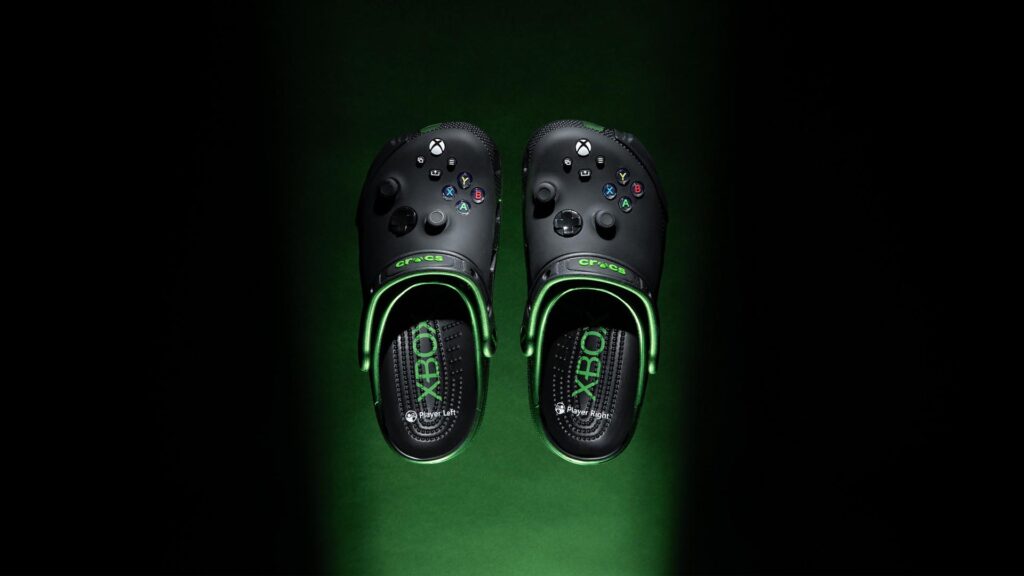
Game-mode: enabled. Xbox and Crocs have teamed up to release an exclusive collection.
Ready up with this controller-meets-clog design that reimagines the iconic Xbox controller with fixed buttons and joysticks into the perfect shoe for couch co-op and kicking back – complete with cushioned footbeds adorned with Player Left and Player Right, which give expert-level comfort to support your next session.
Available on the Crocs website starting tomorrow, the limited-edition Xbox collection includes a 5-pack of Xbox + Jibbitz charms featuring fan-favorite characters and icons from Halo, Fallout, DOOM, World of Warcraft, and Sea of Thieves.
No matter how you choose to play, or where your holiday plans take you – the iconic Xbox controller-inspired clog will be with you along every step of the fun.
Football Manager 26 Console: 7 Tips For New and Returning Players
Andrew SinclairPR & Content Exec, Sports Interactive
Football Manager 26 Console is out now, ready for you to step into the dugout and take your favourite team to footballing glory.
Delivering instinctive play, FM26 Console brings new foundations for you to shape your football destiny. Optimised for play with a controller, FM26 allows you to zone in on the managerial essentials while experiencing much of the classic thrills and depth Football Manager is known for the world over. And, thanks to Smart Delivery, you’ll get the best available version of FM26 Console whether you play on an Xbox One, Xbox Series X|S or via Game Pass.
FM26 Console is packed with new additions, from the series’ most immersive Match Day experience, to new playable leagues thanks to fresh licences, and the introduction of Women’s Football.
Whether you’re an experienced manager or a series newcomer, your first couple of hours in the hotseat are vital. Here are seven top tips to help you start strong wherever your story begins.
Craft Your Game World
The first job in any Football Manager save is creating your game world and deciding the nations and leagues that you want to load. FM26 Console lets you load up to 10 nations (or 5 on Xbox One), so think about the sort of challenge you want as a manager and which competitions you want to be playable. For example, if you want to compete at the top end of the Premier League, focus on loading the other top leagues in for a more immersive experience in continental competitions.
If you’re curious about jumping in to Women’s Football, include both men’s and women’s divisions to move seamlessly between the two and explore new horizons. Whatever combination you go for, take your time to decide as the world you build shapes your story with FM26 Console.
Define Your Style and Personality
The next step is to create your manager. FM26 Console’s enhanced character creator offers more visual and stylistic options than ever – greater customisation options mean you can define your visual self with more clarity.
You’ll also shape your Coaching Style and Personality through a short set of questions that define how you feel about football and what sort of leader you are on the touchline.
Think carefully here – the selections allow you elevate the things you care about most and deprioritise those that are less important to you. They should also match the challenge you’re taking on. If you’re stepping in with a proven title-winner, high-energy, attacking football is expected. But if you’re an underdog looking to upset the odds, a motivator with strong pragmatism and defensive coaching will be more appropriate.
Master Your Bookmarks
You’ve built your world, crafted your character and defined the sort of manager you want to be. It’s now day one in the dugout and you’ve landed in FM26 Console’s revamped UI. This UI is designed to be smarter and more intuitive to navigate – and key to that are the new Bookmarks.
Simple, quick shortcuts to key game areas, Bookmarks are always accessible at the top of the screen and can be adjusted at any time to suit your preferences. Quick navigation between the core essentials of football management means you’ll always stay focused on what’s important.
Get to Know Your Squad
After you’ve sorted your Bookmarks, a vital task will be familiarising yourself with your Squad.
Take time to review what you’ve got at your disposal across your first team, reserves and youth squads. Where are you strong? What’s an area of weakness? Where have you got talented prospects ready to break through?
Reviewing your squad depth and understanding what you’re working with will help to shape your tactics and define your transfer plans.
Build Your Tactics with Your Staff
FM26 Console adds new tactical depth with separate In and Out of Possession formations, new player roles, and a dynamic visualiser showing how your team behaves in every phase. That level of detail allows you to express more control over how your side plays the beautiful game, but at the start of your save you should keep things simple.
When you set up your first tactic, the process is a familiar one. You’ll begin by choosing a style of play before setting your formations. At each stage, you’ll get recommendations from your backroom team on which options works best with your current squad.
Even if you’ve got a philosophy in mind, lean on their advice as you’re getting up to speed – and then focus on tinkering and adapting as the season progresses to get the edge on your rivals.
Dive Into the New TransferRoom Tools
TransferRoom, football’s digital marketplace, is changing the way clubs in real life do transfer deals and it’s now doing the same for FM26 Console. This is thanks to the introduction of two new tools – Requirements and Pitch Opportunities.
Requirements are a way for you to communicate directly with every other club in your game world and outline your specific requirements in the transfer market. Conversely, Pitch Opportunities allows you to see what other clubs in your game world are looking for in the transfer market.
Having studied your squad, you should know where you need to make new additions and where you may have players that are surplus to requirements. Dive into these tools to target signings and offload players efficiently. With TransferRoom, Recruitment has never been this streamlined.
Savour Your First Match Days
Squad assessed, tactic created and new signings made. Before long, it’s time for kick-off.
In FM26 Console, match days bring new levels of depth and drama thanks to gloriously upgraded visuals and the inclusion of new volumetric animations taken from real-life matches. These animations bring every moment to life, delivering smoother, more realistic player movement and adding new cutscenes, lighting, and sky effects to every stadium.
In your first few games as manager, take in as much of the action as possible. It’s not just because of the visuals (although they are great) – but watching how your team plays will allow you to make some early tactical tweaks to help your side hit the ground running.
After those first few games, you’ll be fully immersed in the world of football management.
In FM26 Console, every decision, tactic, and transfer reflects your vision. Football belongs to you – now it’s time to change the game.
CHANGE THE GAME – PLAY NOW
New foundations set the stage for you to shape your football destiny.
Delivering instinctive control, a redesigned UI combines with the series’ most immersive match day experience to bring you closer to every match-defining moment.
MADE WITH UNITY
Savour the richest Match Day experience in series history with gloriously upgraded visuals and on-pitch details, from lighting to cutscenes and stadiums, that bring new levels of depth and drama.
Every attack has more personality thanks to fresh motion capture and volumetric animations, while new controller shortcuts between highlights better empower you to tinker from the touchline.
WELCOME TO THE PREMIER LEAGUE
Immerse yourself in football’s most-watched league with the Premier League fully-licensed for the first time.
Authenticity reaches new heights as you pursue domestic football’s biggest prize with the full broadcast experience from the best seat in the house.
ADVANCED TACTICAL INNOVATION
Explore the cutting edge of football tactics with the introduction of in and out-of-possession formations.
Redefined player roles and new tools showing how your team adapts in every phase of play levels up your pre-match prep.
CLOSER TO THE ACTION
A redesigned UI delivers smoother, smarter navigation. Flow through match planning at your pace, with the key info delivered when and where you need it, driven by the new Portal which connects you to the footballing world.
INTRODUCING: WOMEN’S FOOTBALL
Break new ground as women’s football debuts, seamlessly integrated into FM26 as one footballing world.
Explore new horizons with 14 playable leagues across 11 nations, including top competitions like the WSL and NWSL, and discover new stars with the biggest women’s football database in games.
TRANSFORMATIVE TRANSFER TOOLS
Harness the power of TransferRoom, the professional game’s online transfer marketplace, to shape your title-winning squads with even greater insight.
Sign and sell players more easily with the introduction of Requirements and Opportunities, giving you more targeted control in every window.
YOUR MANAGER, YOUR WAY
Express more of your personality and style in every career with a revamped manager creator.
Craft your look with enhanced character options before developing a career backstory unique to you and your life in the dugout.
In FM26 Console, football belongs to you and your vision. It’s time to change the game.
By using this product, you agree to this EULA: https://games.sega.com/eula
Backbone Pro - Xbox Edition: Take Your Gaming Anywhere
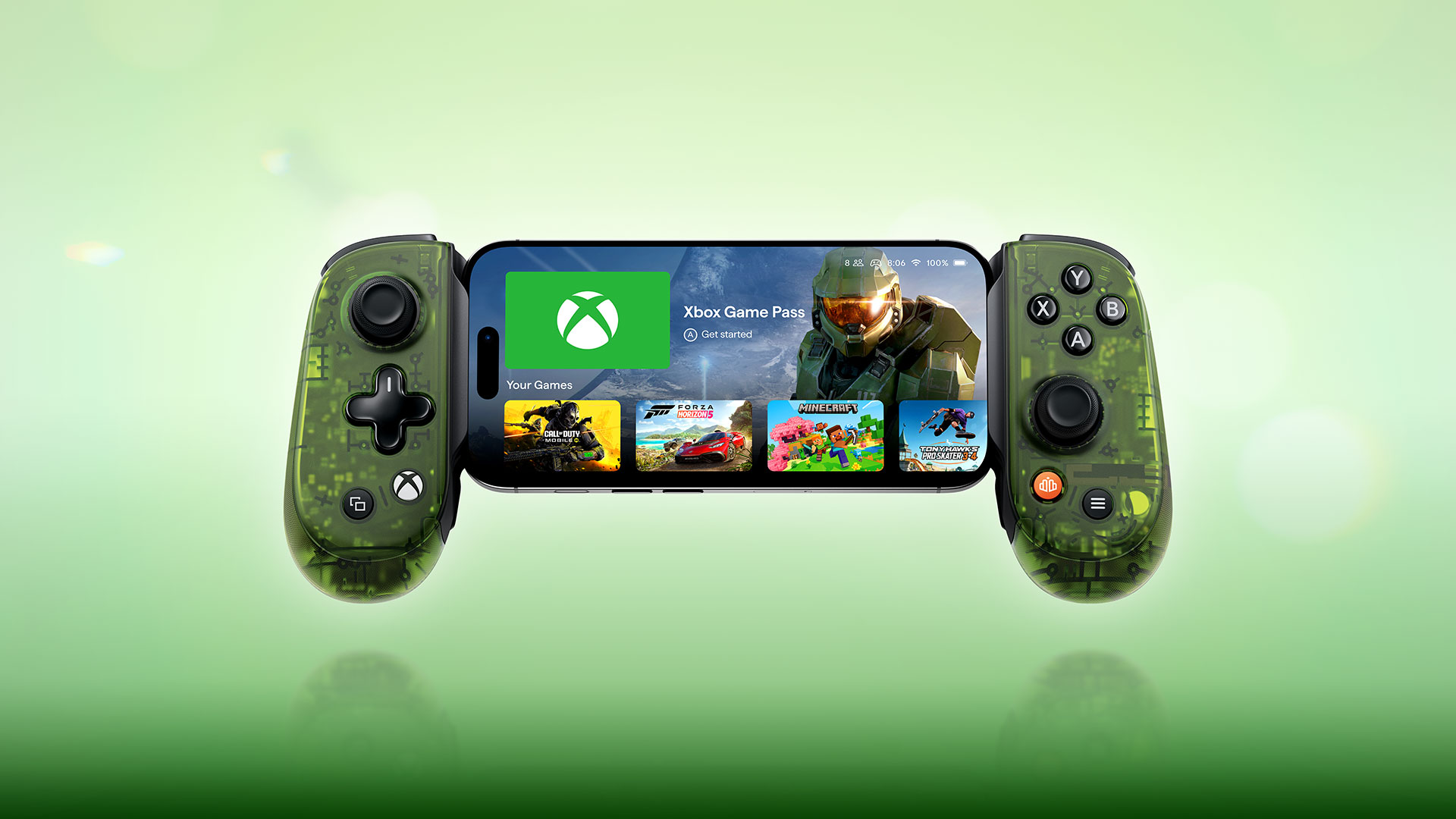
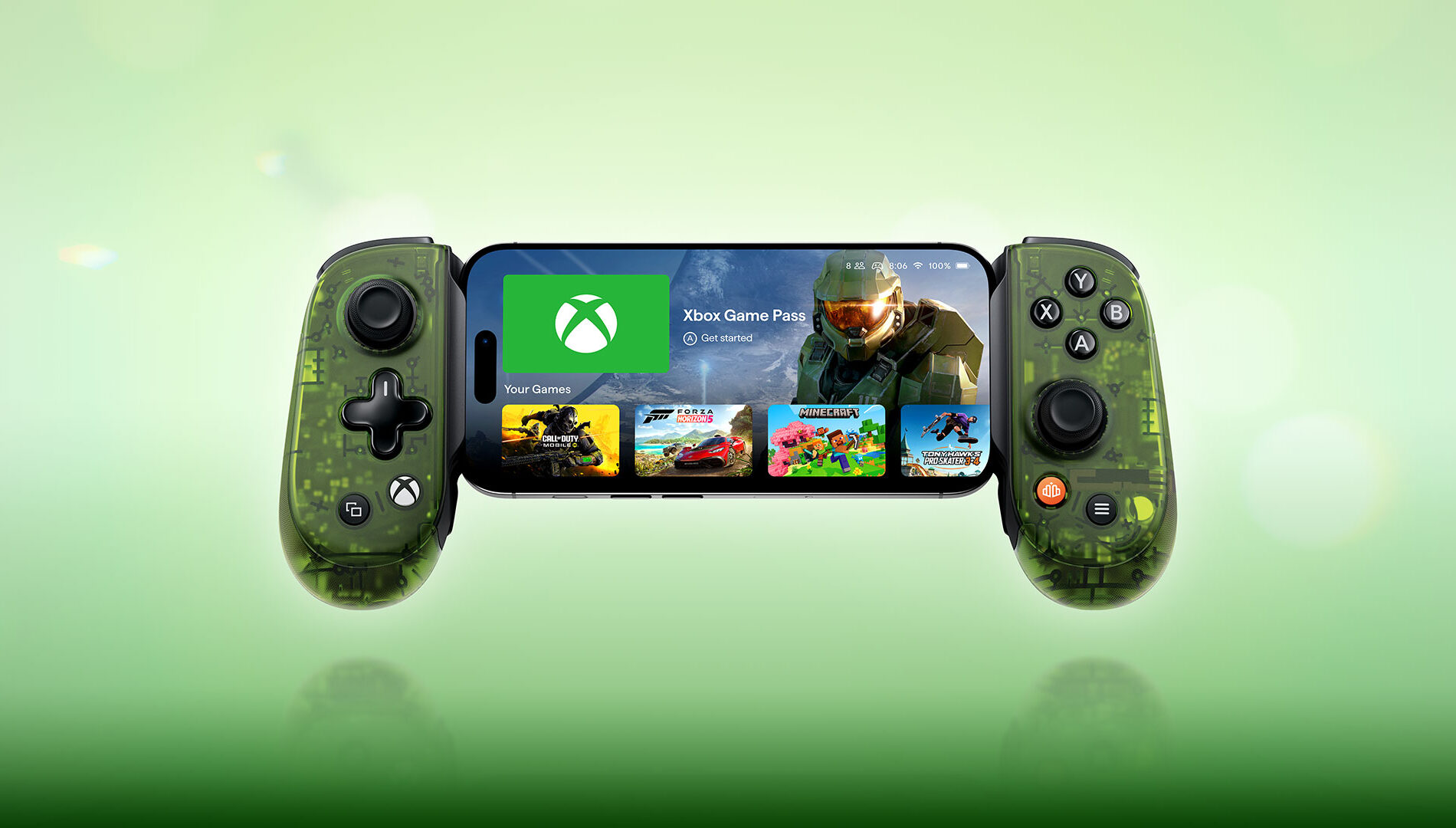
Earlier this year, Designed for Xbox and our friends at Backbone launched the Backbone One – Xbox Edition. Now they are back with their next generation controller, redesigned from the ground up to let you access your favorite games on mobile, PC, smart TV, and beyond.
Meet the Backbone Pro – Xbox Edition, a great gaming experience, now designed for almost any screen you own, whether you’re on your phone, tablet, PC, TV, or streaming device. Every detail, from the precise placement of the full-size thumbsticks to the laser-etched grips and Hall Effect triggers, is the result of relentless optimization.
Backbone Pro offers two ways to play: Handheld Mode, where your phone is physically connected via USB-C for low latency and no charging required; and Wireless Mode, connecting via Bluetooth Low Energy for gaming from a distance.
Backbone Pro – Xbox Edition Features
Play Anywhere: Built-in battery, USB-C, and Bluetooth Low Energy unlock gaming across devices.
Pro-Grade Control: Full-size ALPS thumbsticks, laser-etched textured grips, Hall Effect triggers, and rear buttons for precision and comfort.
Jump Into Xbox Cloud Gaming and Remote Play: Includes one month of Xbox Game Pass Ultimate to explore a growing library of games.
Seamless Play with the Backbone App
Personalize your play with custom profiles, button remapping, and effortless device switching – all within the Backbone App. Switching between phone, PC, and TV is simple, with FlowState – just a tap moves your controller from screen to screen. The Backbone App also supports Apple Arcade, Steam Link, and other controller-friendly mobile titles, so you have gaming options in addition to Xbox.
Backbone Pro vs. Backbone One
Not sure which controller to snag? Here’s an overview of both controllers at a glance:
Backbone Pro – Xbox Edition: All-new ergonomic design for comfort and precision, Bluetooth and hardwired play, full-size ALPS sticks, Hall Effect triggers, two customizable back buttons, profiles and remapping, and built in battery.
Backbone One – Xbox Edition: Ultra-mobile, hardwired plug-in design optimized for portability, classic inputs, and quick jump into the Xbox app on your mobile device, to access features including Xbox Cloud Gaming and Remote Play with the Xbox button. Compatible with USB-C devices only.
Available Now
The Backbone Pro Xbox Edition launches today. It’s available for $179.99 USD ERP through Backbone.com, xbox.com, and Amazon, with Best Buy floor placement in the US beginning November 30. Worldwide shipping is supported.
Surviving Mars: Relaunched Isn’t Just A Rework, It’s A Whole New Experience
Gabriel DobrevFounder, Haemimont Games
Summary
Surviving Mars: Relaunchedis a re-introduction to our colony builder, withupgraded graphics, a reworked UI, and more.
The game includes previous Surviving Mars expansions as base content for all players.
Surviving Mars: Relaunched launches today on Xbox Series X|S.
Are you ready to set foot on Mars for the very first time – again? Welcome to Surviving Mars: Relaunched, a new way to play our colony-building management game for a new generation of spacefaring strategists!
When we launched Surviving Mars originally, we wanted to give gamers an experience that was grounded in reality and science, easy to understand, and built towards an ambitious future, and that was what we delivered. The heart of the game remains the same as always: from initial surface scans and deployment of drones, you will start building the critical infrastructure needed to support human colonists, including water systems, supply extraction, and environmental domes.
Once people start showing up, you can undertake more complicated tasks and developments to expand and maintain your colony, until your colony is sustainable without aid from Earth.
Since then, Surviving Mars has explored a number of new ways to bring efficiency, change, and even cute animals to the red planet. We released expansions that added Terraforming (Green Planet), Subterranean Mining (Below and Beyond), and Rival Colonies (Space Race) to the game. When we made the decision to come back to Surviving Mars and begin developing even more ways to play, we realized that there was an opportunity not just to share our ideas with our original commanders, but with a whole new crew as well!
That’s what brought us to Surviving Mars: Relaunched, a new version of our game that gives everyone lots of new features to try. For starters, we’ve upgraded the graphics, reworked the UI, and improved controller support, all to ensure the game looks and plays its best, especially now that it’s coming to Xbox Series X|S.
Next, we’ve included everything that was ever added to the original game – so players of Relaunched get access to features like Terraforming and Trains that were originally DLC with the base game, which means we can deliver updates and content based around those features, going forward. We’re also adding new features that have never been included in any version of the game before now, including factions and political management for your colonies!
We’re also giving all Martian Managers access to new ways to expand and play our game created by other players, with in-game mod support. You’ll be able to browse and install mods without leaving the game, allowing you to add community-made buildings to your planet, or explore new end-game mysteries.
With the most comprehensive version of Surviving Mars in your hands, all of us at Haemimont will have an ideal launch pad to bring more new content to the game from here on out. We’re already working on a new expansion for early next year, “Feeding the Future,” which will add new production systems and food options for your colonists to help add to their comfort – and sanity! We have another expansion, “Machine Utopia,” in the works after that one as well, which will allow you to colonize, optimize, and industrialize. It’s exciting to get to work on what feels like an all-new game for us, and start bringing life to all the ideas we’ve had, and still have!
Whether you’re about to experience Surviving Mars for the first time or whether Relaunched is the next chapter in your journey to the stars, we’re excited to keep growing alongside you and your colony, starting today. See you on board the rockets!
See the Red Planet like never before, land for the first time all over again, and discover some brand-new secrets.
Welcome home! The award-winning sci-fi city builder is back – remastered, expanded, and more stunning than ever. Your mission: colonize Mars and survive the process, from exploration and infrastructure to welcoming human colonists and achieving long-term stability. There are new challenges to overcome, new strategies to plan, and now with an upgraded look and feel for a new generation of explorers.
All you need for this relaunched mission to create a thriving Martian settlement is a steady supply of resources, oxygen, decades of training, experience with sandstorms… and a curious attitude to discover the purpose of those weird black cubes that appeared out of nowhere. With a bit of sprucing up, this place is going to be awesome!
Surviving Mars: Relaunched brings together the original colony management game from Haemimont Games, its entire catalogue of expansions, improved and reworked, from major expansions to cosmetics and radio stations, as well as the all-new Martian Assembly update. Upgraded graphics together with updated UI will give veteran players the definitive Surviving Mars experience, and provide an ideal launch point for new commanders as well.
Are you ready? Mars is waiting for you.
The Dream of Martian Independence
The new Martian Assembly brings an expanded endgame challenge never seen in the original. Shape your Martian society through laws. Balance the needs and demands of your colonists, keep the peace and develop a long-term plan for Mars – up to and including independence from Earth!
Realistic Sci-Fi City Building
Building a thriving colony on a planet not fit for human life brings its own challenges. Construct life-support systems, power grids, domes, and supply chains, and keep them running, because blackouts on a planet without oxygen are never a good idea. And you’re not alone. With the included ‘Space Race’ expansion, rival colonies backed by competing sponsors add even more pressure as you fight for resources and the future of Mars.
Manage Resources, Survive Mars
Balance critical resources like oxygen, water, power, and food to keep your colony alive. Drones build and maintain your infrastructure, while the revamped ‘Martian Express’ adds trains that move people and supplies across longer distances. Every colonist has their own needs and behaviors and smart management is essential for their survival.
Discover, Research, Expand
Advance your colony through a deep research system that unlocks new buildings, production methods, and essential upgrades. Discover breakthroughs, resources, and hidden secrets reaching ‘Below & Beyond’ the Martian surface. With randomized maps, varied sponsors, and unpredictable Mysteries, every playthrough offers new challenges, and every decision shapes your story of survival and growth on Mars.
The Future of the Red Planet is Green
Terraforming is no longer a distant dream, it’s your next challenge. With the included ‘Green Planet’ expansion, you can engineer Mars into a more habitable world. As the environment transforms, introduce animal life with ‘Project Laika’, bringing the first creatures to thrive alongside your colonists. The future of Mars isn’t just survival, it’s building a self-sustaining, living planet.