Normální zobrazení

Received before yesterday

"Creativity is the key": how PC hardware's smaller manufacturers are navigating the RAM shortage disaster

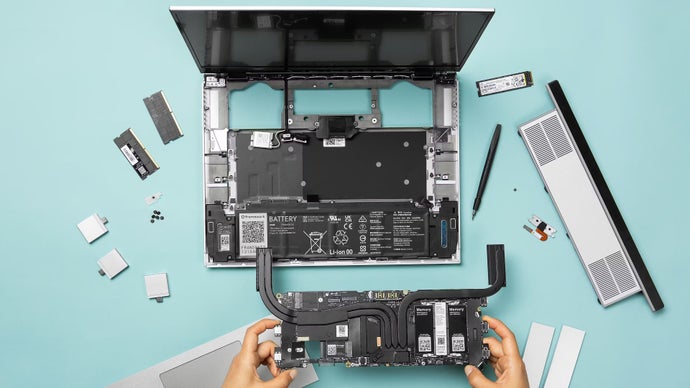
Far from ushering in a technological golden age, artificial intelligence is giving PC hardware its most trying time in years. As huge, hyper-rich tech companies go about building resource-intensive AI data centres in pursuit of future wealth, the resulting memory chip shortages have detonated consumer-level pricing for RAM modules, graphics cards, SSDs, and even ancient hard drives.

Doubling or tripling street-level outlays without harming sales would, you’d think, make a lot of gaming gear makers – especially their accounting departments – very happy indeed. But as those chips have become a scarce commodity at the supplier level, even the bigger hardware businesses are being squeezed as well, and it shows. Razer can’t decide how much their next laptops should cost. Valve are running out of Steam Deck stock and delaying the new Steam Machine. Zotac Korea called the RAM shortage an existential threat. But what of the industry’s smaller players – those producers of the niche, the quirky, the retro?

Read more

SSD prices in yet more trouble as two of the biggest hard drive makers have already sold out their 2026 stock

Amid soaring SSD prices, slower-but-cheaper mechanical hard drives may have offered an attractive reprieve for anyone wanting to embiggen their PC storage on a – and I know it’s increasingly difficult to use this word without breaking down into desperate laugh-crying – budget. Unfortunately, that probably ain’t happening either, as leading HDD manufacturers Western Digital and Seagate have both revealed that they’ve already sold “pretty much” all of their mechanical drive stock that was allocated for 2026.

Read more

Available for Xbox Insiders on PC: Postgame Recaps

Od:Jon
18. Únor 2026 v 18:00

Available for Xbox Insiders on PC: Postgame Recaps

  • Alex Charters, Senior Product Manager

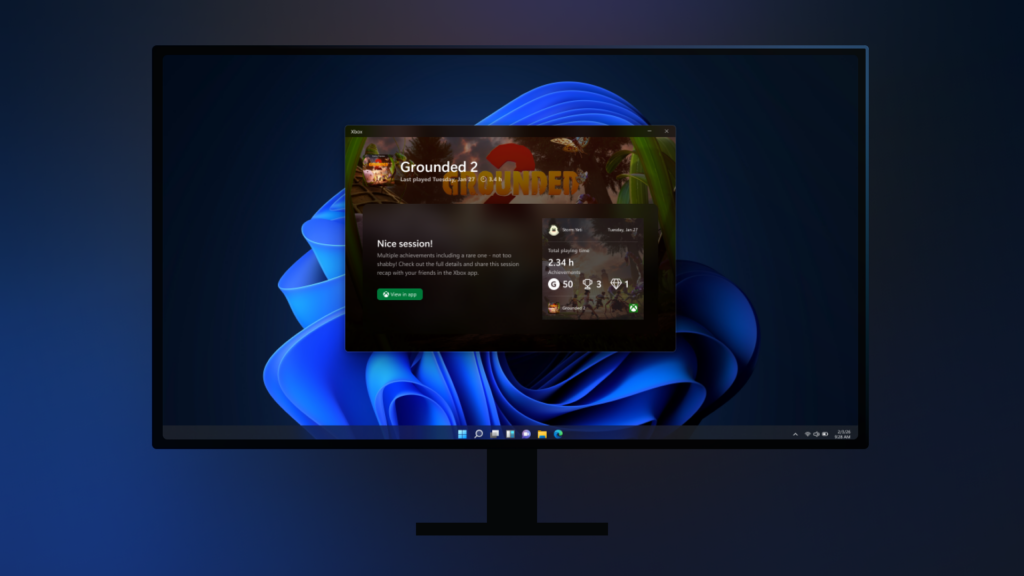
Starting today, Xbox Insiders in the PC Gaming Preview can try postgame recaps in the Xbox PC app on Windows. After you finish a play session, you may see a quick recap that highlights moments from that session—like captures you took, achievements you unlocked, and relevant in‑game events—plus an option to share feedback so we can keep improving the experience. 

Postgame recaps are designed to show up only when they’re useful—not after every game. You’re most likely to see a recap when you take a capture through Game Bar or unlock an achievement. On your first time playing a game (and occasionally after that), you may also see a short check‑in and recommendations for other games you might enjoy. 

You’re in control of what you see. You can turn individual recap types on or off in Settings > App > Postgame recaps to tailor the experience to your preferences. 

To support postgame recaps, the Xbox app may run in the system tray while you play so it can show the recap after you exit your game. We’ve optimized this to minimize memory and performance impact. If you opt out of all postgame recap types, the Xbox PC app will no longer start in the system tray when you launch a game. 

We’d love your feedback—tell us what you found helpful, what felt unnecessary, and what you’d like to see after future gaming sessions. 

How to Get Xbox Insider Support and Share Your Feedback

We want to thank all the Xbox Insiders for the feedback you share with us. If you’re an Xbox Insider looking for support, please join our community on the Xbox Insider subreddit, where official Xbox staff, moderators, and fellow Xbox Insiders are there to help. We recommend adding to threads with the same topic before posting a brand new one. This helps us support you the best we can! We’re grateful to our Insider community for the helpful feedback you provide, it continues to shape the future of Xbox.

For more information on the Xbox Insider Program, follow us on Twitter at @XboxInsider and keep an eye on this blog for all the latest news.

Other resources:

For more information: follow us on X/Twitter at @XboxInsider and this blog for announcements and more. And feel free to interact with the community on the Xbox Insider SubReddit.

The post Available for Xbox Insiders on PC: Postgame Recaps appeared first on Xbox Wire.

Predicting Steam Machine prices would be a lot easier if RAM costs hadn't gone horribly wrong

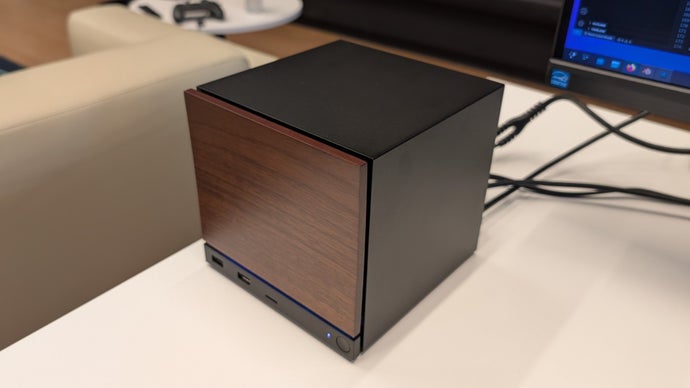
This week’s most popular game is not a robovoiced extraction shooter or a buggy martial arts RPG, but Guess The Steam Machine Price: a well-meaning (if largely speculative) timepasser wherein whoever most accurately converts Valve’s teasing into a final street price for the resurrected SteamOS mini-PC wins. In 2026, when it launches.

I feel left out, so will have a go myself below, though there’s quite a serious kink in mine or indeed anyone’s plan to ticket the Steam Machine by speccing an equivalent DIY PC. Alas, RAM prices have gone stratospheric, in a manner not seen among computing components since the Great Graphics Card Dumpster Fire of 2020.

Read more

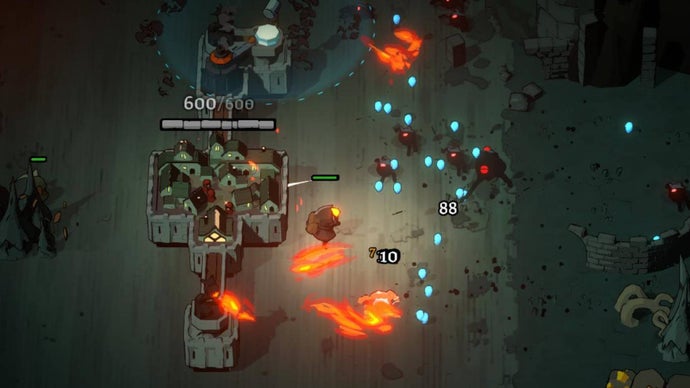
I'm a greedy, greedy city builder and tower defence game Monsters Are Coming is punishing me brilliantly

I get no joy from skills and gear in games that tweak back of house stats. An upgrade that adds 0.5% to explosion radii. A helmet that multiplies your base 'luck' total. A god's blessing that increases your character's attack rate by 4%. On paper these boosts change a game, but I often find them unsatisfyingly intangible in practice. I am but a simple editor of words and, as such, numbers confuse me. If I had wanted to be up to my chin in numbers, I would have followed my uncle into the abacus-making business. (For one thing, I'm glad my house isn't filled with loose beads waiting to be painfully trod on while barefoot.)

Which is why I'm surprised by how much I'm enjoying Monsters Are Coming, a game that if you lifted up and shook would rattle with invisible numbers like a rainstick.

Read more

Starting today, Full Screen Experience for Windows 11 PCs is available for Xbox Insiders!

Od:Jon
21. Listopad 2025 v 19:00

Starting today, Full Screen Experience for Windows 11 PCs is available for Xbox Insiders!

  • Cassie Chou, Senior Technical Program Manager

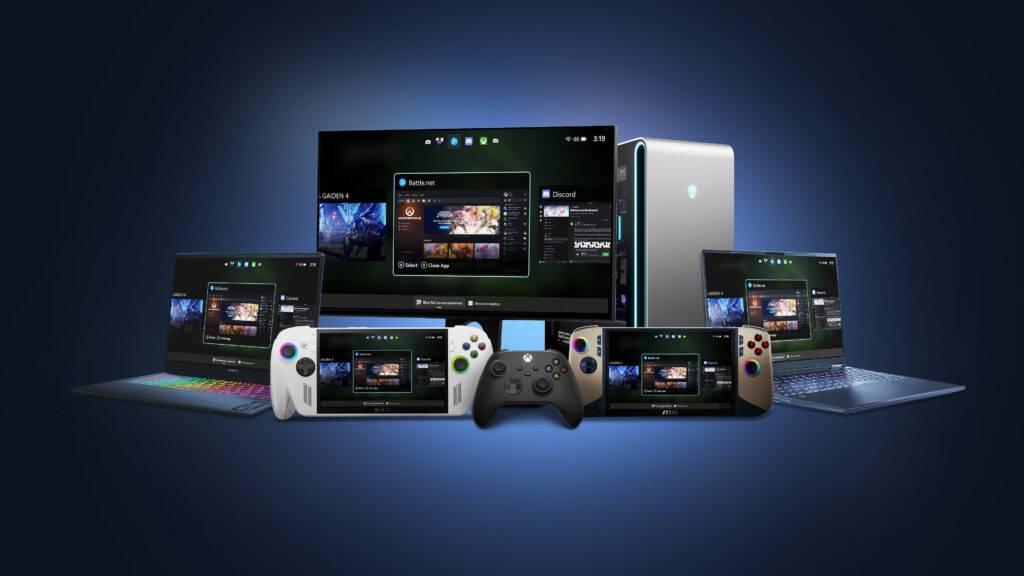
Today the full screen experience (FSE) is generally available on Windows 11 handhelds currently in market, bringing performance optimizations and the ability to boot directly into Xbox for a smoother, more seamless way to play. Designed to minimize friction and get players into their games faster, this update helps deliver a console-like experience on handheld devices. For more information on how to set up, check out the full screen experience support page.

In addition to handhelds, the Xbox full screen experience is now available in preview for more Windows 11 PC form factors, such as laptops, desktops, and tablets, tailored for the PC experience. 

The Xbox full screen experience introduces a controller-navigable UI that brings an immersive, console-like experience to Windows 11 PC form factors. Designed for controller-first navigation, it provides a gaming-first, full-screen environment where players can easily browse and launch titles from across their game libraries- including most popular PC storefronts. A powerful Task Switcher enables quick movement between games and apps, delivering a seamless experience. 

How to Get Access to the PC Preview: Join Xbox Insider and Windows Insider Program 

  1. Join the Xbox Insider Program if you haven’t already: Xbox Insider Home | Xbox Support 
  • Install/Launch the Xbox Insider Hub app 
  • Navigate to Previews > PC Gaming Preview 
  • Select Join 
  1.  Join the Windows Insider Program Join the Windows Insider Program and manage Insider settings – Microsoft Support
  • Join Beta or Dev channels

Once you’ve joined – how to enter FSE: 

For more information about the Xbox full screen experience, including details about how to be among the first to try it out, visit Extending Xbox full screen experience to Windows 11 PC form factors. 

How to Provide Feedback

Share your thoughts in Feedback Hub, accessible via keyboard shortcut (WIN + F) or via the Xbox PC App (by selecting “Report a Problem”). Be sure to submit your Feedback under Gaming and Xbox > Gaming Full Screen Experience

How to Get Xbox Insider Support and Share Your Feedback

We want to thank all the Xbox Insiders for the feedback you share with us. If you’re an Xbox Insider looking for support, please join our community on the Xbox Insider subreddit, where official Xbox staff, moderators, and fellow Xbox Insiders are there to help. We recommend adding to threads with the same topic before posting a brand new one. This helps us support you the best we can! We’re grateful to our Insider community for the helpful feedback you provide, it continues to shape the future of Xbox.

For more information on the Xbox Insider Program, follow us on Twitter at @XboxInsider and keep an eye on this blog for all the latest news.

Other resources:

For more information: follow us on X/Twitter at @XboxInsider and this blog for announcements and more. And feel free to interact with the community on the Xbox Insider SubReddit.
The post Starting today, Full Screen Experience for Windows 11 PCs is available for Xbox Insiders! appeared first on Xbox Wire.

❌