There's nothing more spooky than having to neatly get your message across in a limited number of words which may or may not have to rhyme or stick to iambic pentameter. That's something Polish horror devs Bloober Team clearly understand, since they whipped out some William Blake poetry over the weekend, in order to reveal that Layers of Fear 3 will be a thing.
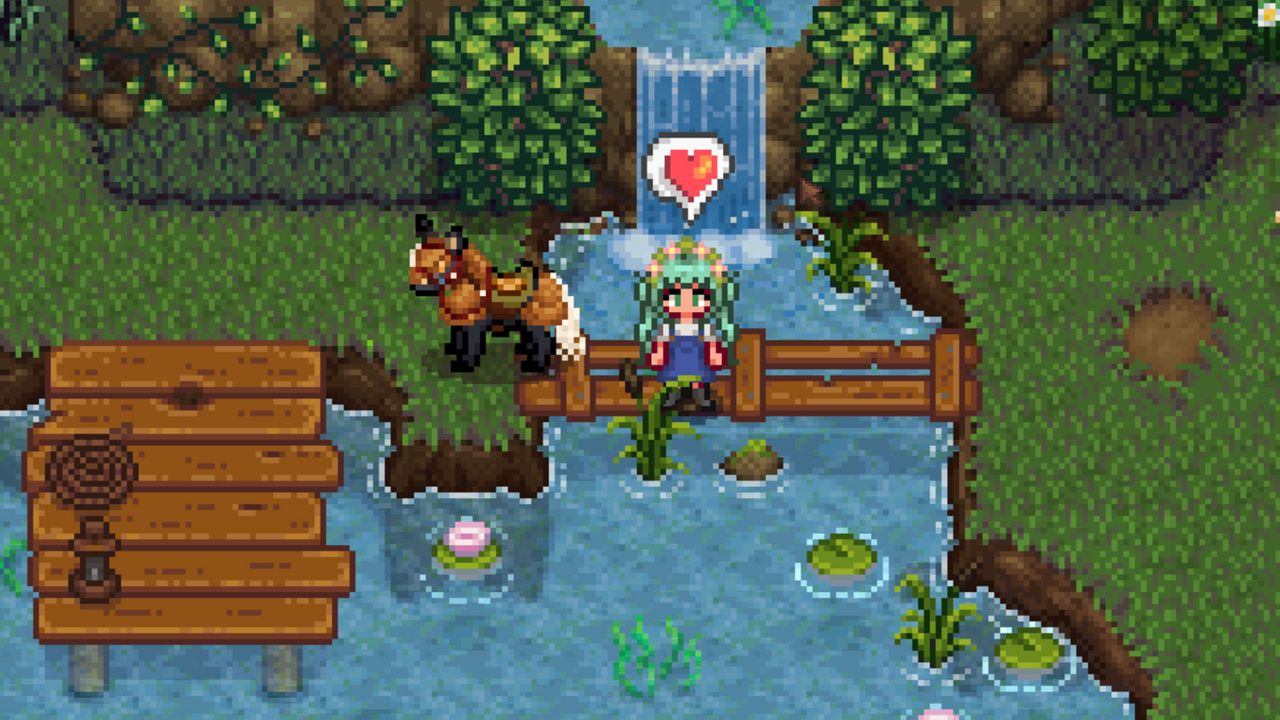
There's plenty to do in the vanilla valley, but the sky is the limit once you learn how to install Stardew Valley mods. With so much community support, it's an easy game for first-time modders to dive into, but modding can still be an intimidating task.
The modding scene for ConcernedApe's farming sim is easily one of my favorites, and with a good primer on the basics maybe it can be one of yours, too. To help you get there, I'll walk you through how to install Stardew Valley mods with a breakdown of SMAPI (a required framework for loading mods), popular download resources, and getting started with a mod manager.
How to install Stardew Valley mods
(Image credit: ConcernedApe)
This guide is organized into three parts. We'll start by downloading basic Stardew Valley mod tools, then go on to installing SMAPI and the Stardrop mod manager. Players familiar with the first steps can use the navigation on the left to skip ahead, or keep on scrollin' to start from square one.
Download basics like SMAPI and Stardrop first
You'll need a few basic tools to install Stardew Valley mods and get them running smoothly. I strongly recommend downloading Stardrop and Content Patcher, but the Stardew Modding API (SMAPI) is the only absolute must.
To follow along with the guide, download SMAPI, Stardrop, and Content Patcher. Extract all three to a central folder for easy access.
Your Stardew Valley mod folder should be inside of your game directory. You'll want to have the exact folder directory handy to make sure SMAPI and Stardrop sort mods into the correct directory.
After launching Stardew Valley at least once and installing SMAPI, you can install mods by placing them directly into the folder. All mods must be inside of their own folder inside of the mods folder, so your path looks like this: /Stardew Valley/Mods/Mod Name
You don't need a mod manager, but I recommend using Stardrop instead of unzipping and organizing them in the folder yourself. Stardrop keeps downloads tidy and easy to troubleshoot.
How to install SMAPI (Stardew modding API)
SMAPI is the mod loading framework making all this possible—your most important piece of the process. After downloading the loader and launching Stardew Valley vanilla at least once, extract SMAPI's contents into any directory and double click the correct bat file to install.
This process should leave you with a new mod folder and the StardewModdingAPI.exe inside the game's main directory.
Here's a full step-by-step on how to install SMAPI for Windows or Linux users:
Download and extract SMAPI
If modding a fresh install, launch Stardew Valley unmodded at least once
Download and extract SMAPI; the location doesn't matter
Run the Install on Windows.bat file (or Linux)
Follow the console instructions to install SMAPI in the game directory
Next steps depend on your storefront, either Steam or GOG
Steam's Launch Options menu (Image credit: Screenshot via PC Gamer / Andrea Shearon)
Steam users
Right click Stardew Valley from the Steam library
Under General, look for the Launch Options text box and enter:
On the Features tab, enable Custom Executables/Arguments
Click Add Another Executable
Select StardewModdingAPI.exe from the game directory
Check the Default Executable option under the modding API
How to install Stardrop mod manager
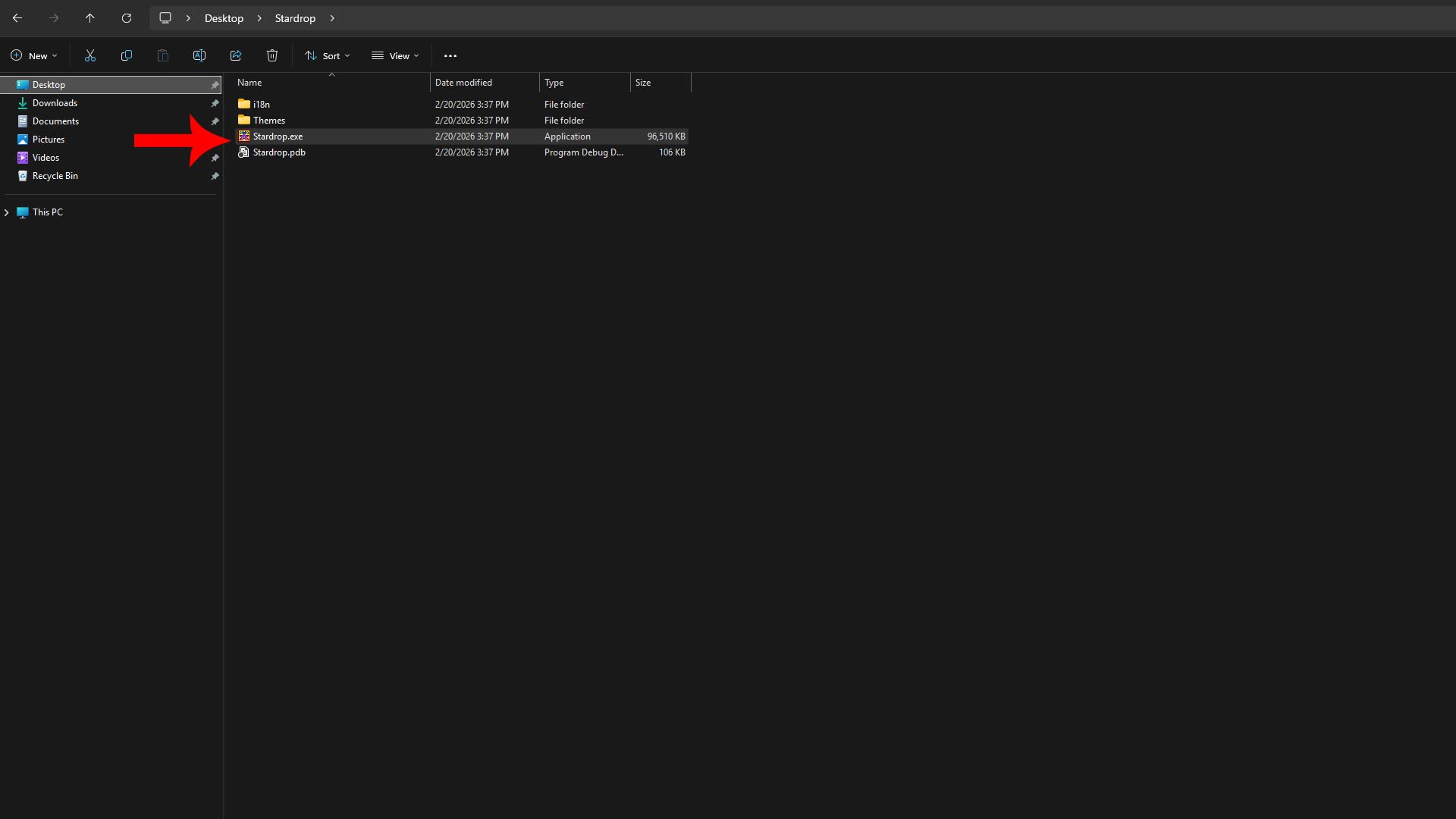
Boot up Stardrop.exe to start modding (Image credit: via PC Gamer / Andrea Shearon)
Extract the Stardrop folder anywhere on your desktop—I use my Documents folder for safekeeping—and double click Stardrop.exe to launch the mod manager for the first time. This is the tool that will install, remove, enable, or disable mods for you. It makes the process a million times easier.
Opening Stardrop for the first time
When loading Stardrop for the first time, the exe asks if you would like to "associate the NXM protocol with Stardrop" to automatically install downloads from Nexus Mods. I always do this, but it's optional.
Yes - Automatically download and install a mod after clicking a Nexus link
No - Manually add files into Stardrop yourself
(Image credit: Screenshot via PC Gamer / Andrea Shearon (Stardrop by Pathoschild))
Configuring Stardrop directories
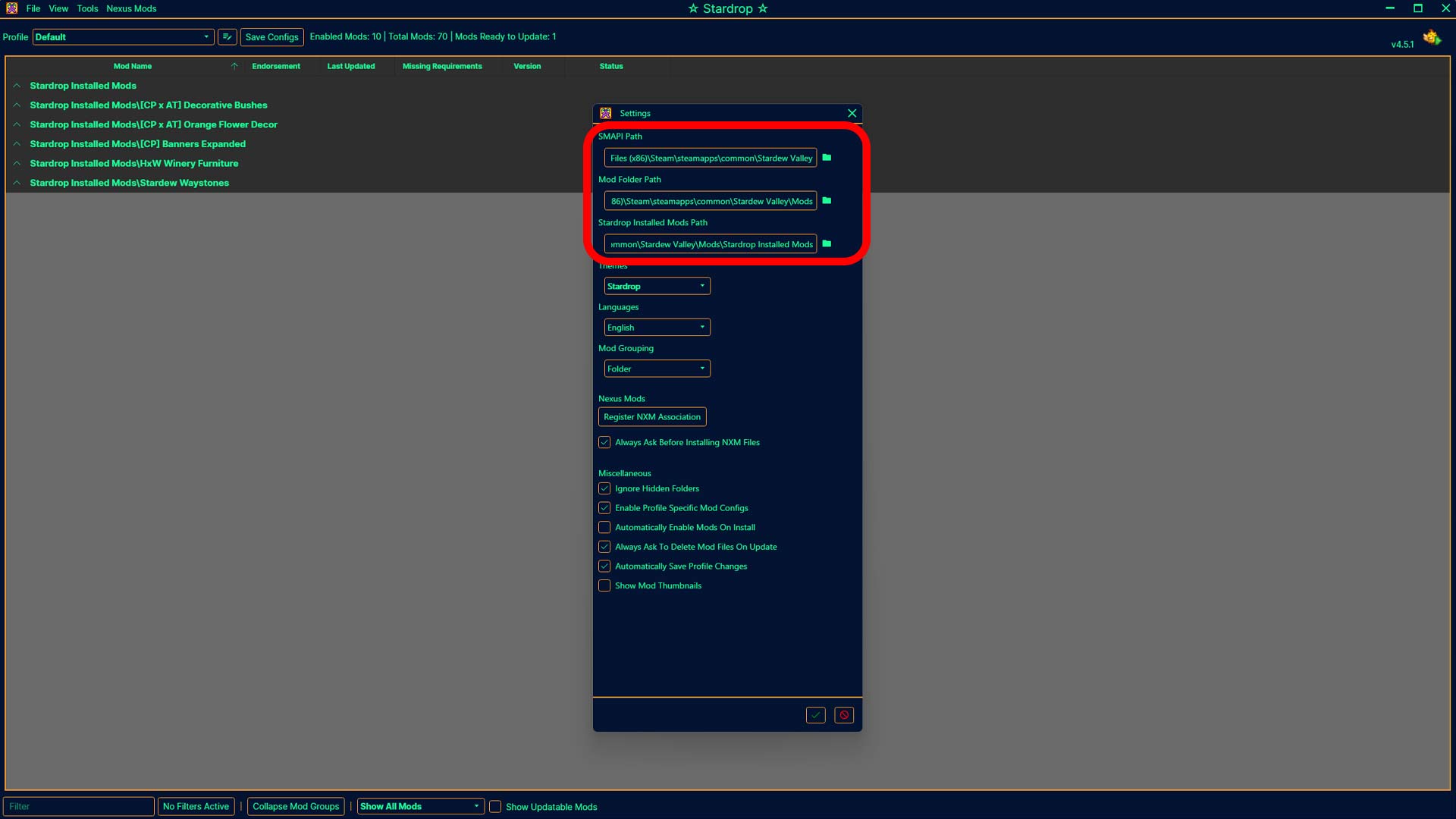
Navigate to View > Settings and check all three file paths for SMAPI, the Stardew Valley Mod folder, and a new Stardrop Installed Mods folder. The new addition is where Stardrop will dump your mods.
📂 Stardrop settings
Path
Example Folder Path Setup
SMAPI
C:\Program Files (x86)\Steam\steamapps\common\Stardew Valley
If you don't use the Nexus Mods protocol, you can drag and drop zipped mods directly into Stardrop's interface or click File > Add Mods and select the compressed file. Stardrop will unpack it and handle the rest.
With your mods loaded in Stardrop, click the box beside your new additions to enable them. If you want to disable a mod, uncheck the same box. Click Save Configs when you make any changes and restart the game.
How to install Content Patcher and Alternative Textures
You can automatically install Content Patcher through Stardrop, or visit Nexus Mods for a separate download. Content Patcher doesn't do anything as a standalone mod, but tons of modders use it to load custom assets without altering the base game files.
Alternative Textures is similar to Content Patcher and they're compatible with each other, but typically works through in-game items like the Paint Bucket or Scissors while providing multiple options for customization. That's not an option with Content Patcher.
⚖️ Content Patcher and Alternative Textures
Feature
Content Patcher
Alternative Textures
Replaces original game file
❌
❌
Limit per asset ID
Only one can be active at a time
Unlimited
Enabled via in-game item
❌
✅
Should I use Content Patcher, Alternative Textures, or both?
You can use Content Patcher and Alternative Texture mods together, but I would prioritize installing Content Patcher over everything else since so many modders use it.
When downloading mods, look for abbreviations like (CP) for Content Patcher or (AT) for Alternative Textures and select the correct version(s) depending on how you want to use the retexture.
CP mods are typically good for static elements you don't plan on changing a lot, but keep in mind you can only have one CP mod at a time for the same asset. AT mods can overwrite CP changes or each other using items and other in-game menus on the fly, so you can have multiple AT files.
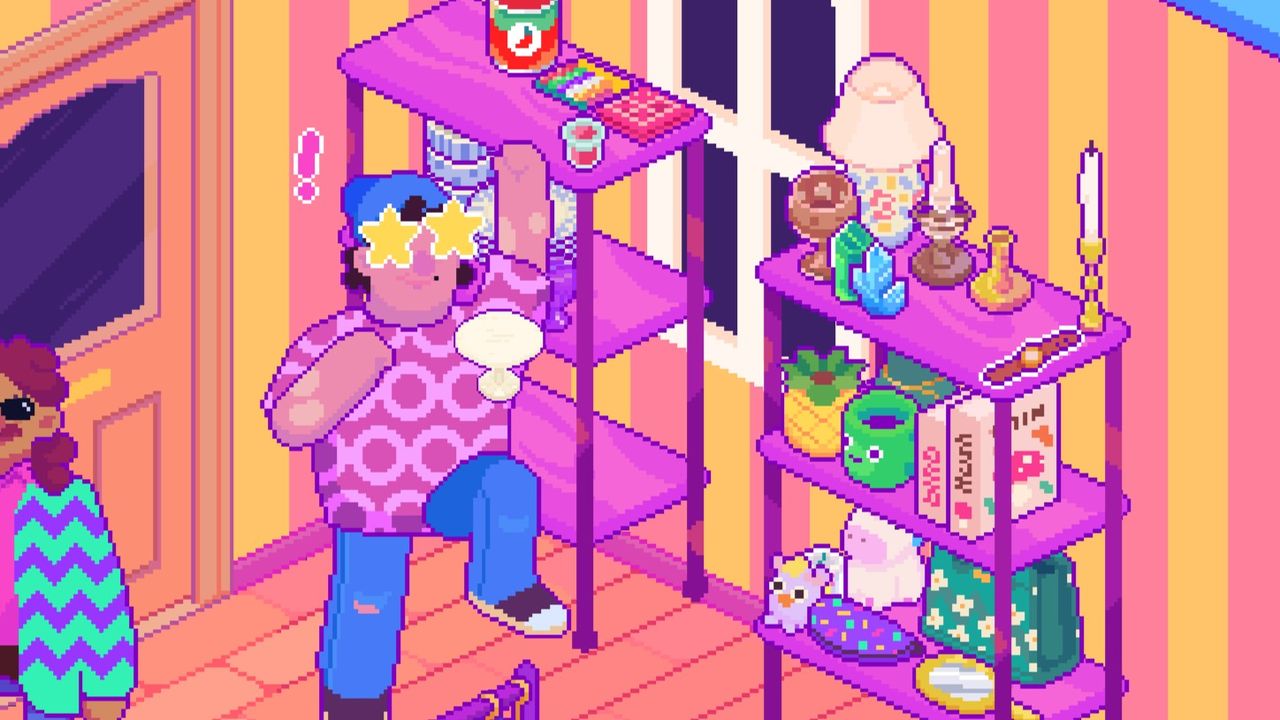
Man I just love a game where I move all my little stuff around on my little shelves. I adored the tactile fiddling about in Potion Craft and sorting my store shelves in Tiny Bookshop—though I did skip Unpacking for some reason—and upcoming funky shop sim Thrifty Business is right at the pinnacle of that compulsive fussing-with-stuff fascination. You don't have to wait for next week's Steam Next Fest because the demo is already live for you to try right now.
The folks behind the cute tat design sim Sticky Business are calling their next brightly colored cozy game a "laid-back management sim" because it really is almost entirely about the pixel pushing. Spellgarden Games says there's no "stressful min-maxing" for the best profit, haggling minigame, or rushing to serve customers before they leave in a huff. It's all about curating your stuff, buying new display shelves, and occasionally helping out your regular customers by stocking an item they're looking for or hosting community events.
It's like Tiny Bookshop in that you're running a shop by purchasing mystery boxes of used stuff to sell, and like Unpacking in that all those bobbles are yours to puzzle over placing exactly where you want. Items have lots of different tags like "kitchen" or "toy" for their purpose, "vintage" or "y2k" for their style, and even tags for colors, giving you a rating for your store's level of organization if things are grouped sensibly.
I spent my few days in the demo nudging around the perfect "vintage kitchen ceramics" shelf and deciding if my growing collection of "y2k" backpacks and pouches should get shelved beside the VHS player or with the other handbags. Do people looking for witchy crystal decorations also want vintage candlesticks? As Spellgarden says, I may be putting more thought in here than Thrifty Business actually demands, but I can't stop myself when my Sims 4 spidey sense for cluttering keeps going off. The only stressful part of Thrifty Business for me is going to be trying to make my shop look as charmingly on-theme as the official screenshots.
The current demo has just a few in-game days to play and a couple events to plan like a grand opening and a queer dating night, but there are already heaps of little items to unbox and sort onto my many shelves.
Coming up next, Spellgarden says, are things like character customization—I know you're all going to ask about that—more stories and events, a photo mode, interactable objects, and more. There's no specific release date for Thrifty Business just yet, but it's planning to launch sometime in 2026.
If you’ve ever wondered whether you can actually earn Linden Dollars for free in Second Life, I decided to test it out during a x2 multiplier Virtual Fishing event at Stress Free.
Virtual Fishing is one of those hidden gem games inside Second Life that anyone can start. It costs nothing to begin. You just grab the free fishing rod and HUD from the Marketplace, attach them, find a buoy, and start fishing. That’s it.
I headed to the third buoy at Stress Free during their x2 event, which means every catch had double payout potential. What surprised me most wasn’t just the fishing, it was the region itself.
There were no shops.
No vendors.
No visible businesses.
Yet Linden Dollars were being paid out.
My honest guess? The region owner simply enjoys giving back to the community. That kind of generosity is rare and refreshing. While fishing, I even spotted Celestial Butterfly and Alienum around the area, which added to the fun atmosphere.
Now let’s be real for a second.
The absolute easiest way to get Linden Dollars is still buying them directly from Linden Lab. That’s instant and guaranteed. But if you’d rather earn them inside the world, there are options.
Creating content is one of the most powerful ways to make L$. If you can design hair, clothes, skins, bodies, or accessories, you can build a real income stream. Performing live music or DJ sets is another great way creators earn tips.
I personally use Virtual Fishing on my own small parcel to bring in visitors and boost traffic. I also run 7Seas and Pikoversum to give people more interactive reasons to stop by.
So is fishing going to make you rich overnight? Probably not.
But during a x2 event? It’s definitely a fun (and surprisingly rewarding) way to stack some extra L$ while hanging out.
And honestly... getting paid to relax in Second Life isn’t a bad deal at all. 💰
There’s something relaxing about decorating in a virtual world. In my latest livestream, I spent an hour inside AvatarLife, an OpenSim alternative to Second Life, working on my platform in the sky. No quests. No chaos. Just pure creative energy.
My goal was simple: make the space feel peaceful.
The first thing I did? Add more sakura trees. You can never have too many cherry blossoms, right? I spread them around the platform and instantly the space felt softer and more alive. After that, I placed more flowers across the ground to fill in empty areas. It’s amazing how much small details change the mood of a build.
One practical addition was an invisible wall around the edges. Since the platform floats high in the sky, visitors could easily fall off. Now they’re safe, even if they get a little too curious exploring the edge.
I also cleaned things up by removing rocks I wasn’t using and adding a couple of benches. The benches made the space feel more welcoming, like somewhere you’d actually sit and relax.
The biggest challenge? Finding the perfect centerpiece.
I tried placing a campfire, but it didn’t match the calm garden vibe I was going for. I removed it pretty quickly. I considered adding a pond, but I couldn’t find one that fit. I even checked out a river kit at the Omni Outlet, but it just wasn’t what I had in mind.
So most of the stream became a creative experiment, placing trees, moving objects, adjusting layouts, and seeing what felt right. And since uploading textures costs AV$, I worked with what I already had.
Even without a final centerpiece, the platform feels closer to becoming my dream sky garden.
If you’re curious about AvatarLife and want to start building your own virtual escape, check out my link. And if you enjoy cozy creative streams, coffee donations are always appreciated ☕
I just wrapped up another fun hour in AvatarLife, the OpenSim alternative to Second Life, and I wanted to share what I got up to! My main goal today was to work on my massive platform floating 2000 meters in the sky, pretty cool, right? But as usual, I needed more stuff, so I went on a freebie hunt.
First stop was AvatarLife Mall, but sadly, no freebies there 😅. Not giving up, I headed to London Town – Camden, hoping for a better luck… but then I got distracted by Fish Coin!
Luckily, I did grab the Fish Coin Free Rod from the Welcome Area and finally decided to give fishing a try. It was super relaxing watching my avatar fish hile also tuning into Josh Strife-Hayes on YouTube talking about the Stop Killing Games initiative. I hear they were presenting it to the EU Parliament, fingers crossed it makes a difference!
Before ending the stream, I tried figuring out if I could exchange Fish Coins for AV$, but no luck finding info yet. Maybe next time I’ll dig into that.
I just wrapped up another hour in AvatarLife, the OpenSim alternative to Second Life, and this session was all about collecting goodies and starting something new, my sky home!
Back to the Omini Freebie Area
I headed back to the Omini Freebie shopping place to see what I could find. There are so many free items there, and I wanted more landscaping options.
This time I picked up:
A bunch of different grass textures
Sakura trees 🌸
Ground flowers
Some rocks
And… a male lion 🦁 (because why not?)
I also checked out the houses again, but honestly, none of them really felt like “me.” So I decided to do things a little differently.
I Finally Got My Free Home
The admin gave me access to a free home, which was super nice! But instead of just using it as-is, I had another idea.
I placed a platform 2000 meters up in the air.
Yes… I’m building in the sky. ☁️
I’m going to keep the house on the ground for now, but my real project is going to be my own custom sky build. There’s something really fun about having your own peaceful space way above everything else.
Unpacking and Landscaping
After setting up the platform, I started unpacking everything I grabbed:
The rocks
The flowers
All those grass textures
I spent a surprising amount of time just going through the different grass textures to find the one I liked best. It’s funny how small details like that can completely change the feel of a space.
The sakura trees are going to look amazing once everything comes together. I’m already picturing a soft, peaceful sky garden vibe.
And yes, the lion will absolutely have a place somewhere up there.
So Much More to Do
There’s still a lot left to build. One hour barely scratches the surface when you’re creating a space from scratch. But that’s part of the fun, taking your time, experimenting, and slowly shaping your own world.
I recently spent an hour exploring AvatarLife, which is an OpenSim-based alternative to Second Life. If you enjoy virtual worlds where you can customize your avatar, explore different places, and collect free items, AvatarLife might interest you.
Here’s what I experienced during my first hour.
Starting at the Welcome Area
I began in the Welcome Area, which is usually the first place new users arrive. It’s designed to help players learn the basics and find useful locations.
While I was there, I picked up some objects for the Podex Affiliate system. I also received 100 AV$ from someone before I even started my livestream, which was a nice surprise. AV$ is the in-game currency used in AvatarLife.
Camping to Earn AV$
One interesting feature I found was camping spots. There were:
Dance campers
Chair campers
These are places where you can sit or dance to earn AV$. However, it didn’t clearly say how long you need to camp to earn money. That made it a little confusing for beginners.
Still, it’s a simple way for new players to start earning currency without spending real money.
The Bump Car Area
There was also a bump car area. The idea is that players drive small cars and bump into each other for fun.
Unfortunately, it wasn’t very exciting because no one else was there at the time. Bump cars are definitely more fun when you have other players to interact with.
Claiming a Free Home
One of the highlights of my visit was the Free Homes area. I was able to select a free home for my avatar.
Now I just have to wait for an admin to assign the home to my account. If everything goes smoothly, I’ll soon have my own place in AvatarLife. For a free virtual world, that’s a pretty nice feature.
Checking Out Omni Free Items
I also visited the Omni Free Items location, and this was impressive. There were many free items available, including:
Homes
Complete avatars
Clothing
Accessories
Other useful objects
For new players, this is a great way to customize your character without spending AV$.
Final Thoughts After One Hour
After spending an hour in AvatarLife, here’s what stood out:
Pros:
Free homes
Lots of free items
Easy ways to earn AV$
Friendly community (someone gave me 100 AV$!)
Cons:
Some areas felt empty
Camping instructions were unclear
Certain activities are only fun with more players
Overall, AvatarLife seems like a solid option if you’re looking for a free OpenSim virtual world. It has strong potential, especially if more users are online and active.
I’ll be checking back once my free home gets assigned to see how the experience improves!
NBA 2K26 is an AAA game, but if you buy PS5 sports games, you cannot do better than this one, and you cannot leave it any year behind - I always upgrade. It is full of gameplay moments that are Instagram-worthy.
1. The First Possession Where Footwork Actually Mattered
The first time NBA 2K26 felt different wasn’t a poster dunk or a green release. It was a half-court possession where I couldn’t just turbo past my defender.
I was running a slashing guard build in MyCareer, used to bullying weaker AI with speed boosts and a well-timed snatchback. In 2K26, defenders slide less and plant more. When I tried my usual crossover into a blow-by, the on-ball defender cut off the angle, forced me into a gather animation, and suddenly I was picking up my dribble near the elbow with nowhere to go.
It forced me to slow down.
The new foot planting and momentum system makes size and weight feel more tangible. Bigger wings don’t recover as quickly. Smaller guards feel twitchier but can get bumped off their line if you mistime your drive. It’s subtle, but over a full game it adds up. You can’t spam left-right cheese and expect the same bailout animations.
That first possession ended in a reset to the top of the key and a kick-out assist. Not flashy. But it felt earned.
2. A Fourth-Quarter Run That Swung on Fatigue
Fatigue systems have been in 2K forever, but in 2K26 they’re more visible in how players move, not just in a shrinking stamina bar.
I was playing a tight MyNBA game, tied heading into the fourth. I’d ridden my starting five hard in the third to claw back from a deficit. By the eight-minute mark of the fourth, I noticed something: my star wing’s first step wasn’t exploding the same way. His defensive closeouts were a half-beat late. Shots that had been automatic from the corners started rimming out.
It wasn’t RNG. It was wear.
Meanwhile, the CPU subbed in a fresh bench unit and started pushing pace. Transition buckets piled up. I had to call a timeout, adjust my rotation, and actually trust my second unit for a few minutes instead of squeezing every second out of my 92 overall.
That swing felt organic. Not scripted. Not cheesy.
2K26 finally makes rotation management matter beyond just avoiding injuries. If you’re playing on higher difficulties and ignoring stamina, you’ll feel it in the final stretch. And when you sub smart, stagger minutes, and see your starters close strong, it’s satisfying in a way older entries didn’t quite capture.
3. A Green Window That Wasn’t Guaranteed
Shooting always defines the meta in 2K. And in 2K26, the green window feels tighter—especially off movement.
I had a moment in Rec where I came off a high screen, created what looked like clean separation, and pulled up from the hash. Timing felt perfect. Release animation was smooth. I expected that familiar splash.
Clank.
The shot feedback showed slight movement penalty and light contest influence, even though visually it looked open. That forced me to reassess how I was hunting threes. You can still shoot lights out, but you need to be more deliberate about your feet being set and your stamina bar being healthy.
Standstill catch-and-shoot attempts feel more reliable. Off-dribble fades and deep pull-ups are riskier unless your build is specialized for it. That shift changes how offenses flow in both MyCareer and online modes. Ball movement matters more because pure iso into stepback three isn’t as forgiving.
When I finally hit a deep green in crunch time after working the ball around and forcing a defensive scramble, it felt earned. Less arcade, more simulation.
Not everyone will love that. But it’s a noticeable change.
4. A Defensive Stop That Didn’t Rely on a Steal Animation
Defense in 2K often devolves into fishing for steal animations. You spam reach, hope for a bump steal, and live with the foul calls.
In 2K26, one of my favorite moments was a stop that had nothing to do with a highlight.
I was guarding a shot-creating forward who’d been cooking all game. Instead of gambling, I focused on cutting off his preferred drive side and shading him toward help. The improved body-up interactions made it harder for him to phase through me. He tried to spin baseline, got forced into a pickup, and had to throw a bailout pass late in the clock.
Shot clock violation.
No flashy block. No intercepted pass. Just positional defense.
It felt like the game finally respected staying in front of your man as a skill. Lateral movement ratings, strength, and timing on contests all matter more now. If you’re disciplined, you’re rewarded. If you mash steal and miss, you’re out of position and cooked.
That balance makes multiplayer less chaotic and more strategic—at least when you’re running with teammates who actually rotate.
Conclusion
NBA 2K26 shines in small but meaningful gameplay shifts and gets even better now than before: footwork and momentum that punish reckless dribble spam, fatigue that visibly impacts fourth-quarter performance, a tighter green window that rewards set shots over wild pull-ups, and defensive systems that value positioning over steal fishing.
It’s not a total overhaul. The core 2K formula is intact. But the edges are sharper, and the simulation lean is stronger this year. If you’re the kind of player who enjoys managing rotations, building specialized archetypes, and winning possessions through discipline rather than animation hunting, 2K26 has moments that genuinely feel a step forward. And if you just want highlight plays every trip down, you can still get them—you’ll just have to work a little harder to earn them.
Salt 2: Shores of Gold is a first-person role-playing, exploration and sandbox adventure themed around piracy that sailed out of early access in November, 2025.
As is standard with any role-player rubbing elbows with a ship, the story opens with my character surviving a presumed shipwreck — and this happens often enough to be a running gag. A blurry figure greeted me, excited I survived. They then departed for destinations unknown while I suffered another brief blackout before the tutorial.
The tutorial was typical fare for anything involving crafting and survival mechanics these days. Several scattered books gave tips to help me along as a new player, and by the end of half an hour, I was the proud owner of some half-usable crafting materials and a ship of my own.
I set sail following my heart to see what was on offer. As I began my journey, the uncooperative wind danced aimlessly behind my sails more than a fickle mermaid princess celebrating the find of a new dingle-hopper. I assumed this would hinder my progress, but soon discovered that the wind held little sway over my course — in fact, neither the wind nor ocean current presented an impediment. I was free to sail anywhere I liked, with the only thing impacting me being when the ship bounced on waves.
I had hoped for a bit more immersion with the sailing physics, but the graphics and audio filled in with the sun and moon charting their course through the sky, casting beautiful shadows. Together with the sounds of the sails and ocean, it created serene moments as I marked new islands with my sextant. The music came and went gingerly, never overstaying its welcome and setting a wonderful mood for exploration. Unfortunately, this serenity was jarred by islands popping into my spyglass due to the game not being able to manage immersive draw distances.
Setting foot onto an early island gave me a taste of combat, and it was bland like stale hardtack and watered-down grog. The only complexity in the first-person shooter-style gameplay was a basic parrying system that didn’t help when I was outnumbered. I also noticed that a mechanic from pen-and-paper games was a stowaway here — I was “rolling” critical failures indicated by red damage numbers popping up. Even when making a headshot with my flintlock from stealth for bonus damage, I often got minimum damage rolls, ruining my opening attacks at random.
These critical failures dismantled all feelings of power from gear upgrades and made dungeon delving for better kit feel like a waste of time. There were ways to mitigate this through randomly-generated gear traits, but I lacked the resources to craft equipment early on. By hour ten, I stopped caring and healed my way through combat setbacks with copiously provided potions as I took advantage of the easily confused, often-stuttering enemy pathfinding.
My hopes for sea combat were dashed as all ships I encountered ended up being friendlyshops. Despite a non-player character mentioning cannonballs, I never found a single cannon to pilfer or fire.The only quarry to sink my cutlass into were pirates, undead, and animals — and even then, on the islands only. There were no beasts or other freebooters to combat on the seas.
Island exploration also sunk. Salt 2 uses procedural generation to randomly place islands based on a seed, though the islands themselves are pulled from handcrafted assets with pseudo-random points of interest. In about six hours, I had seen the same underwater cave multiple times with loot in the same spots. Boredom followed swiftly.
Puzzles found on these islands posed zero intellectual challenge, with none more complex than pulling leversin the correct order, and there was always a note that told the answer. The only one that held some promise was a brief riddle towards the end of the major quest chain for the Sea Divers Guild. However, even that quest was no more difficult than paying attention to where each statue was looking.
Acquiring loot from enemies, random containers, or treasure chests brought terror-inducing flashbacks of Bethesda-style grabbing of everything that was not nailed down. It was an unwelcome feeling and never felt satisfying, and searching islands or dungeons for treasure chests often yielded junk. The only notable find was a legendary recipe for a spyglass that required hours of leveling skills to craft.
Speaking of crafting, the system is tiered and basic as the rest of the experience. Each level of equipment is locked behind a secondary skill that requires spending time and resources to level up. I attempted to make better gear often, but could never find new recipes from shops. This forced me to try and hunt for them, but I never managed to discover even a middling boot recipe in my 30 hours with Salt 2.
All of this lead me to one poignant conclusion — none of this content made me feel like a pirate.
The pirate theme was everywhere, but rather than imparting immersion, it felt like a cheap Halloween costume, flimsy plastic sword included. Also, after 30 hours, I had died a total of two times — once in combat getting my sea legs, and again from a buggy fall due to the complete absence of climbing mechanics. Taking risks is a key facet of piracy! My ship was unsinkable. There was never any risk of drowning. Food was copious. I could always strike enemies unopposed and heal near infinitely. Bosses had no unique abilities or mechanics to challenge me.
Ultimately, I can’t imagine who this game was for. If it was directed at children I could understand the level of difficulty, but the thin content and basic systems will hardly appeal to seasoned players. If Salt 2 were a ship, it would give the Kraken indigestion.
Rating: 3 out of 10
— John Powell
Disclosures: This game is developed and published by Lavaboot Studios. The game is currently available on PC. This copy of the game was obtained via Steam as a paid digital download by the reviewer. The game was reviewed on PC. Approximately 30 hours were devoted to the single-player mode and the game was not completed. 0 hours of play were spent in the multiplayer mode.
Parents: This game is not rated by the ESRB. The game includes depictions of blood, alcohol use, mild violence, mild horror, references to gambling, human remains, references to cannibalism, and suicide.
Colorblind Modes: No colorblind modes are available.
Deaf & Hard of Hearing Gamers: The game does not offer subtitle settings. The introduction cutscene contains subtitles. All other dialogue is presented via written text regardless of audio settings. Spoken dialogue when interacting with non-player characters is flavor dialogue only. Enemies have non-subtitled audio cues when reacting to the player. This game is not fully accessible. Interface and written text options include: English, French, Italian, German, Russian, Simplified Chinese, Portuguese for Brazilian audiences, and Spanish for Spain and Latin America audiences.
Remappable Controls: This game offers fully remappable keyboard controls. Full controller support is offered through Steam for Xbox, DualShock (USB Only), and DualSense (USB Only) controllers. Controller buttons are not remappable in game, but are remappable via Steam interface. The game displays controller face buttons and their functions through user interface context hints. Keyboard binds are similar to first-person shooter-style WASD schema. The gamepad had a mostly standard setup based on Xbox controllers — left stick move (click for sprint), right stick look (click for crouch), A for jump, and X for use. An odd choice was the right bumper was dodge and right trigger was attack. Left bumper is reserved for the weapon wheel and left trigger is block.
This is a transcript excerpt covering the score awarded to Cairn on the So Videogames Podcast, Episode 473. For further coverage and a second take on the game, please see Ryan Nalley’s official GameCritics review.
Brad: [Following the review with Game Bakers creative director Emeric Thoa] So we’ve talked about it quite a bit. There’s a lot of this game that I don’t want to spoil, especially. But again, just to recap, Cairn is the third person mountain climbing game which has more to it than just mountain climbing. it took me all together about 15 hours. I fell about 200 times. and I did roll credits before the game launched, so I had the pre-release experience.
God, what do you even say about a game like this? It’s really hard to say. the mechanics, I think, are great. It really does approach mountain climbing in a way that I have not seen done in any other game of this kind. And strangely, there have been a few mountain climbing games recently. It’s been kind of a popular sub sub sub subgenre recently. but it’s not. I almost feel like it’s not even really about that. I mean, it is about that, but it’s not about that, because as I mentioned a little bit in that interview, it was really also kind of an adventure game, which was really, really surprising to me. And it also even more surprising was the time that we spend with Ava, the main character.
in that sense, it’s like those three things done at the same time and each of those builds on the other. I think every leg of that stool helps support the overall experience, and I think it would be lesser without any one of those pieces.
let’s talk about the mechanics for a second. I think the mechanics are really good. I think the individual control of each limb is unique, and it does feel good in general. Now, I definitely needed all of the assistance. I turned on the visual feedback and I turned on the time rewind. Visual feedback is when you get a “good” grip. A little white square appears around your hand or foot to let you know. Yeah, this is a pretty solid grip. without that feedback, I wouldn’t really know if my grip was good or not. I don’t think there’s enough feedback there. I’m a pretty, I don’t know, fact-oriented kind of guy. I want to play a game like this and I really want to know exactly how much stamina do I have? Exactly how much strength do I have exactly? You know, how much time do I have before my hand slips or whatever? And this game doesn’t doesn’t really do that. Like they don’t really play it that way, which I think is fine. That’s a legit way to go.
But you do fall a lot and the game is really difficult. And so I think the physicality of being on a mountain, and you know, quick side note, like I mentioned earlier, I have done some rock climbing. Not much, because I’m scared, but it’s tough. It’s really hard. It’s grueling. You know, you feel things on the mountain and there’s a lot of that feeling you just don’t get in a game. And so in my mind, the way to compensate for that is having enough information. And I don’t mind having it be optional. You know, maybe people want the purest experience so they can turn off all the meters and all the numbers and just look at the screen and look at Ava’s, the main character’s feedback. But for me, I want more. I want more stuff. So I felt like the stamina system was a little bit too opaque for me. I felt like the climbing mechanics were also a little bit too opaque. Without the visual feedback, I wouldn’t know the difference between a good handhold and a bad handhold. And sometimes that’s… I mean, that is the difference between falling and not falling. So I felt like I needed all the assistance the game could give me. And even with everything turned on, it was still an incredibly difficult experience.
it’s hard and slow to get anywhere. You’re fighting for every inch of the climb, and so that’s the thing that you have to contend with. It’s really tough. I think in, in some ways it’s kind of analogous to a game that came out recently, baby steps, in that nothing in the game is easy. You have to really, like master the physics. You have to really think about where you’re going. You can’t just jump around and do things. So it’s it does ask something of the player that I think is quite different than what we’re used to. So in that respect, I think it stands out. I don’t think it was entirely successful because I do think there were some times when I just felt like I was in a good position and my stamina wore out with, you know, with, with no warning or at least not if warning for me. And so I did fall a couple times. There’s definitely some sections that are tougher than others. As we covered in the interview, there’s different routes. You can take, certain parts you can, you know, that are optional. You can choose to do these or not. so and also there was a few times when it felt like things would just get really wonky all of a sudden. I would never want to play Iron Man mode in this game because I don’t think it’s reliable enough. It’s like reliable like 90% of the time, but then 10% of the time something goofy unexpected would happen and I’d be like, you know, fall or something, and I’d be really, you know, like, ah, man, I can’t believe that happened.
So that’s that’s the thing. I would like to see a little bit more specificity, a little bit more granularity, but I can see how that is in contrast to the vision that the game bakers were, were after. And I think them adding the accessibility options that they did really did make the difference for me. As I said in that interview, I don’t think I would have gotten through this game if it wasn’t for the time rewind and for the the grip indicator, I just don’t. I think it would have been too frustrating, and I’m not sure that it would have hung in there. So I’m glad that they did that and I wouldn’t mind a few other options just to make it a little bit more playable, I think a lot of people are going to bounce off of this game, but, you know, it was like Emeric said, this game isn’t for everyone. Not everybody is gonna enjoy this game. And I think that’s absolutely true. Even though I really do enjoy this game, I think it’s pretty monumental. It’s not something I would just recommend willy nilly. I would have to really know that person.
I would have to know what they liked, what they didn’t like, and I’d have to, you know, consider how good a friends we were. Friendship might be tested, if I recommend this one, but to the right kind of person, I think it’s going to be pretty amazing. So I think the climbing is really unique and I think it’s good. I’m not trying to slag it or anything. I think I have some quibbles with it, but I think overall it is quite compelling and feels very satisfying when you do something. And, you know, uh, Emeric mentioned that they, they plotted out routes, but then people would always try to do their own route. And that was true for me as well. Like, I mean, some places were pretty obvious they wanted you to go that way. But there was a few times when I’m like, well, I’ve got enough, uh, pitons, pitons, pitons, pythons — I’m not sure how to pronounce that — in my backpack. And I see a place and I don’t see another way to go. I’m just going to go for it. I mean, in one part of the game, I was, um, crossing a bridge and there was a big statue underneath the bridge, but it was like under an overhang. And I’m like, how the hell do I get down there? I don’t understand, And so I just tried screwing around a little bit. I would crawl over and try to, you know, climb down under the overhang. And at one point I’m like, fuck it. I just put in a piton or a python and rappelled down, and I kind of swung to get like into that area. And I made it and I was like, oh my God, I made it. I can’t believe I didn’t die. I don’t even know if that’s how you’re supposed to get down here, but like, it totally worked. And like, it was like a real thrill. So I think there’s definitely some mechanical thrills to be had for that, for sure.
talking about the other aspects of the game, I think the adventure section is a big surprise. I was really surprised at how much adventure elements there are in here, how much it does feel like a Tomb Raider game. It feels like you’re finding this disappeared civilization. You’re finding relics. You’re finding rooms, artifacts, ruins, uh, notes left behind. It’s pretty compelling stuff. And I’m not like, you know, I’m not a guy that reads every notebook entry. I don’t listen to the audio logs, but in this game, I did feel like they were spaced apart. They were all pretty significant. They all helped paint the picture. They weren’t like overly done. A lot of that too, was just environmental storytelling where you see a scene, you see what people left behind, or you find the people themselves. You find their dead bodies sometimes and you just see this stuff and it’s just really great. And I don’t want to spoil anything. But you were not alone on the mountain, which I think even saying that in itself is a little bit of a spoiler. So I’m not going to say anything else, but you’re not alone on the mountain, so when you have those interactions, they’re really surprising and they’re really compelling and they really lean into those, uh, those interactions very well. And I’m trying really hard not to spoil anything. I’m sorry. Um, but like that was a really compelling part also where I just felt like, wow, I feel like this game has so many more elements to it than I was expecting. Not like I was expecting it to be super shallow, but I was. I was here for like, mountain climbing, you know, I figured that was what it was going to be about. But there’s way more to it than that. And I think unraveling the culture that lived on this mountain and how it influences the rest of the area, how it integrates to the surrounding areas was really fascinating, really compelling, like just really, really masterfully done. There weren’t too much, there weren’t there weren’t too many instances. There weren’t not enough instances. I felt like it was just right.
And every time I needed a mental break, or every time I needed to get off a cliff face or something, there was something nearby or something to shoot for. And whenever I did those things, almost always I felt like they were worthwhile in some way or another. Maybe I got a reward. Maybe I learned something that was pretty interesting. Maybe I just got some more water and it just it just was really worthwhile. So I think the adventure part is really well done. I loved the adventure aspects of it. It just enriched the entire thing so much.
and then finally the last leg is, as we discussed, was the character development. It was super, super compelling. Ava, the main character, is just she just feels like a real person. She feels broken and she feels unbalanced, but she also feels fully formed and she feels complete and she feels like real in many ways that I just don’t find in other games. And you had to go on this journey. Like if you just watched the cutscenes, it wouldn’t really it wouldn’t hit the same, you know, kind of like the same thing with the ending. Like again. The ending. Fucking tremendous ending. So emotional. Literally crying like tears and just feeling. Feeling everything that happens at the end. The voice actor like an amazing job. The voice actor fucking leans into that shit so hard and it’s just, like, impossible not to feel the emotion that actor’s putting out.
And that in combination with the last 15 hours of gameplay, of climbing up the mountain, every inch that you fought for, every time you, you, you went for the hard decision, every time you tried to get somewhere and you made it. I mean, it just all came together. Everything the game bakers try to do here, I feel almost all of it just came off, like, flawlessly, which is really an achievement. it just really came together in a way that was just so memorable. I felt like. Like I was climbing that mountain. Like I was suffering right along with Ava. You know, I almost wanted to put some tape on my fingers because I’m like, man, I surely have blisters after all the climbing I just did.
This is really tough. it just was so, so amazing to go through this, this very carefully curated, very measured experience that just really hit me unlike anything else that I can think of in recent years. Like I just was so invested in the physical struggle of like, actually holding the controller and climbing up these incredibly difficult, you know, these steep inclines and also just thinking about who Ava was and how she grows and changes, who she meets, who she talks to, and then just spending time in this mountain, which was like, really a pretty amazing, pretty amazing environment.
Mount Kami is pretty fucking cool, just the way that it looks and the way that it it articulates with all its secrets and pockets and nooks and crannies and everything. So everything here has just been just really fabulous. I had a wonderful time. there’s just so much to say and do and feel and think. And I just it just really kind of blew me away. yeah. I mean, this is this is going to be on my Top ten list at the end of the year for sure. Like it’s a lock, it’s a lock. And I feel like, um, this is just a real achievement. It’s a real achievement.
I really want to do extend my my heartfelt congratulations to the team. I think they’ve really done something special here. And, again, Cairn isn’t going to be for everybody. I imagine that a lot of people will be put off by the difficulty or how grueling it can be — sometimes it just does not give you an inch — so I felt the tension and the triumph, and it felt like I, personally, was going through this journey in a way that just landed so hard. I just really enjoyed every aspect of it, every minute of it. And again, when you get to the end of that journey, what man, what a finish. And it just was a perfect encapsulation of everything that had been leading up to that moment physically with Ava, in terms of character, spiritually, everything about it, everything about it. Just fucking fucking fantastic. I love this game so much.
so I guess that’s it. I feel like I’m blathering. I feel like I need to heap more praise on it, but I don’t know what to say other than stuff I’ve already said. And I don’t want to spoil anything, so let me just end with a score. Final. So videogames official score ten out of ten, ten out of ten. I would give it an 11 if that made sense. But mathematically, the numbers don’t math, so I’m going to have to settle for a ten out of ten.
Folks, I think Cairn is as perfect an experience as one could possibly hope to produce. It doesn’t mean the game is perfect or flawless, but it reached for something beyond what other games reach for and achieved more than others have achieved. It had a vision and a strength. It had a voice. It went places confidently, assuredly and correctly, and it got there in a way that very few could have pulled off. So it’s a ten out of ten — I just don’t think you can do better than this. This is going to be absolutely a high watermark for the year for me. And, that’s that’s the best I can do. That’s the best I can do. Top marks.
And y’all know I don’t give out tens very often. I think I hand them out on an average of like once every five years or so. So here’s here’s my one for this year. And I guess you’re not going to get another one for another four years. So congratulations to Cairn and congratulations to the game bakers.
SVG Score: 10 out of 10
Disclosures: This game is developed and published by The Game Bakers. It is currently available on PS5 and PC.This copy of the game was obtained via publisher and reviewed on the PS5. Approximately 15 hours of play were devoted to the single-player mode, and the game was completed. There are no multiplayer modes.
Parents: According to the ESRB, this game is rated M and contains Strong Language, and Use of Drugs. While there is no direct violence in this game, the player character often falls from a great height in a ragdoll fashion. Arms and legs can twist in the process, leading the character’s body to become contorted. These falls are physics based and do not feel gratuitous, or violent in nature. Though there is no gore, the character’s fingers can suffer cuts and will bleed from climbing, requiring players to bandage them, and her feet will show spots of blood if her health is low. The player character will occasionally scream profanity when falling, including most four-letter words. At one point in the narrative, two characters consume an old bottle of alcohol resulting in a hallucination. Additionally, alcohol can be consumed during play, although I did not personally come across it during my playthough.
Colorblind Modes: There are nocolorblind modes available.
Deaf & Hard of Hearing Gamers: This game offers subtitles. The subtitles can be resized with three available options – small, medium, and big. Additionally, an optional background is available. While most audio cues are accompanied by a visual component, one glaring omission is in Aava’s breathing. During play, I found myself relying on changes in her breathing to indicate when her stamina was low, and these elements are not subtitled, nor are they visually indicated. Though there are other visual indicators for Aava’s stamina, her breath was often the first sign that her energy was low, and I found it more difficult to assess her condition when playing without sound, and for that reason, this game is not fully accessible.
Remappable Controls: Yes, this game offers fully remappable controls.
Developed by Armenian studio Mandragora, I Am Future transforms survival into a peaceful experience best paired with a cup of tea. The idea differs from the traditionally violent nature of survival games, instead focusing on resource management and socializing with anthropomorphic appliances. The third-person gameplay is well thought-out and I always had a thousand things to do, but as the story unfolded a few problems cropped up for me, and In my experience, the mellow, cozy nature which is ostensibly the selling point of I am Future becomes its biggest flaw.
The tale kicks off on an isolated rooftop where the player wakes up with amnesia and a sky-high sense of confusion. The city around them is completely flooded, and survival is accomplished through a complex system of gathering and crafting.
At first, materials are collected from piles on the floor — simple parts like wood planks, plastic, and metal scraps. These basic ingredients are used to upgrade to higher quality parts and tools.
Quests are usually checkpoints that require certain objects to unlock. This loop of foraging, building, and crafting creates a deliberately slow experience that rewards patience and planning. I enjoyed collecting materials because they cleared up the roof every time I picked them up, and seeing a messy junkyard turn into a clean home served as motivation to gather. Additionally, the story is supplemented with rooftop excursions like fishing and exploration which add another layer of depth.
In terms of narrative, the plot is a little underwhelming. While there are hints of an interesting backstory, lore is delivered through large walls of text that didn’t feel exciting to read. The content itself is also fairly generic and struggles to stand out on its own, piggybacking off of the gameplay instead of being a central part of the experience.
Throughout the narrative, simple obstacles like hunger, health, and basic enemies pose a slight challenge. The player needs to craft meals and sleep, which are quite easy to do. A small mechanic I loved was working to unlock recipes. From simple foods like baked mushrooms to more advanced fish soup, these crazy concoctions provided a nice distraction from the big quests. Besides basic human needs, the player also needs to repel leeches (called electrosites) that appear every night. Alas, electrosites are threatening through quantity instead of quality, and by the mid-game, they stopped feeling like a meaningful enemy. Adding to the annoyance, they spawn even on “peaceful” mode, which kind of defeats the purpose of that setting.
Throughout this review, I have mentioned that in general, the vibe is is slow-paced. Unfortunately, it gets a little too sluggish.
Many progression requirements demand large crafting times while rarely introducing new mechanics, shifting the experience to busywork. The storage system is also poor, as each item gets its own slot inside an inventory menu. However, the beginner inventory and chests don’t have nearly enough storage slots for the amount of items introduced, and I spent ridiculous amounts of energy trying to organize and find materials. This is addressed with upgrades in the mid-game, but I still think the player’s starting inventory should be bigger.
Back to the positives, the graphics and artistic style ofI am Future are phenomenal. The art is colorful during daytime and gloomier at night. In addition, each object has a unique design that makes it easy to keep track of.
Character customization is extensive and I spent more time than I would like to admit mixing and matching hairstyles and mustaches. Yet while the graphics bring the flooded paradise to life, movement sinks it again. I am Future has only one movement option — walking. The walk is infuriatingly unhurried, which left me desperately wishing for running or jumping. I did find out about a teleport button, but it was obscurely hidden in the menu and had a ten minute cooldown which rendered it basically useless.
I am Future targets the fans of slower crafty games. Gathering resources, dismantling objects, farming, fishing… it all comes together to make a non-rushed title, and while I wanted to like it, it just didn’t click. Quests ended up feeling like chores, and the story wasn’t exciting enough to make up for the lackluster gameplay. Overall, I am Future offers a pleasant starting loop, but it never evolves into anything bigger.
Rating: 5.5 out of 10
— Eddie Guo
Disclosures: This game is developed by Mandragora and published by tinyBuild. It is currently available on XBX/S, PS5, PC and Switch. This copy of the game was obtained via publisher and reviewed on PC. Approximately 6 hours of play were devoted to the single-player mode, and the game was not completed.
Parents: According to the ESRB, this game is rated E. There is nothing explicit or violent here, and it is safe for all ages.
Colorblind Modes: There are nocolorblind modes available.
Deaf & Hard of Hearing Gamers: There is no dialogue, and everything is communicated via text bubbles. No audio cues are needed for play. This title is fully accessible.
Remappable Controls: The game has fully remappable controls.
Veteran game designer Jake Solomon, known mostly for XCOM: Enemy Unknown, XCOM 2, and Marvel's Midnight Suns, announced the closure of Midsummer Studios. Solomon had founded the development team after leaving Firaxis. In 2024, I interviewed him to learn more about his next game, a narrative-driven life simulation for which he had already raised $6 million in seed funding. Rather than going for a traditional sandbox-like approach in the vein of the king of the genre, The Sims from Maxis, the game was conceived around player-driven storytelling. It was a systems-based approach where conflict, relationships, and consequences would combine to […]
Bloober Team's countdown to Valentine's Day has ended, and despite all those rose references, it's not a Rule of Rose revival, but is, in fact, Layers of Fear 3.
Clair Obscur: Expedition 33 secured five awards at this week's Academy of Interactive Arts & Sciences' (AIAS) DICE Awards (not to be confused with EA's Stockholm studio of the same name), including the coveted Game of the Year prize, while Sucker Punch's Ghost of Yotei secured three, including for Adventure Game of the Year.
43.8 million player votes later, the winners of the 2025 Steam Awards have been announced, with Hollow Knight: Silksong securing top prize, Game of the Year.
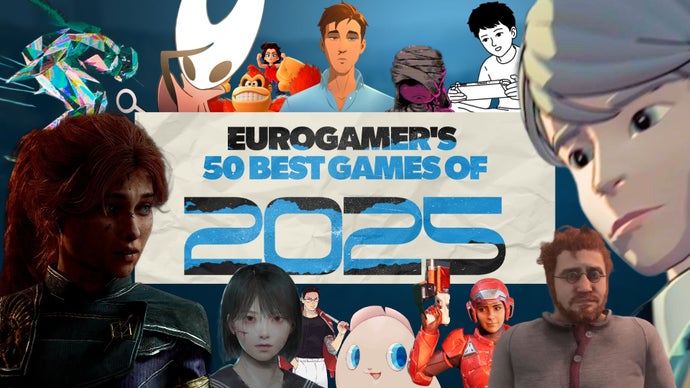
It's been another strange, difficult, and yet somehow also brilliant year for video games in 2025. Triple-A releases have been sparse again, compared to the boom times of old, with a great big GTA 6-shaped hole left in the final few months of the year. And yet once again, every gap left by the established order has been filled twice over with something brilliantly new.
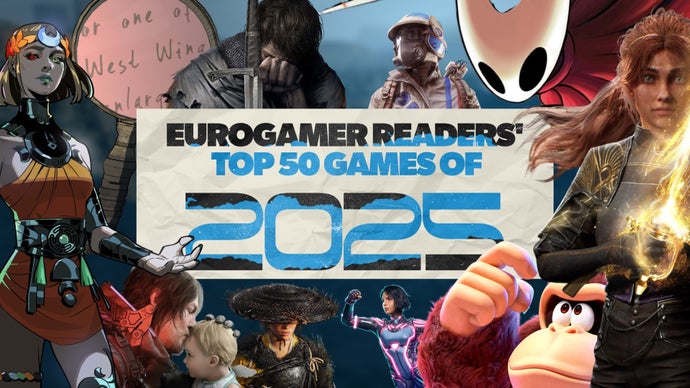
2025 has gone by in a flash, hasn't it? Well, apart from the days I've spent tabulating all your Game of the Year votes and presenting the results here - that has felt like an eternity and I think has given me permanent neck pain. But, let's not worry about that. I'm sure you'll agree it was worth the sacrifice.